HT-CT800
11
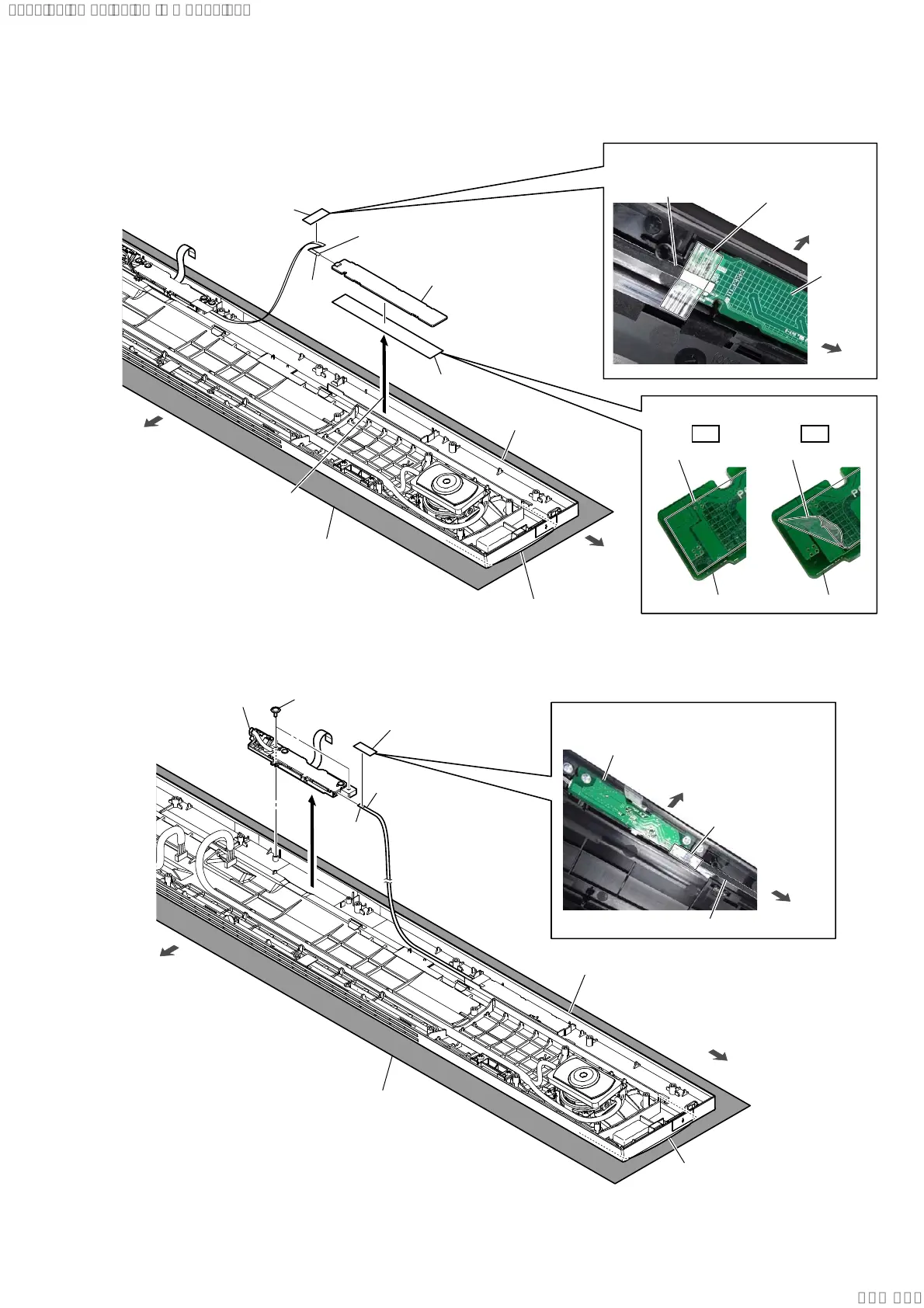
2-3. TOUCH BOARD
2-4. DISPLAY BOARD BLOCK
3 FFC 6P
(CN1901)
FFC 6P
rear side
right side
4 W-adhesive
tape
W-adhesive tape W-adhesive tape
5 TOUCH board
TOUCH
board
TOUCH board
TOUCH board
2 Peel off the TOUCH
board block.
1 filament tape
(sub material)
filament tape
(sub material)
terminal
side
top cabinet block
Note 2:
Take care not to crush
the front grille.
Note 1:
Lay a soft piece of cloth under the unit
to avoid damaging the top cabinet assy.
3DVWLQJSRVLWLRQRIWKHILODPHQWWDSH
VXEPDWHULDO
$IIL[LQJWKH:DGKHVLYHWDSH
front side
OK NG
right side
2 two screws
(PTP2 u 5)
rear side
right side
top cabinet block
3
5 DISPLAY board block
DISPLAY board
Note 1:
Lay a soft piece of cloth under the unit
to avoid damaging the top cabinet assy.
Note 2:
Take care not to crush
the front grille.
terminal
side
1 filament tape
(sub material)
filament tape
(sub material)
4 FFC 6P
(CN1301)
front side
FFC 6P
3DVWLQJSRVLWLRQRIWKHILODPHQWWDSH
VXEPDWHULDO
right side
SYSSET
2019/09/2422:06:08(GMT+09:00)



 To Next Page