HT-CT800
26
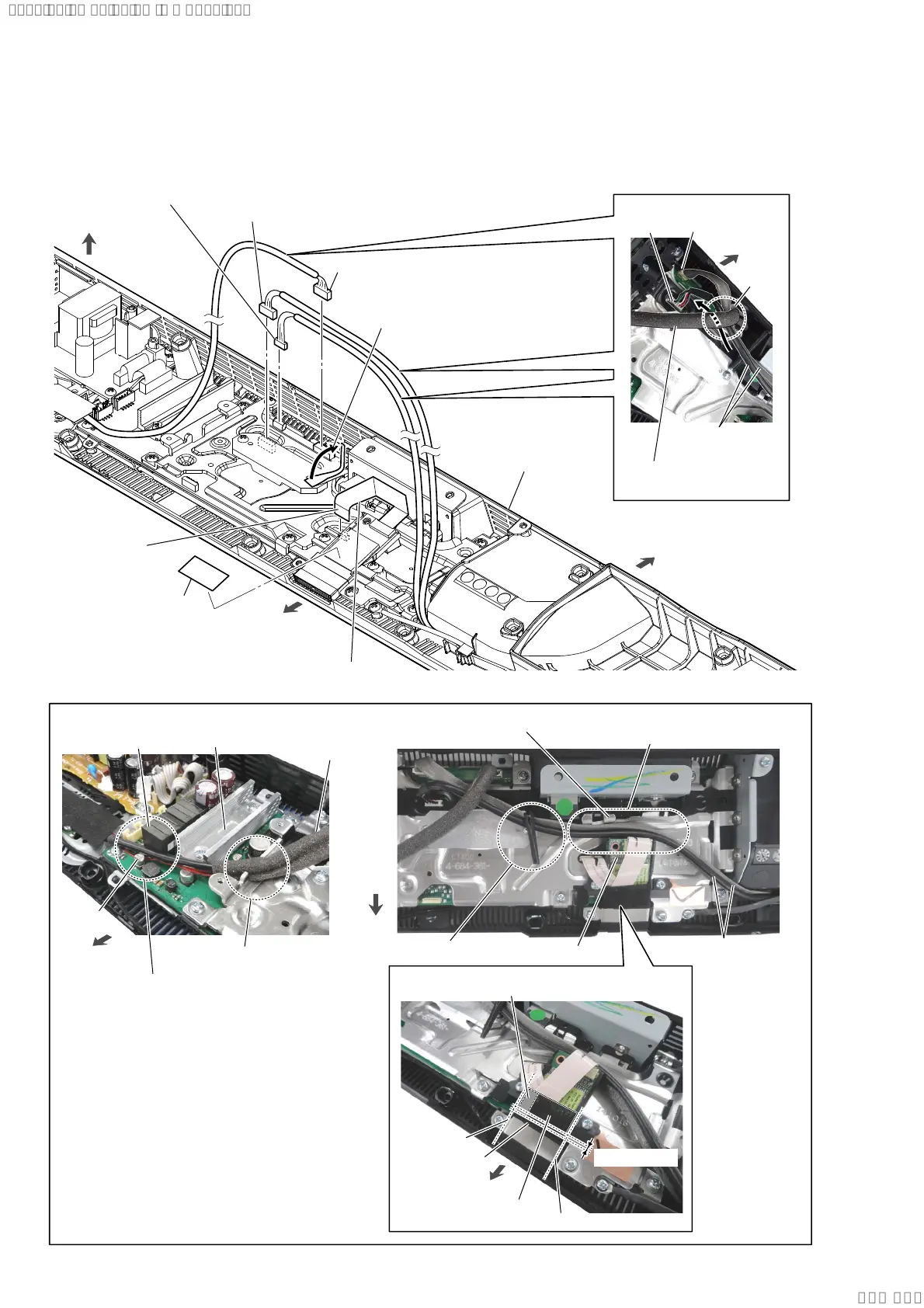
2-23. SHIELD (MAIN) BLOCK-1
• Continued on 2-24 (page 27).
2 USB-CHUKEI board cable
connector (CN501)
USB-CHUKEI
board cable
3 USB-CHUKEI board cable
connector (CN5004)
4 WLAN/BT combo card cable
connector (CN502)
1 Remove the two USB-CHUKEI board
cables from the wiring stopper.
5 cushion (WS label)
(See Fig. 1)
6 FFC 24P
(CN701)
The opposite side
is terminal side.
front side
rear side
top side
bottom cabinet block
:LUHVHWWLQJ
slot
C6024
Pass the cable between
the C6024 and L6006.
L6006
AMP heat sink
WLAN/BT combo
card cable
)LJ!
USB-CHUKEI
board cable
wiring stopper
Pass the USB-CHUKEI board cable between
the RF modulator and shield (main).
shield (main)
RF modulator
Pressing the adhesive area.
guide line
overlap: 1 mm
cushion (CL3)
guide line
cushion (WS label)
CN501
WLAN/BT combo
card cable
rear side
:LUHVHWWLQJ
CN5004
front side
front side
front
side
CN502
SYSSET
2019/09/2422:06:08(GMT+09:00)



 To Next Page