HT-CT800
16
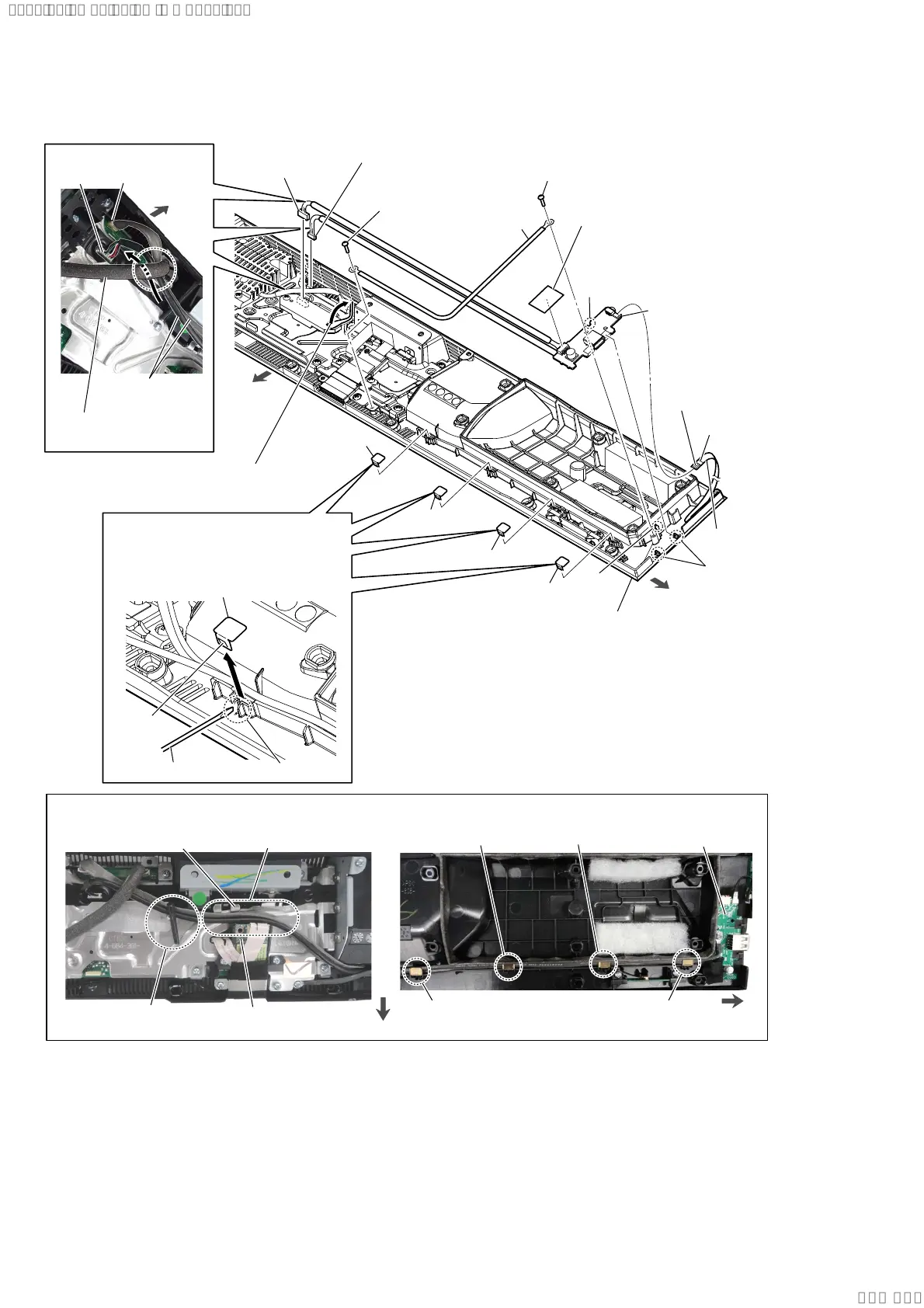
2-10. USB-CHUKEI BOARD BLOCK
front side
right side
1 Remove the two USB-CHUKEI board
cables from the wiring stopper.
3 leaf spring
3 leaf spring
3 leaf spring
6 FFC 6P
(CN1453)
3 leaf spring
0 two
claws
4 screw
(BVTP3 u 8)
4 screw
(BVTP3 u 8)
5 wire
9 cushion
(CL3)
terminal side
groove
claw
leaf spring
slit
flathead screwdriver
:LUHVHWWLQJ
front side
right side
leaf spring
leaf spring
leaf spring
leaf spring
USB-CHUKEI board
7 connector
(CN501)
8 connector
(CN5004)
bottom cabinet block
rib
2 Insert a flathead screwdriver, etc. into
the slit, and slide the leaf spring in the
direction of the arrow while pushing
the claw to remove the leaf spring.
qa USB-CHUKEI board block
Note:
When installing the
USB-CHUKEI board
block, align the rib
and groove.
wiring stopper
Pass the USB-CHUKEI board
cable between the RF modulator
and shield (main).
shield (main)
RF modulator
USB-CHUKEI
board cable
CN501
WLAN/BT combo
card cable
rear side
:LUHVHWWLQJ
CN5004
black line
SYSSET
2019/09/2422:06:08(GMT+09:00)



 To Next Page