rnJ
VIDEO/AUDIO INPUT/OUTPUT
section
@]
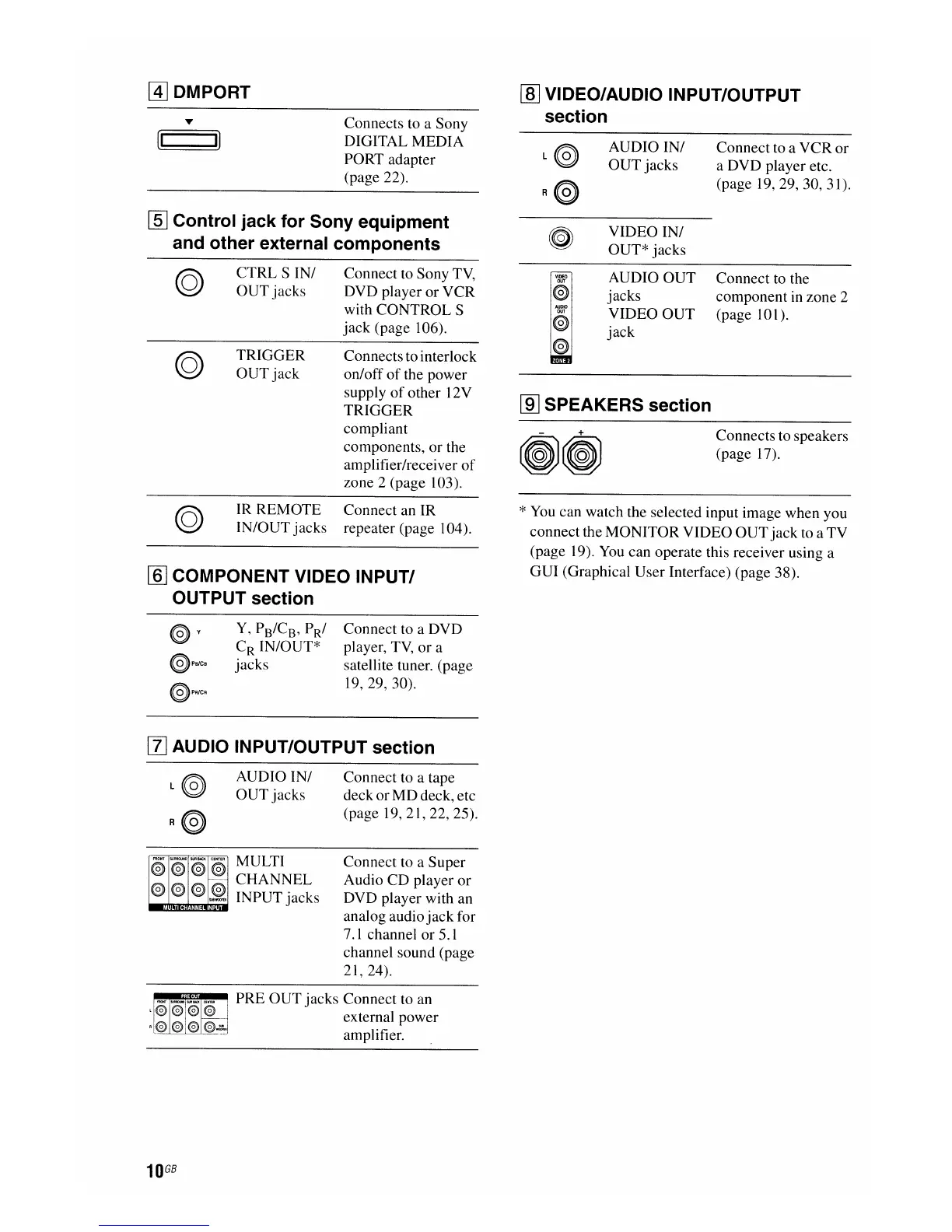
DMPORT
(I
I)
Connects to a Sony
DIGITAL MEDIA
PO
RT
adapter
(page 22).
AUDIO IN/
OUT
jacks
Connect to a
VCR
or
a DVD player etc.
(page
19,29,30,31).
[§J
Control jack for Sony equipment
and other external components
VIDEO IN/
OUT* jacks
CTRL S IN/ Connect to Sony
TV,
OUT jacks DVD player or VCR
with CONTROL S
jack (page 106).
[ID
SPEAKERS section
TRIGGER
OUT
jack
Connectsto interlock
on/off
of
the power
supply
of
other 12V
TRIGGER
compliant
components, or the
amplifier/receiver
of
zone 2 (page 103).
VIDEO
@
AUDIO
OUT
€)
€)
AUDIO OUT
jacks
VIDEO OUT
jack
Connect to the
component
in
zone 2
(page 101).
Connects to speakers
(page 17).
IR
REM
aTE
Connect an
IR
IN/OUT jacks repeater (page 104).
[§J
COMPONENT VIDEO INPUT/
OUTPUT section
*
You
can watch the selected input image when you
connect the MONITOR VIDEO
OUT
jack to a TV
(page 19).
You
can operate this receiver using a
GUI (Graphical User Interface) (page 38).
@v
@PBlCB
@PR/CR
Y,
PB/C
B
,
PRJ
C
R
IN/OUT*
jacks
Connect to a DVD
player,
TV,
or a
satellite tuner. (page
19,29,30).
[I]
AUDIO INPUT/OUTPUT section
FRONT
@o
@) @)
@)
@)
@)
@)
~"
AUDIO IN/
OUT jacks
MULTI
CHANNEL
INPUT jacks
Connect to a tape
deck or
MD
deck, etc
(page 19, 21, 22, 25).
Connect to a Super
Audio CD player
or
DVD player with an
analog audio
jack
for
7.1
channel or 5.1
channel sound (page
21,24).
~~~~
PRE OUT jacks Connect to an
external power
amplifier.
10
GB

















 To Next Page