• Cancel
MUTING
if
it
is
set to on.
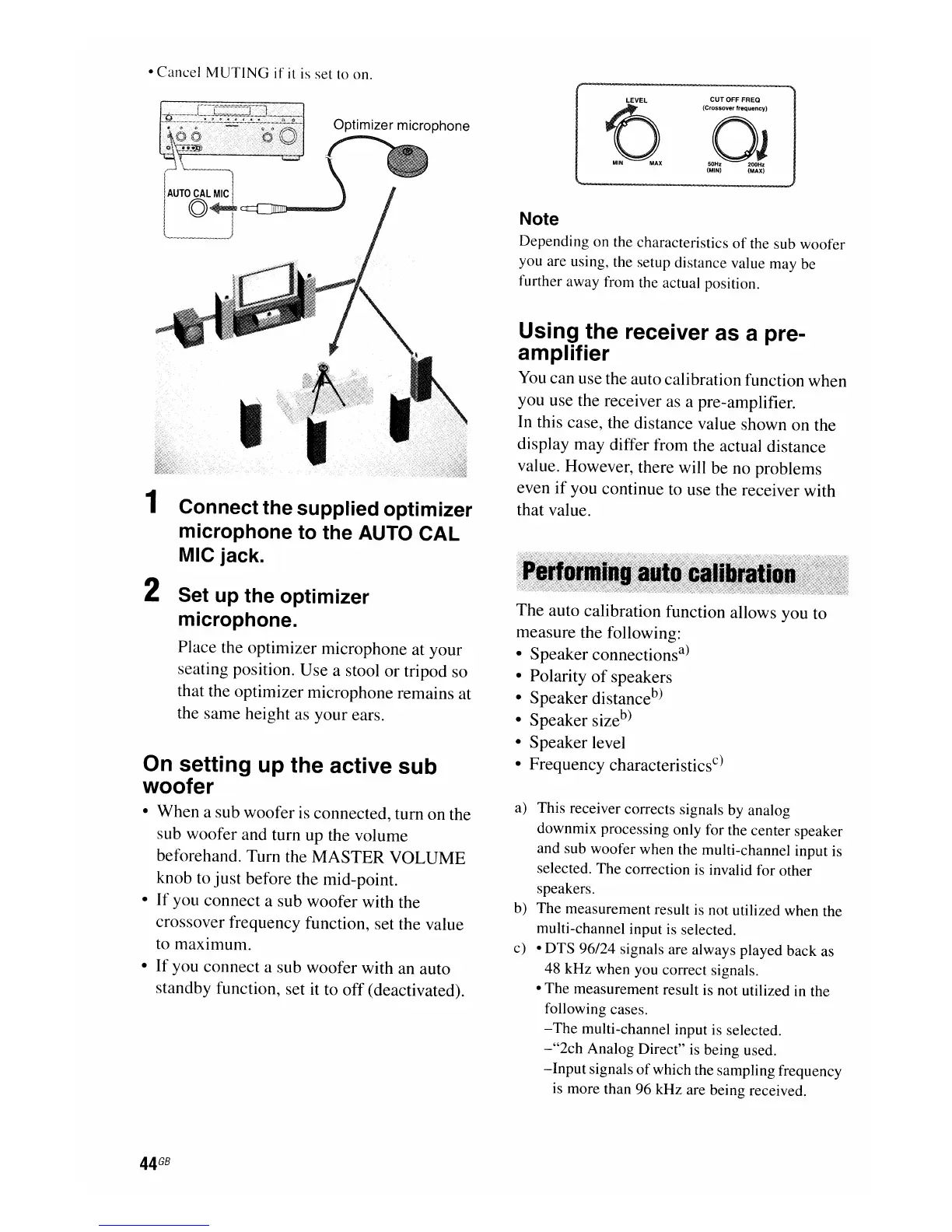
Optimizer microphone
1 Connect the supplied optimizer
microphone to the AUTO
CAL
MIC jack.
2 Set up the optimizer
microphone.
Place the optimizer microphone at your
seating position. Use a stool
or
tripod so
that the optimizer microphone remains at
the same height as your ears.
On setting up the active sub
woofer
• When a sub woofer is connected, turn on the
sub woofer and turn up the volume
beforehand. Turn the
MASTER
VOLUME
knob to
just
before the mid-point.
• If you connect a sub woofer with the
crossover frequency function, set the value
to maximum.
•
If
you connect a sub woofer with an auto
standby function, set it to off (deactivated).
44
GB
CUTOFF
FREQ
(Crossover frequency)
OJ
50Hz 200Hz
(MIN) (MAX)
Note
Depending on the characteristics
of
the sub woofer
you are using, the setup distance value may be
further away from the actual position.
Using the receiver as a pre-
amplifier
You
can use the auto calibration function when
you use the receiver as a pre-amplifier.
In this case, the distance value shown on the
display may differ from the actual distance
value. However, there will be no problems
even
if
you continue to use the receiver with
that value.
The auto calibration function allows you to
measure the following:
• Speaker connections
a
)
• Polarity
of
speakers
• Speaker distance
b
)
• Speaker size
b
)
• Speaker level
• Frequency characteristics
c
)
a) This receiver corrects signals by analog
downmix processing only for the center speaker
and sub woofer when the multi-channel input is
selected. The correction is invalid for other
speakers.
b) The measurement result is not utilized when the
multi-channel input is selected.
c) • DTS 96/24 signals are always played back as
48 kHz when you correct signals.
• The measurement result is not utilized in the
following cases.
-The
multi-channel input is selected.
-"2ch
Analog Direct" is being used.
-Input
signals
of
which the sampling frequency
is more than 96 kHz are being received.

















 To Next Page