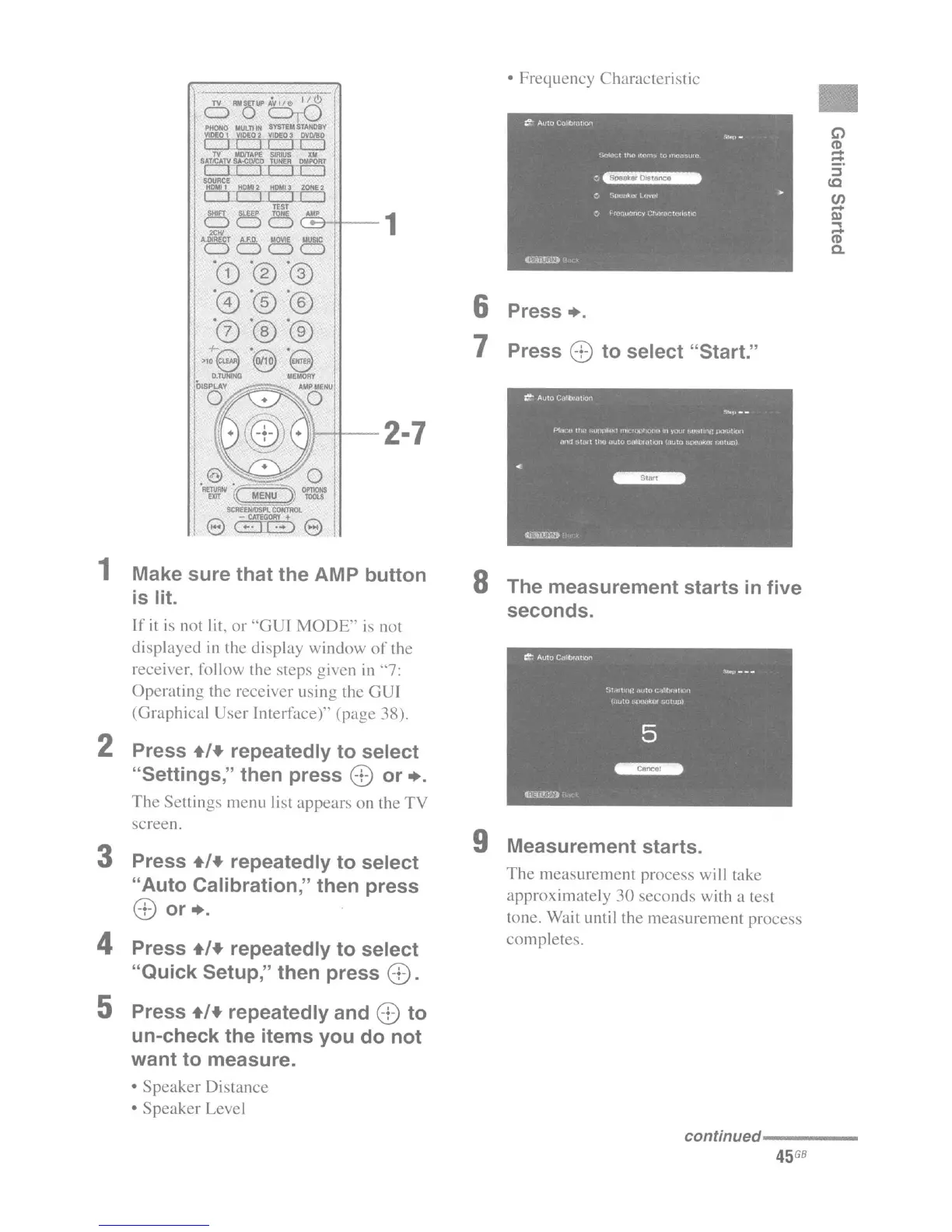
1 Make sure that the AMP button
is
lit.
If
it
is
not lit,
or
"GUI
MODE"
is
not
displayed
in
the display window
of
the
receiver. follow the steps given
in
"7:
Operating the receiver using the GUI
(Graphical User Interface)" (page 38).
2 Press +/+ repeatedly to select
"Settings," then press
E>
or +.
The
Settings menu list appears on the
TV
screen.
3 Press +/+ repeatedly to select
"Auto Calibration," then press
E>
or +.
4 Press +/+ repeatedly to select
"Quick Setup," then press
E>.
5 Press +/+ repeatedly and
E>
to
un-check the items you do not
want to measure.
•
Speaker
Distance
• Speaker Level
• Frequency Characteristic
6 Press
+.
7 Press
E>
to select "Start."
8 The measurement starts
in
five
seconds.
9 Measurement starts.
The
measurement process will take
approximately
30
seconds with a test
tone. Wait until the measurement process
completes.
•
"
(I)
-
-
:l
to
CIl
-
III
...
-
(I)
a.
conUnued....
--
__
45
GB

















 To Next Page