EasyManua.ls Logo

Sony STR-DA3300ES - Page 81

Sony STR-DA3300ES
162 pages
Print Icon
To Next Page IconTo Next Page
To Previous Page IconTo Previous Page
Loading...
XM
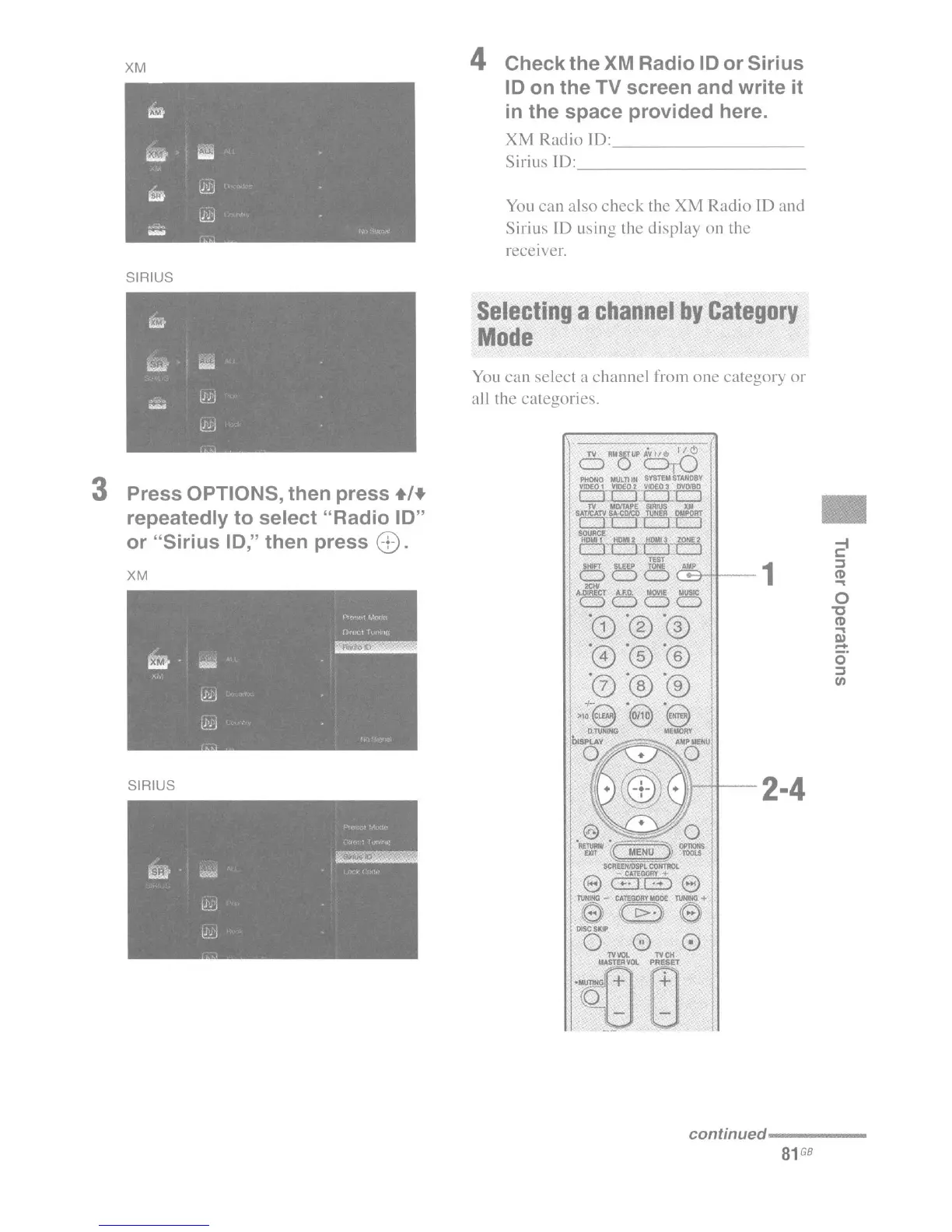
4 Check the XM Radio
10
or Sirius
10
on the TV screen and write it
in
the space provided here.
XM
Radio
10:
_
Sirius [D: _
You
can
also
check
the XM Radio ID and
Sirius
10
using the display on the
receiver.
SIRIUS
2
1
::J
(l)
...
0
"0
(l)
...
Ell
-
o'
::J
III
iH+--2·4
6
RM
o
UP
6rC)
PHONO
MULTI
IN
SYSTEM
STAND8Y
VIDEO
1
VIDEO
2
VIDEO
3
DVDI80
c:J1
II
LLJ
TV
MOfTAPf
SIRIUS
XM
SATICATV
SA-COI'CO
TUNER
OUPORT
r::n::J
c:J::c:::J
SOURCE
H'OMII
H0IIII2
~
lONE2
ClT:JL:J::c:::J
TEST
OOOCEHt--
....
DoDo,
"CD"®
.@"®
"0
"®"®
+-
" "
,,,9 e e
O.TVHlNG
MEMORY
Selecting
a
channel
by
Category
Mode
You
can
select a channel from
one
category
or
all the categories.
XM
SIRIUS
3 Press OPTIONS, then press .1+
repeatedly to select "Radio
10"
or "Sirius
10,"
then press
8).
continued----
__
81
GB

Table of Contents

Other manuals for Sony STR-DA3300ES

Related product manuals