Selecting
a
channel
by
inputting
the
channel
number
directly
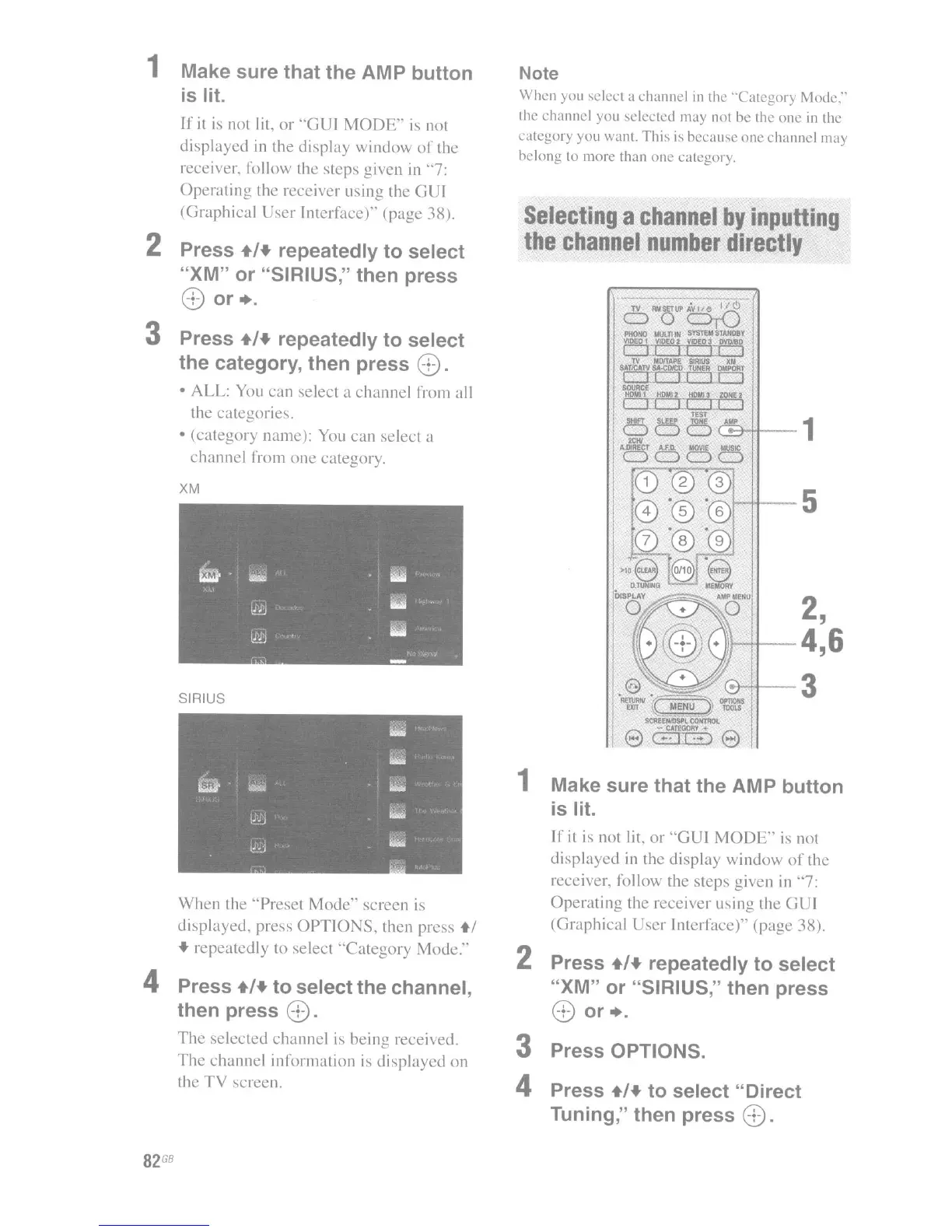
3 Press OPTIONS.
4 Press +/+ to select "Direct
Tuning," then press
8.
1-1+--5
2,
t-It--4,6
coHt-3
CB-+1--1
Make sure that the AMP button
is
lit.
If it
is
not
lit
or
"GUI
MODE"
is
not
displayed
in the display
window
of
the
receiver, follow the
steps
given in "7:
Operating
the receiver using the G I
(Graphical
ser
Interface)" (page 38).
2 Press +/+ repeatedly to select
"XM" or "SIRIUS," then press
8
or+.
Note
When you
'elect
a channel
in
the "Category Mode."'
the channel you
,elected
may not be the
one
in
the
category you want.
Thi,
is
becau,e
one channel may
belong to morc than onc category.
1
When
the
"Preset
Mode"
screen is
displayed, press
OPTIONS,
then press
+1
• repeatedly to select
"Category
Mode."
4 Press +/+ to select the channel,
then press
8.
The
selected
channel
is being received.
The
channel
information is
displayed
on
the
TV
screen.
SIRIUS
XM
1 Make sure that the AMP button
is
lit.
If
it
is
not lit,
or
"GUI
MODE"
is
not
displayed
in
the
display
window
of
the
receiver, follow the steps given
in
"7:
Operating
the receiver using the GUI
(Graphical User Interface)" (page 38).
2 Press +/+ repeatedly to select
"XM" or "SIRIUS," then press
8
or+.
3 Press +/+ repeatedly to select
the category, then press
8.
• ALL: You can select a
channel
from all
the categories.
• (category name): You
can
select a
channel
from
one
category.
82
GB

















 To Next Page