5 Press
the
numeric
buttons
to
enter
the
channel number.
6 Press
Cf).
The selected channel is tune in.
You
can select the channels you want directly
by presetting them using the preset numbers.
You can preset up to 30 XM Radio channels
and 30 SIRIUS Satellite Radio channels.
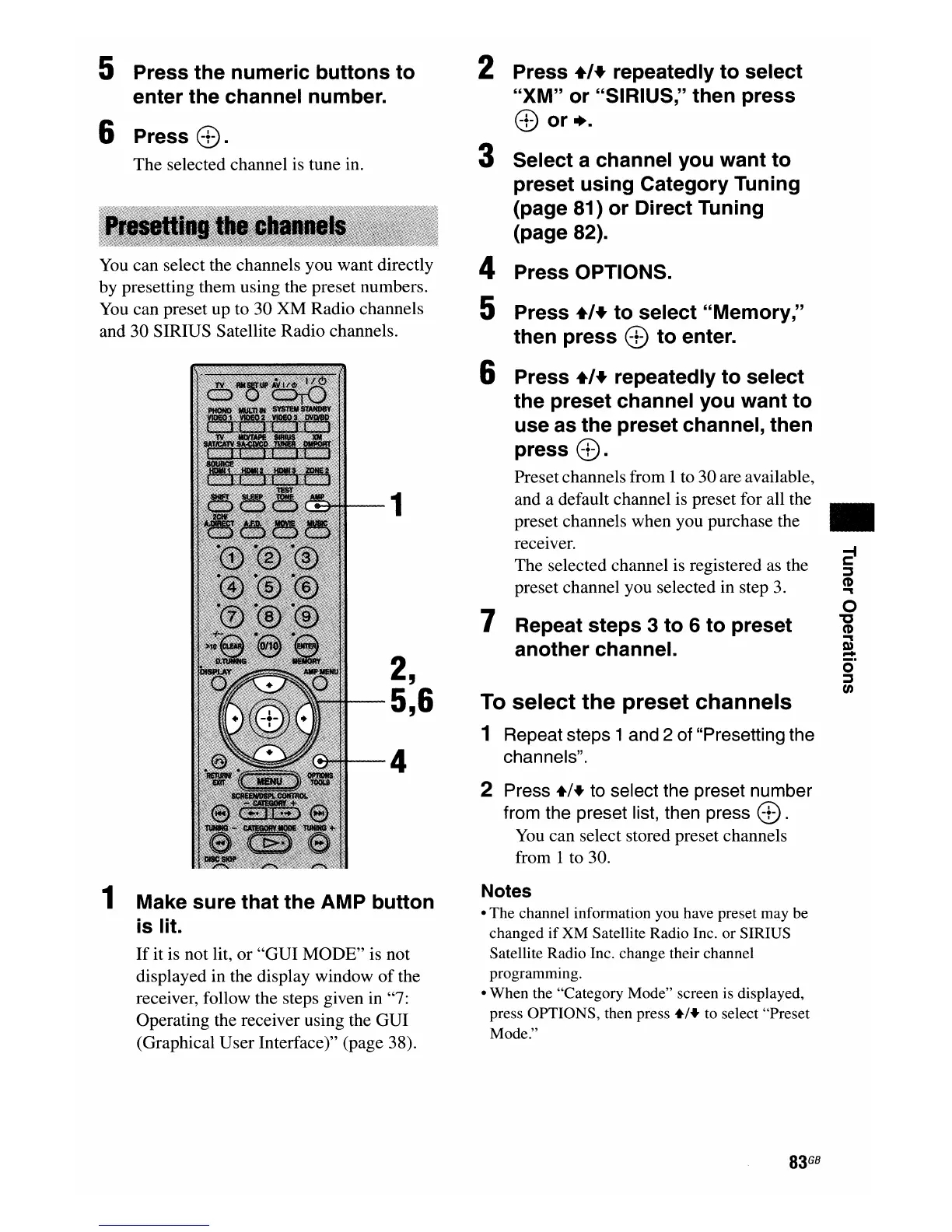
1
2,
5,6
4
1 Make
sure
that
the
AMP
button
is
lit.
If
it is not lit, or
"GUI
MODE" is not
displayed in the display window
of
the
receiver, follow the steps given in "7:
Operating the receiver using the GUI
(Graphical User Interface)" (page 38).
2 Press
+'+
repeatedly
to
select
"XM"
or
"SIRIUS," then press
Cf)
or
+.
3 Select a channel you
want
to
preset
using
Category Tuning
(page 81)
or
Direct Tuning
(page
82).
4 Press OPTIONS.
5 Press
+'+
to
select "Memory,"
then press
Cf)
to
enter.
6 Press
+'+
repeatedly
to
select
the preset channel you
want
to
use as
the
preset channel, then
press
Cf).
Presetchannels from 1to 30 are available,
and a default channel is preset for all the
preset channels when you purchase the
receiver.
The selected channel is registered as the
preset channel you selected in step
3.
7 Repeat
steps
3
to
6
to
preset
another channel.
To
select
the
preset
channels
1 Repeat steps 1 and 2 of "Presetting the
channels".
2 Press
+1+
to select the preset number
from the preset list, then press
Cf).
You
can select stored preset channels
from 1 to 30.
Notes
• The channel information you have preset may be
changed
if
XM Satellite Radio Inc. or SIRIUS
Satellite Radio Inc. change their channel
programming.
• When the "Category Mode" screen is displayed,
press OPTIONS, then press
+1+
to select "Preset
Mode."
83
GB
•
o
"
CD
""'t
m
...
o·
~
tn

















 To Next Page