CRANEX Novus e 3. Taking an Exposure
User manual 208898 23
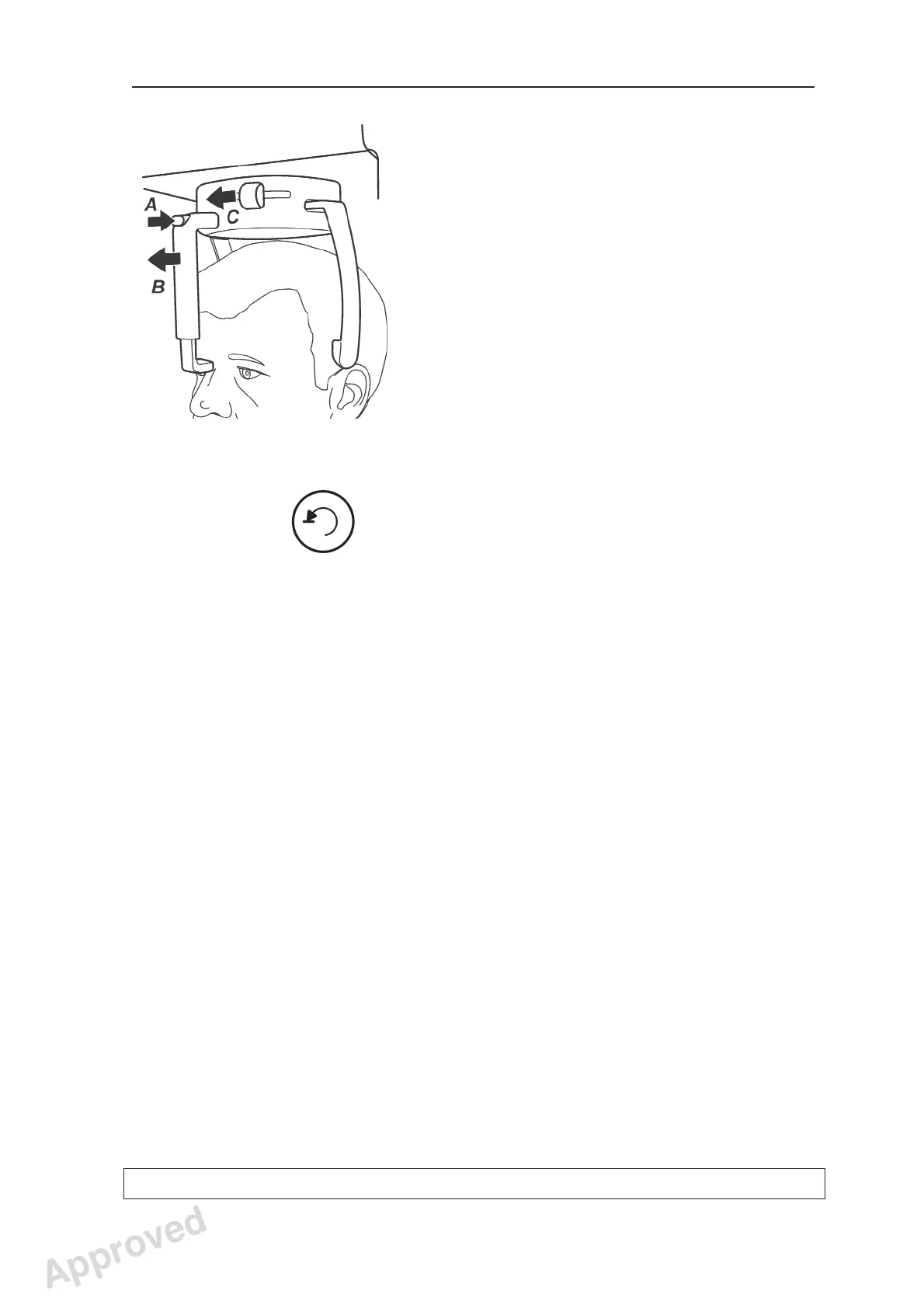
21. Press the release button (A) at the top of the
forehead support and then slide the forehead
support away from the patient (B).
Open the temple supports by sliding the temple
support knob to the left (C).
Guide the patient out of the unit.
22. Press the Return key to drive the unit to the PIO
position.
NOTE:
After the exposure, a timer indicating the
tubehead cooling time may appear on the
display. A new exposure cannot be taken until
the counter reaches zero, the exposure time
reappears on the display and the unit status
indicator turns green.
Approved: Ukkonen Juha-Pekka 2015-03-13 13:08
Reviewed: Savinen Antti Juhani 2015-03-12 11:32
Approved
See PDM system to determine the status of this document. Printed out: 2016-01-27 12:19:26
D508980, 4
Copyright © 2015 by PaloDEx Group Oy. All rights reserved.



 To Next Page