CRANEX Novus e 5. Unit Setup
User manual 208898 39
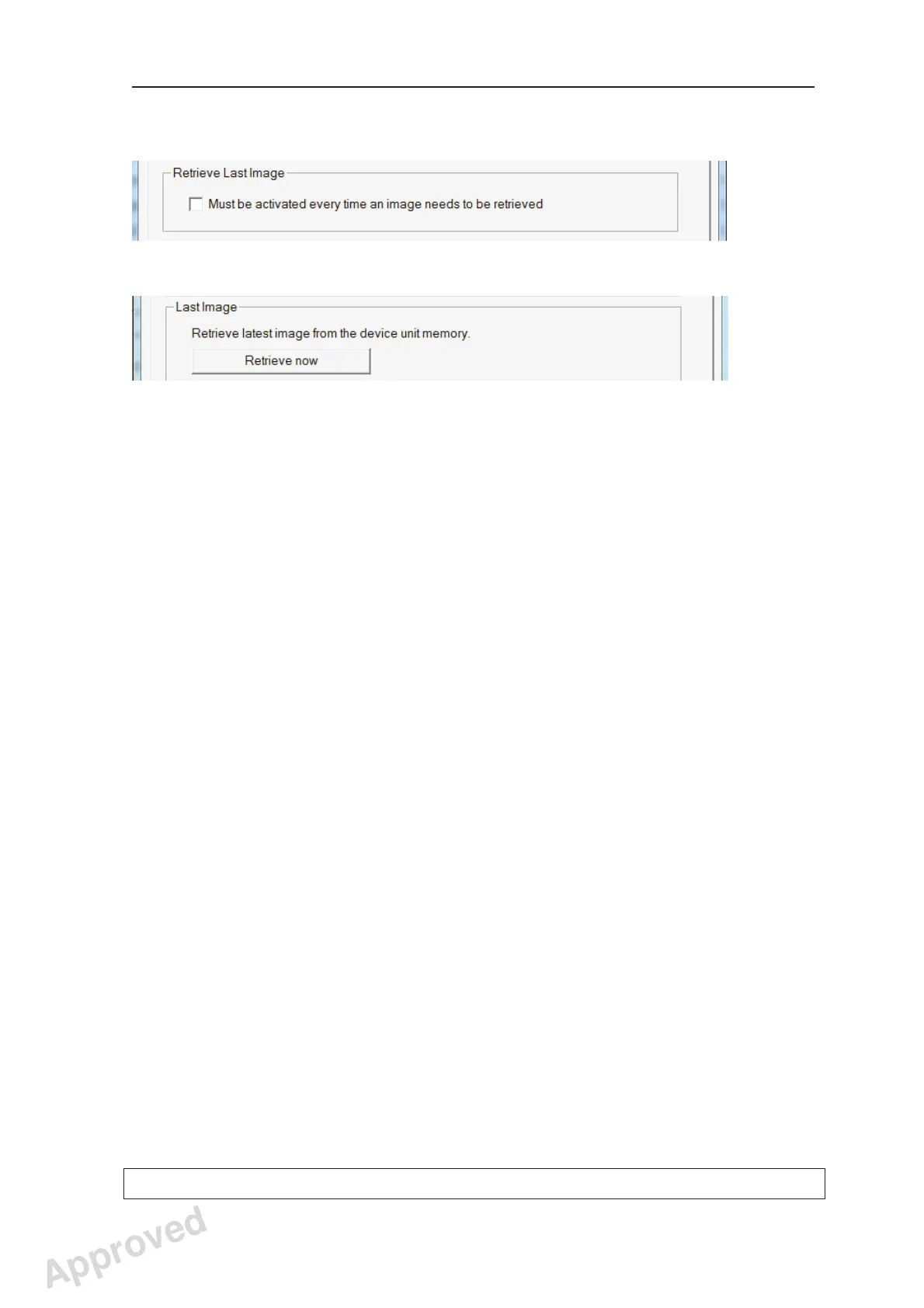
The Retrieve Last Image fi eld:
(DIGORA for Windows software)
(SCANORA software)
If the last image taken is not transferred to
the PC because of a network, PC or software
failure, the image can be retrieved from the unit
memory.
IMPORTANT NOTE
The last taken image can only be retrieved if the
unit is left on after the last exposure was taken.
If the unit is switched off the image will be lost.
To retrieve the last image:
i. Correct the problem that caused the network
failure, and then reopen the patient card.
ii. The last taken image should automatically be
transferred.
If it is not, click the check box in the Retrieve
Last Image fi eld (DIGORA for Windows
software) or click the Retrieve now button
(SCANORA software) to retrieve the last read
image taken by the unit.
iii. Click OK to close the Novus e Setup
window.
The last image taken will appear on the patient
card.
Approved: Ukkonen Juha-Pekka 2015-03-13 13:08
Reviewed: Savinen Antti Juhani 2015-03-12 11:32
Approved
See PDM system to determine the status of this document. Printed out: 2016-01-27 12:19:26
D508980, 4
Copyright © 2015 by PaloDEx Group Oy. All rights reserved.



 To Next Page