INSTRUCTION MANUAL
SPACE s.r.l.
ER 200 - ER 220
ER150 - ER160 - ER165
Code M0076 - rev.1.6
(04/2005)
SPACE s.r.l. – 10090 Trana (TO) Via Sangano, 48 Page 29/ 40
Tel. (+39) 011/ 933.88.65 – Fax (+39) 011/ 933.88.64
e-mail: info@spacetest.com
ICON KEY DESCRIPTION
RED (F1) Return to previous page.
YELLOW (F2) Increase number of spokes
BLUE (F3) Decrease number of spokes
GREEN (F4) Confirm number of spokes
The machine automatically calculates weight position in two parts hidden behind the spokes.
Figure 36
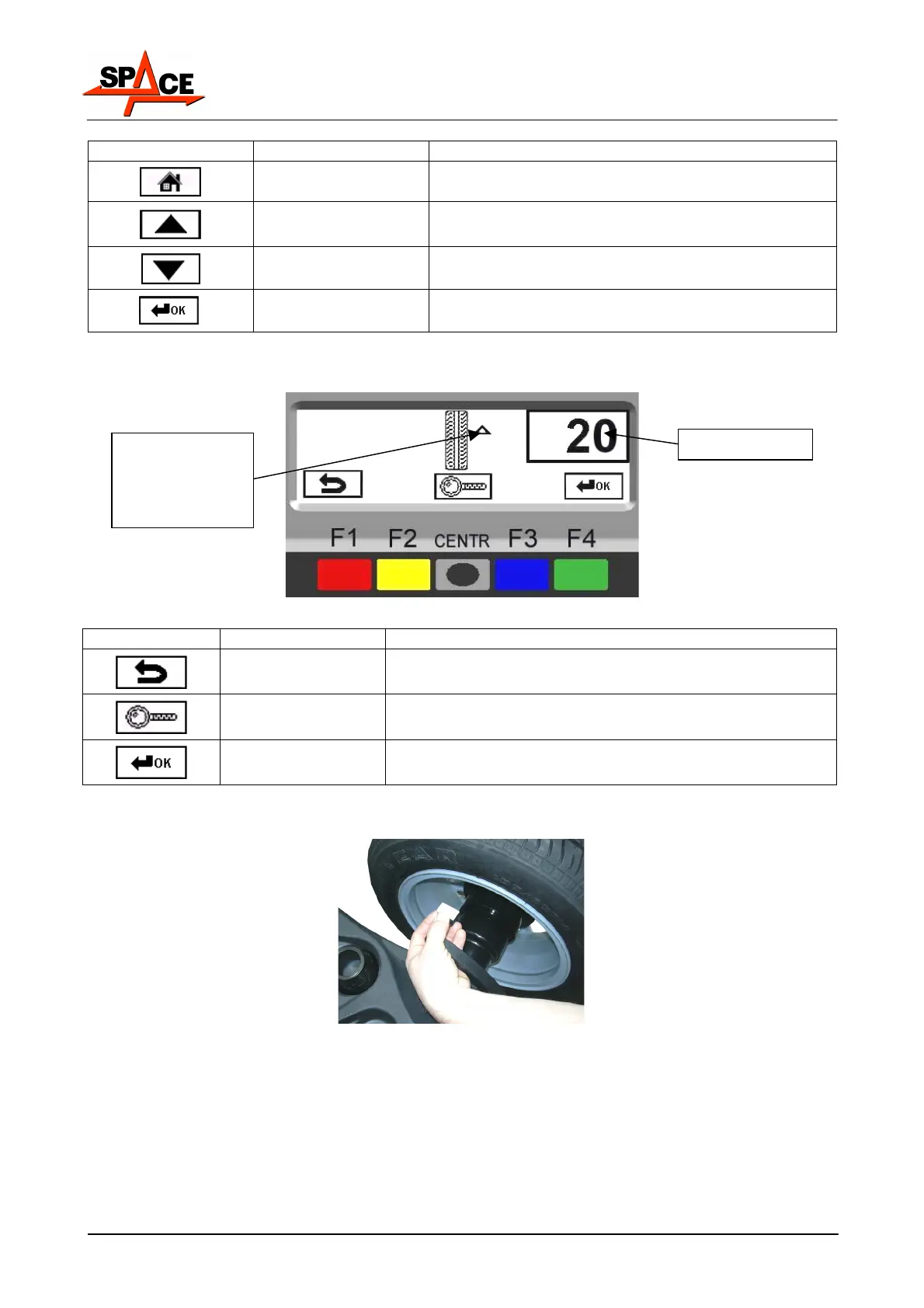
ICON KEY DESCRIPTION
RED (F1) Return to previous page.
CENTRE Display exact unbalance (pitch 1g instead of 5g)
GREEN (F4) Confirm and continue second weight positioning
Position the wheel correctly (see para. 7.3.2 on page 21).
Fit the adhesive weight (in the example this is 20g) on the measurement rod as shown in
Figure 37.
Figure 37
When the wheel has reached weight fitting point, the display screen shows the distance for
correcting unbalance on a black background. When the wheel is far from the weight fitting
point, the display screen shows the total weight to be fitted.
Fit the adhesive weight inside the spoke at the point indicated on the display screen (in the
example at 207 mm, Figure 38).
Arrows for
positioning at
correction weight
fitting point
Total weight



 To Next Page