INSTRUCTION MANUAL
SPACE s.r.l.
ER 200 - ER 220
ER150 - ER160 - ER165
Code M0076 - rev.1.6
(04/2005)
SPACE s.r.l. – 10090 Trana (TO) Via Sangano, 48 Page 37/ 40
Tel. (+39) 011/ 933.88.65 – Fax (+39) 011/ 933.88.64
e-mail: info@spacetest.com
Fit a wheel of medium size, possibly balanced (
φ
=13÷14” , L = 4÷5”).
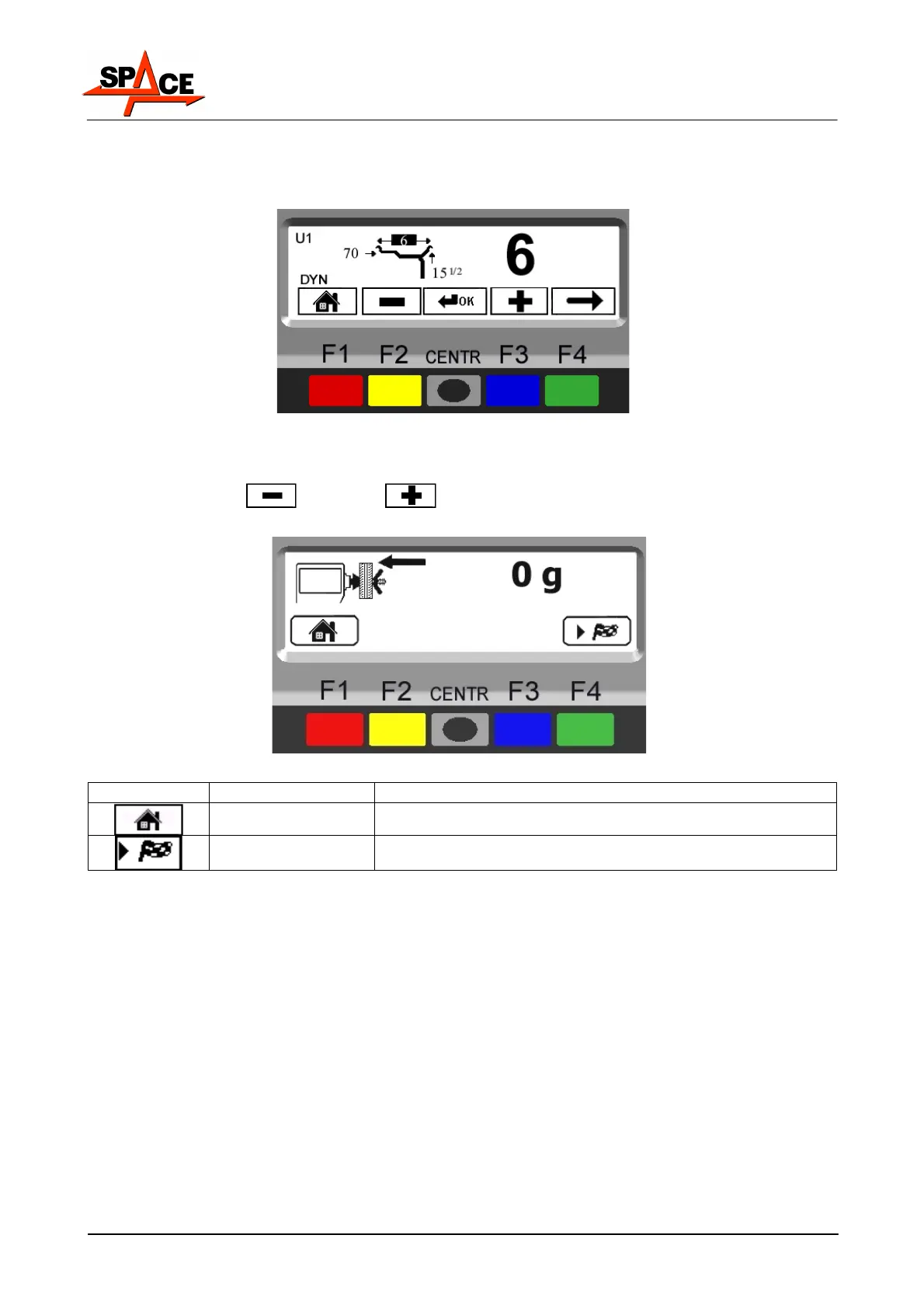
From the calibration page menu (see Figure 46) press the weight sensor calibration “F3 key”;
the program will display the following page:
Figure 48
Carefully enter distance, diameter and wheel width measurements, pressing the "CENTRE
key" to select each measurement and confirm.
Select the “MINUS”
or “PLUS” key to enter the desired values.
Press the “F4 key” to continue. The program will show the following page:
Figure 49
ICON KEY DESCRIPTION
RED (F1) Return to previous page
GREEN (F4) In models ER220/ER160/ER165 performs wheel spin
As Figure 49 shows, press the “F4 key” to perform a wheel spin without adding weights (in
the case of models ER220/ER160/ER165).
In the case of models ER200/ER150, turn the wheel manually until normal speed is
achieved.



 To Next Page