SPEKTRUM DX7 • HELICOPTER PROGRAMMING GUIDE SPEKTRUM DX7 • HELICOPTER PROGRAMMING GUIDE
Auto Dual Rate EXP
The Auto Dual Rate and Expo function allows Expo and Dual Rate values (aileron, elevator and rudder) to be
automatically selected in each flight mode (Normal, ST1, ST2, and Hold.) When an auto dual rate flight mode is
inhibited, the dual rate is defaulted to the correlating switch and dual rate switch positions.
[AUTO D/R EXP]
◊NORM INH
ST-1 INH
ST-2 INH
Press to adjust value
Press to enter
AUTO DUAL RATE
Press to enter
Function Mode
Press to select
desired flight mode
Press to return value
to default setting
To Adjust the Auto Dual Rate
Press the DowN and SELECT keys simultaneously to access the Function Mode.
Press the UP or DowN key until the AUTO D/R EXP screen appears on screen.
Use the select key to select NORMAL, ST1 ST2 or HOLD FLIGHT mode.
When selected, press the INCREASE or DECREASE key to select DUAL RATE, P-1, P-2 or INHIBIT.
Note: The actual dual rate values are set in the Dual Rate and Expo screen. See page 84.
Reverse Switch
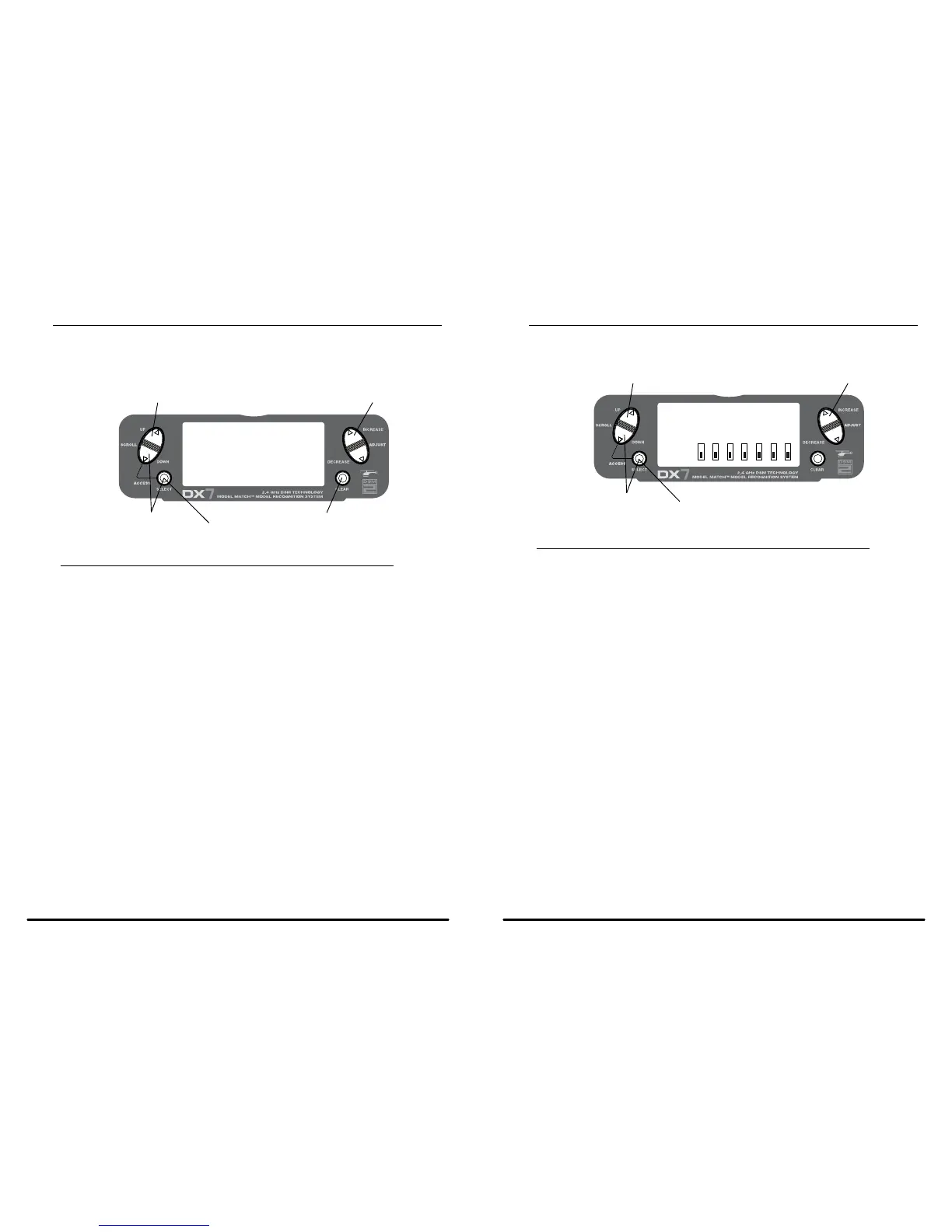
The Reverse Switch function allows electronic means of reversing the servo’s throw. Servo reversing is available
for all seven channels.
[REVERSING SW]
NORM
GEAR
≤
ch 1 2 3 4 5 6 7
REV.
Press to select REV. or NORMPress to enter REVERSE
Press to enter
Function Mode
Press to select
desired channel
Accessing the Reverse Switch Function
Press the SELECT key to access the desired channel.
Press the INCREASE or DECREASE key to reverse the servo direction for that selected channel.
• THRO: Throttle
• AILE: Aileron
• ELEV: Elevator
• RUDD: Rudder
• GEAR: Gyro Gain
• PIT: Pitch (AUX1) Gyro Gain



 To Next Page
 Loading...