Installation and Reference Manual
Configuring PBX functionality
Installation and Reference Manual v3.2/0410/6 103
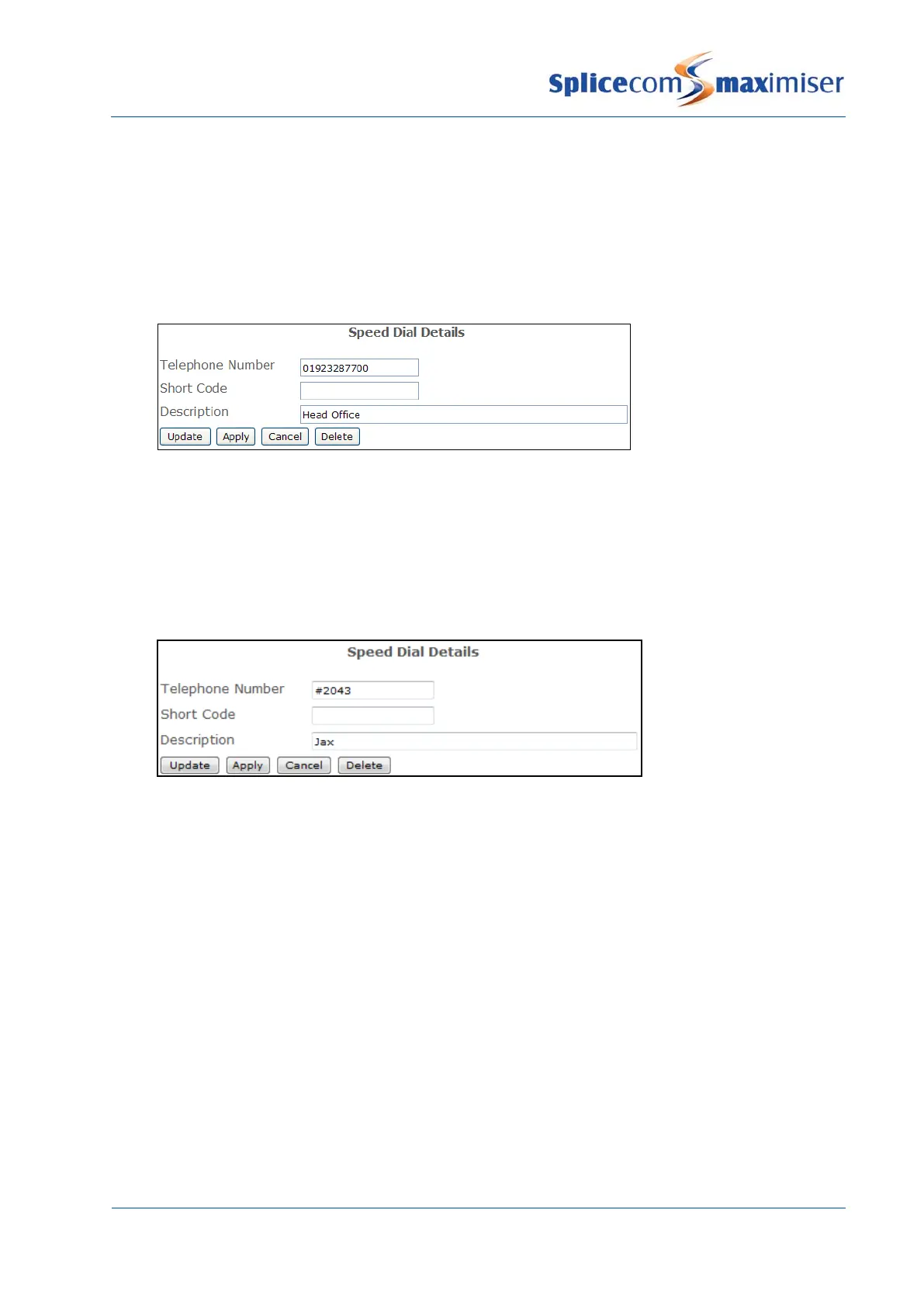
5 In the Telephone Number field enter the number (internal or external) to be dialled by the PBX, eg
01923287700
6 In the Short Code field enter the number to be dialled by the User, eg 123. (This entry is not
required for a user of PCS 580/570/560/410/400/100/60/50 who wishes to dial via the Speed Dial
icon/button only.)
7 In the Description field enter a description for the Speed Dial, eg Head Office.
8 Select Update when ready
9 Repeat steps 4 to 8 to enter further Speed Dials
Please note: User Short Codes take priority over Dial Plan entries.
Speed Dials created for internal extensions can also be used to pick up a call ringing on that extension, if
however a User on that extension, such as the MD of the company, does not want his/her calls picked up
the hash (#) can added to the beginning of the Telephone Number field.
Please note that users of a PCS 580/570/560 will not see this # in their Settings.
Creating a Speed Dial for multiple Users
When the same Speed Dial is required to be entered for multiple Users this can be done using the Users
(Speed Dials) feature as follows:
1 In Manager, select Users (Speed Dial)
2 In the Telephone Number field enter the number (internal or external) to be dialled via this Speed
Dial, eg 01313375032
3 In the Short Code field enter the number to dialled by the User, if required, eg 123
4 In the Description field enter text that will identify the Speed Dial, eg Edinburgh office.
5 In the Target Users field enter the extension numbers of the Users to receive this Speed Dial. Enter
either a comma between each extension number or use a hyphen to indicate a range of
extensions. For example: 2001,2003,2005,2009,2015,2020 etc or 2001-2050



 To Next Page