Installation and Reference Manual
Working with Voicemail
190
Installation and Reference Manual v3.2/0410/6
Voice Processing Port Licence
Each 5100 Call Server is supplied with 4 simultaneous connections to voicemail however the 5100 can
support up to 16 connections. Each 5108 Call Server is supplied with 2 simultaneous connections to
voicemail however the 5108 can support up to 8 connections. Therefore to enable the additional
connections a Voice Processing Port licence must be purchase. One licence per port/connection.
This licence will also facilitate the use of the voicemail application run on a standalone Linux PC or server.
For further information please on licensing refer to the Installing Licences section from page 35.
Enabling Voicemail for a User
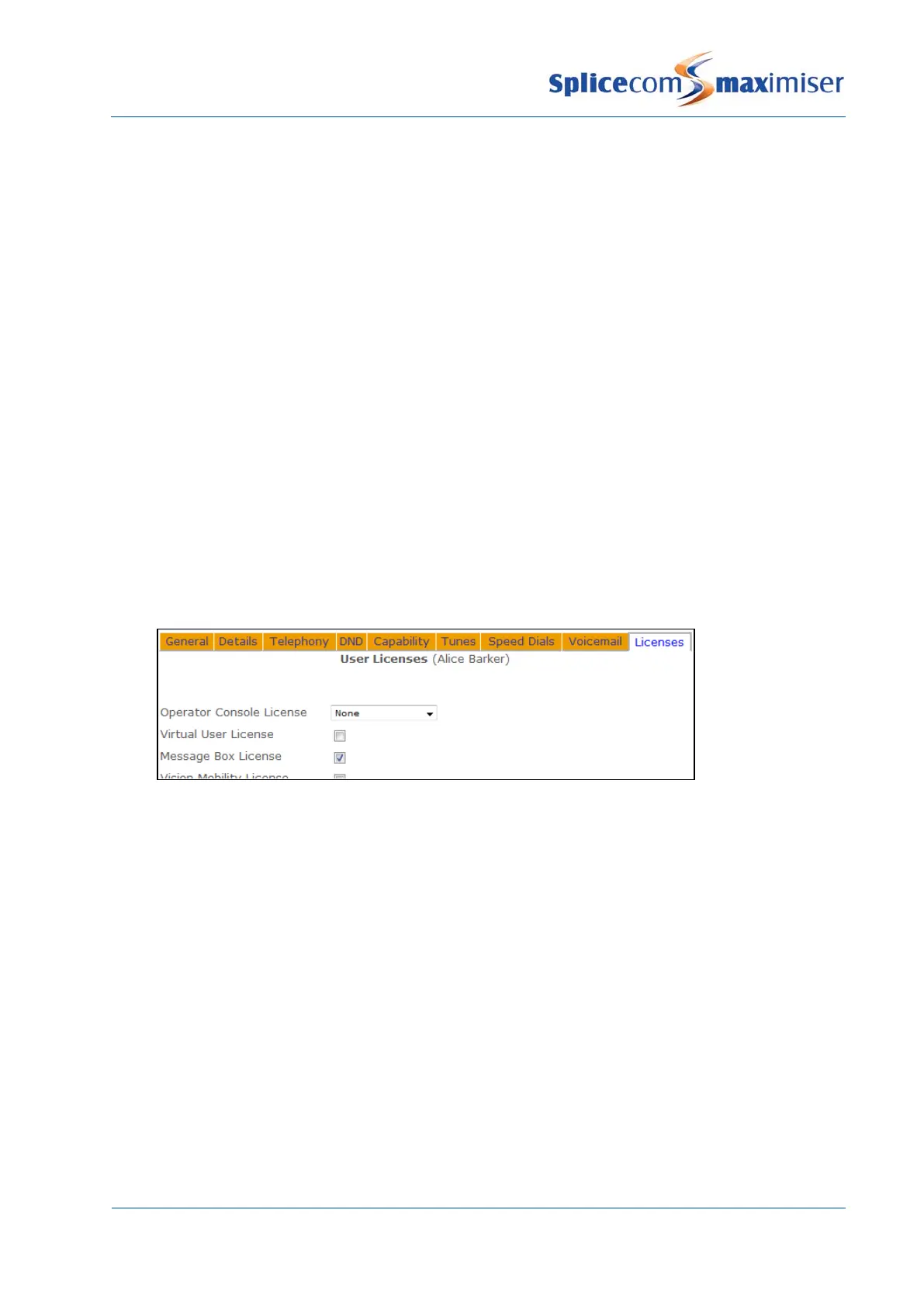
In order to provide a User with voicemail functionality a Message Box Licence must be assigned to that
User.
1 In Manager select Users
2 From the Users list select the User required
3 Select the Licences page
4 Tick the Message Box License field
5 Select Update or Apply when ready.
If there are insufficient licences available this setting will not be saved. A list of which Users have been
assigned MessageBox licences can be viewed in Manager by selecting Utilities and then Mailbox
Licences.
Once a MessageBox licence has been assigned the User will have use of the following facilities:
• Listen to messages (as described in the Accessing Voicemail section from page 193).
• Colleagues will be able to transfer calls to the User’s voicemail (as described in the Leaving a Message
section from page 192).
• Call recording (as described in the Call Recording section from page 232).
Further voicemail functionality can be provided to a User by configuring their Voicemail Enabled option as
follows:
1 In Manager select Users
2 From the Users list select the User required
3 Select the Voicemail page
4 Tick the Voicemail Enabled field
5 Select Update or Apply



 To Next Page