Installation and Reference Manual
Configuring PBX functionality
128
Installation and Reference Manual v3.2/0410/6
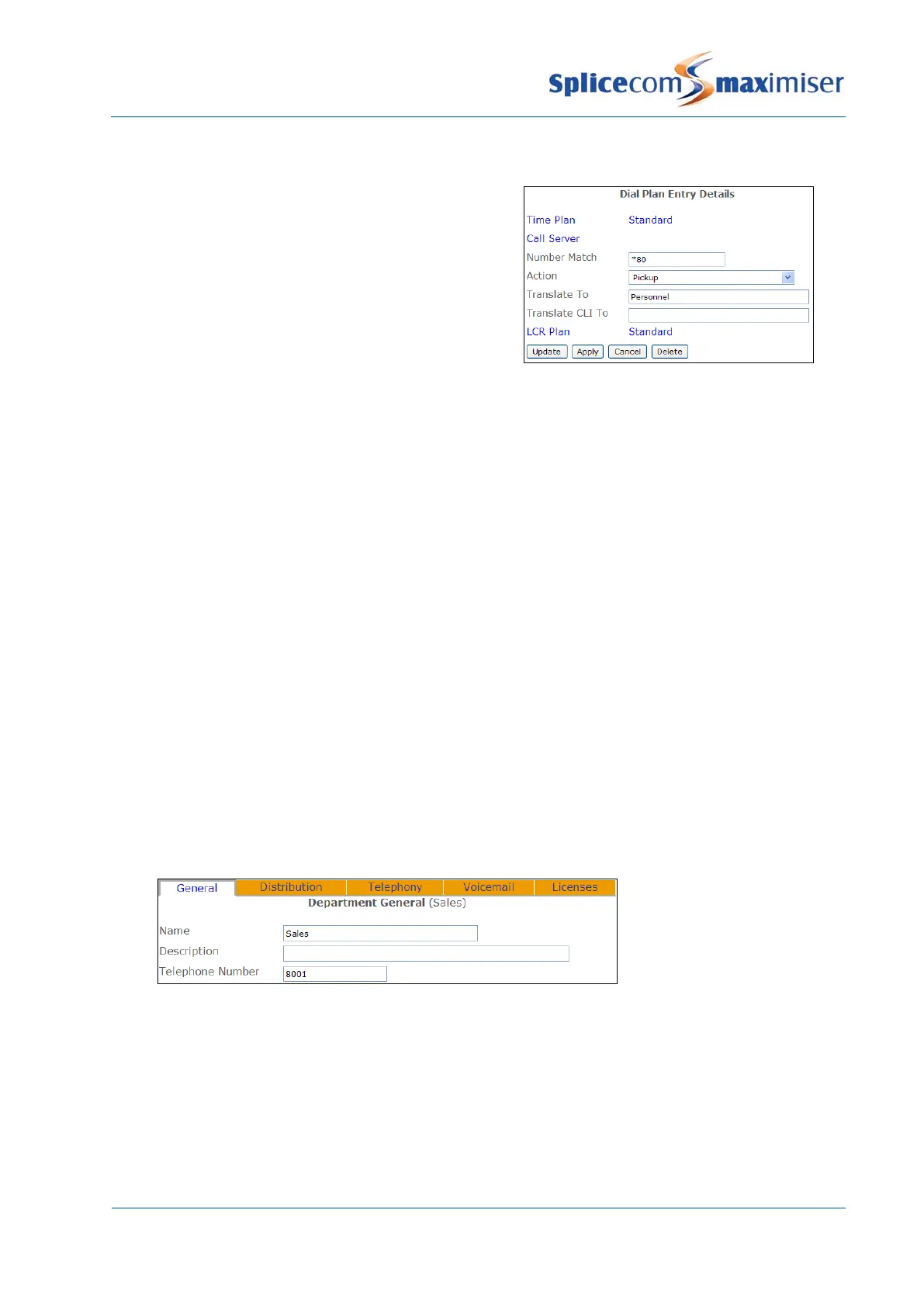
Pick up a call to a member of a Group via a Dial Plan entry
A Dial Plan entry similar to this example can be created to
allow Users to pick up the longest waiting call ringing for
a User that is a member of a Group. This will pick up any
internal call, DDI or Department call to a member of the
Group.
The name of the Group is entered in the Translate To
field.
Routing calls via a Department
A Department is used to determine how calls will be presented to a Group. By default, a Department
called Main containing MainGroup as its Distribution Group is created. All incoming calls are routed to
this Department until configured otherwise.
Once a Group has been created a Department is then created to determine how calls will be presented
to the Group.
1 In Manager select Departments
2 A list of the current Departments are displayed
3 Click on the Add button
4 In the Name field enter a unique name for the Department, use alphanumeric characters only,
begin with a letter and do not use any punctuation. This Name is used to identify a call to this
Department in Caller Display.
5 If required, in the Description field enter text that will help to identify the Department
6 In the Telephone Number field enter a unique extension number that will be used to route calls to
this Department. Ensure that this number is not the same as an existing extension number.
7 Select Update when ready.
8 The new Department will be listed in the Departments List
Each Department created will be listed in the Departments directory on a PCS 580/570/560, 410/400, 100,
60 and 50.
Each Department is identified on the database by a GUID (Global Unique Identifier). This unique
identifier can be displayed by selecting Utilities and then Voicemail GUIDs.



 To Next Page