Installation and Reference Manual
248
Installation and Reference Manual v3.2/0410/6
At present the
imiser only supports static IP addresses therefore you will need to enter details of the
remote network.
1 In Manager, select WAN Links
2 Select the relevant module containing the WAN Port required
3 Select the relevant link from the WANLink List
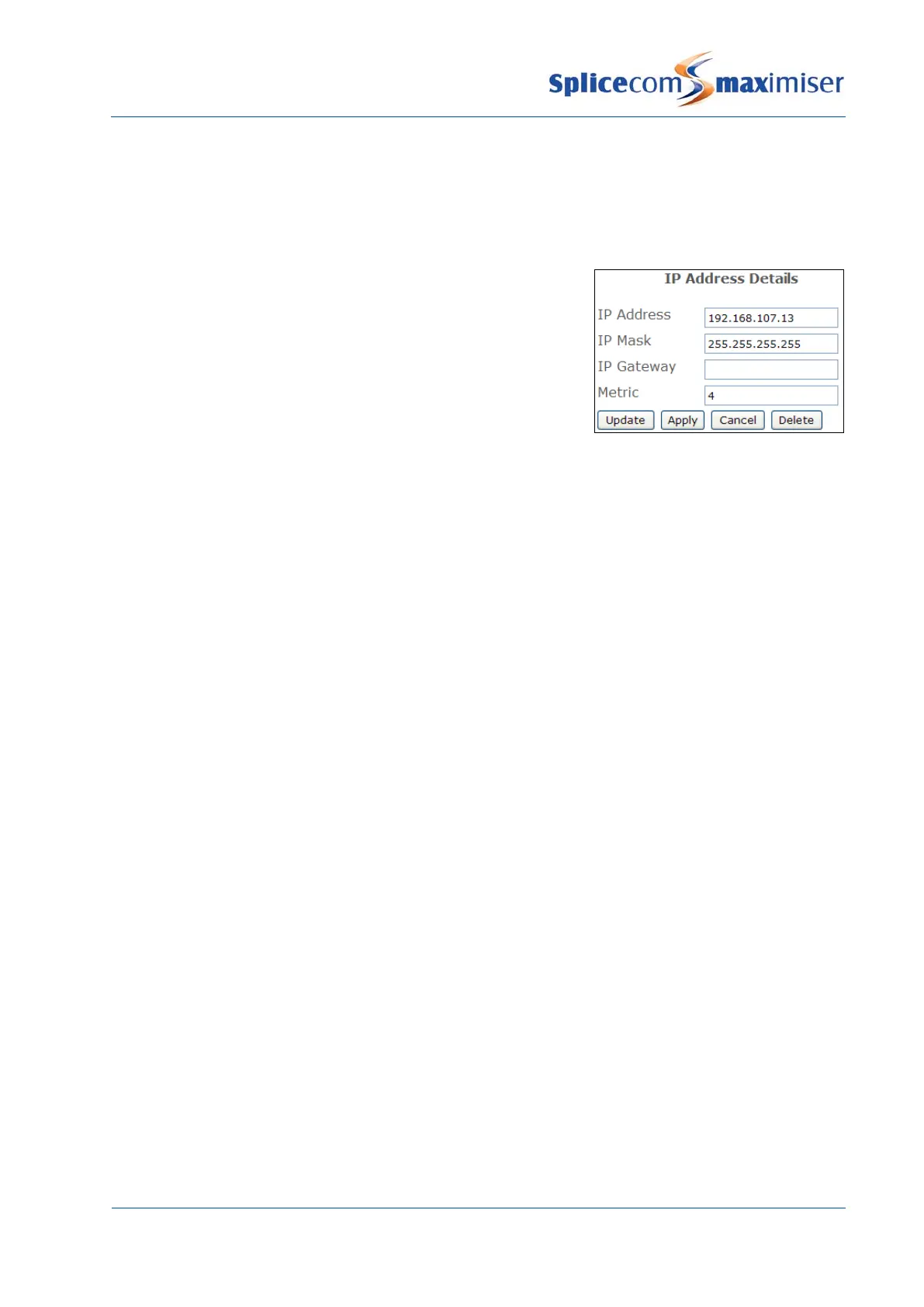
4 Select the IPRoutes page
5 Select the Add IP Route button
6 Enter the IP Address, IP Mask and Metric in the relevant fields
7 Select Update
8 Add further routes if required
Point to Point Protocol (PPP) is the industry standard used by the
imiser to allow connection to
another
imiser or a third party router supporting the same industry standard.
1 In Manager select WAN Links
2 Select the relevant module containing the WAN Port required
3 Select the relevant link from the WANLink List
4 Select the PPP page
5 PPP Multilink is used for enabling or disabling the negotiation of Multilink. This would typically be
enabled but some products may object to negotiating Multilink.
6 Maximum Reconstructed Reception Unit (MRRU) specifies the maximum number of octets in the
Information fields of reassembled packets, typically set to 1500
7 Maximum Receive Unit (MRU) the negotiated packet size that can be received from a Multi Link
PPP connection, typically set to 1500
8 Authentication Protocol is the level of security checking between the two ends.
a PAP – Password Authentication Protocol, provides a simple method for the peer to establish its
identity using a 2-way handshake. This is done only upon initial link establishment.
b CHAP - Challenge-Handshake Authentication Protocol is used to periodically verify the identity
of the peer using a 3-way handshake. This is done upon initial link establishment, and MAY be
repeated anytime after the link has been established.
9 Authentication Method, select one of the following:
a Incoming - authentication is only verified in one direction
b Outgoing - authentication is only verified in one direction
c Bothway – default, recommended; authentication is verified in both directions



 To Next Page