Installation and Reference Manual
Configuring PBX functionality
Installation and Reference Manual v3.2/0410/6 177
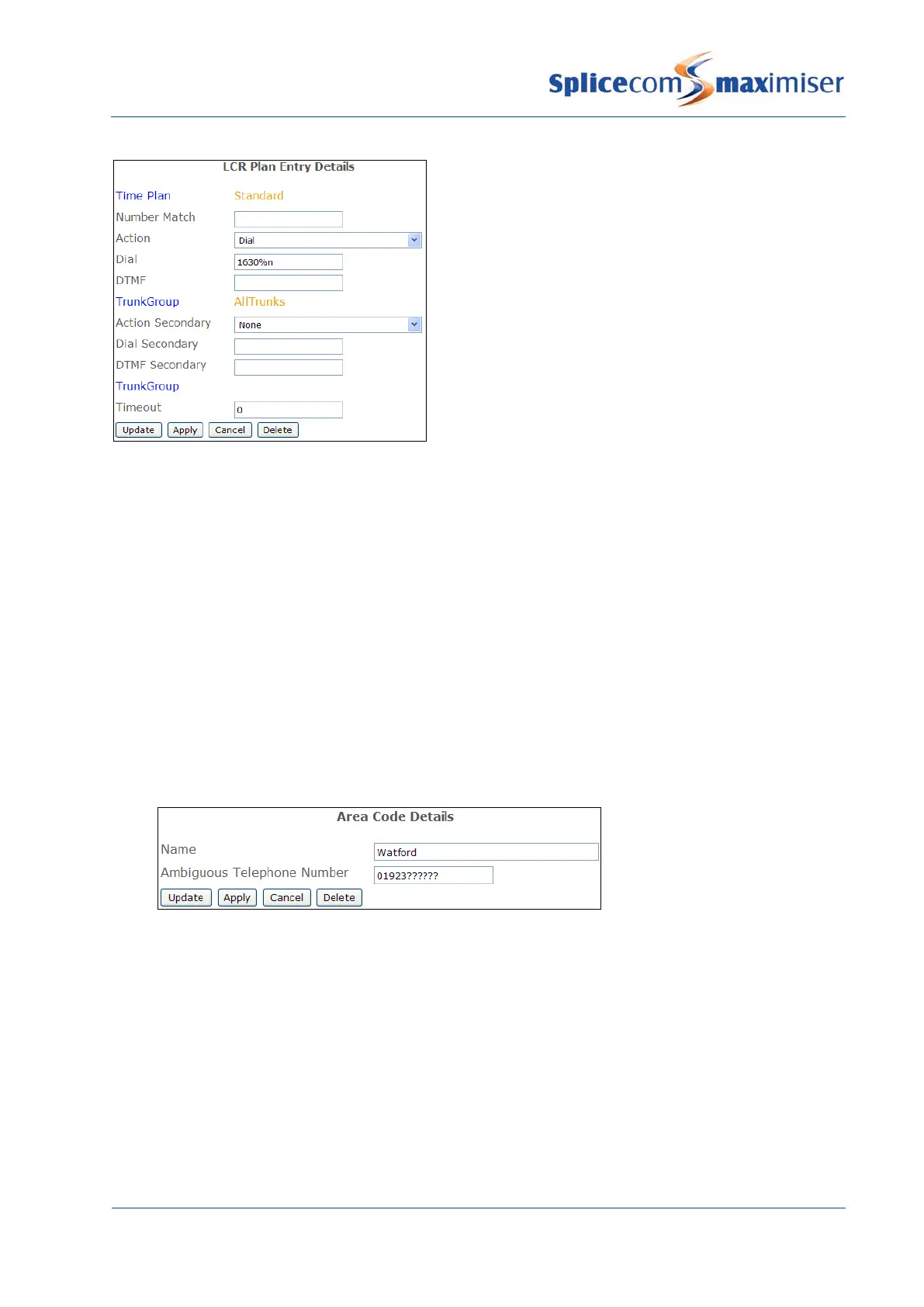
This diagram gives an example of a LCR Plan
entry, which is used to route calls via a specific
carrier.
Where an incoming CLI match is not found within a Contact it may be useful to display where the call has
originated from. Area Codes can be created to match the area code part of an incoming number to
display the town/city that the caller is ringing from, for example 01923123456 could be displayed as
Watford 123456. Please note that incoming CLI matched by a Contact will have priority over an Area Code
entry. An Area Code can be created as follows:
1 In Manager select Area Codes
2 Select the Add button
3 Enter the Name of the area to be displayed, using alpha-numeric characters only, begin with a
letter and do not use any punctuation, eg Watford
4 In the Ambiguous Telephone Number field enter the number to be matched against incoming CLI,
using a question mark (?) where a digit will be variable, eg 01923??????.
5 Select Update or Apply when ready.
Please note: The number of digits must match the number of possible digits; some exchanges may
require multiple entries.
A list of ready-made UK Area Codes is available with the
imiser system and can be imported into the
configuration. Please refer to page
240 for further details.
Configuring Music Channels
The Music Channels section of the configuration allows you to determine the music or message to be
played to an external caller while their call is on hold. A Call Server can support up to 6 Music Channel
entries allowing a different message or piece of music can be played to callers to a specific Company,
Department or User.



 To Next Page