Installation and Reference Manual
Configuring PBX functionality
176
Installation and Reference Manual v3.2/0410/6
11 In the DTMF field enter the digits to be dialled once a connection has been made. This may be a
pass code required by the carrier. A pause may be required either before or after the pass code in
which case insert a D either before and/or after the code digits.
12 Select Apply
13 Select the Trunk Group field and select the Trunk Group that calls via this LCR Plan entry will use
(see page 159 for further details).
14 If required repeat steps 9 to 13 using the Action Secondary field, Dial Secondary field, DTMF
Secondary field, secondary Trunk Group field. The Secondary entries will be used if the primary
entries fail.
15 Select Update when ready.
16 Repeat steps 5-15 to enter further LCR Plan entries if required.
17 Select Update or Apply when ready.
18 This new LCR Plan can now be assigned to a Dial Plan entry
Alternatively, amend the default Standard LCR Plan and follow steps 5 to 17.
An understanding of the Working with Dial Plans section from page 114 will help with the completion of
LCR Plan entries. It is recommended that Dial Plans are used for internal dialling and LCR Plans are used
for external calls (including call barring).
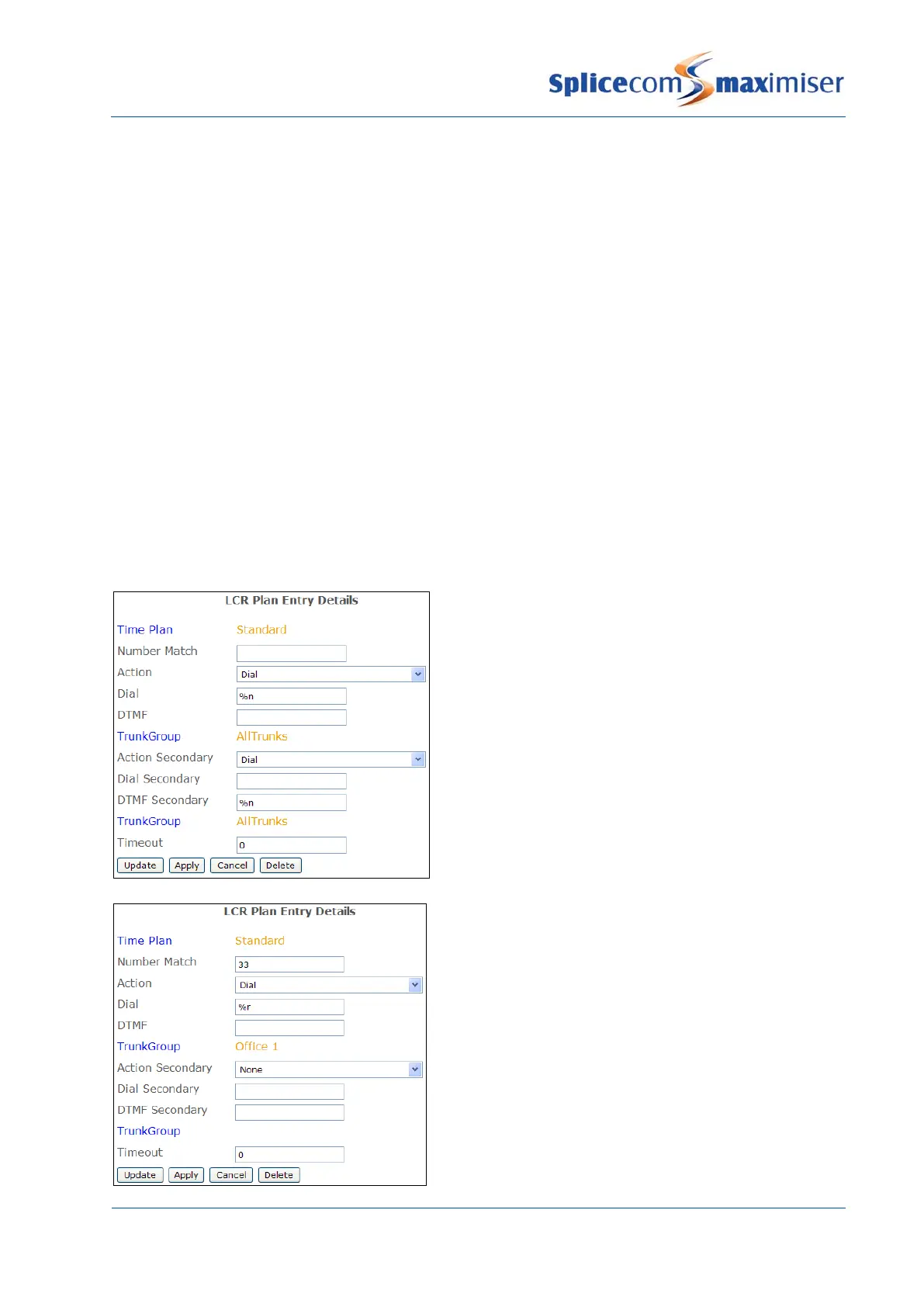
This diagram gives an example of a default LCR
Plan entry which will route external calls to any
available Trunk.
This diagram gives an example of a LCR Plan entry
which will route calls to a specific Trunk(s) via a
prefix.



 To Next Page