Installation and Reference Manual
Configuring PBX functionality
120
Installation and Reference Manual v3.2/0410/6
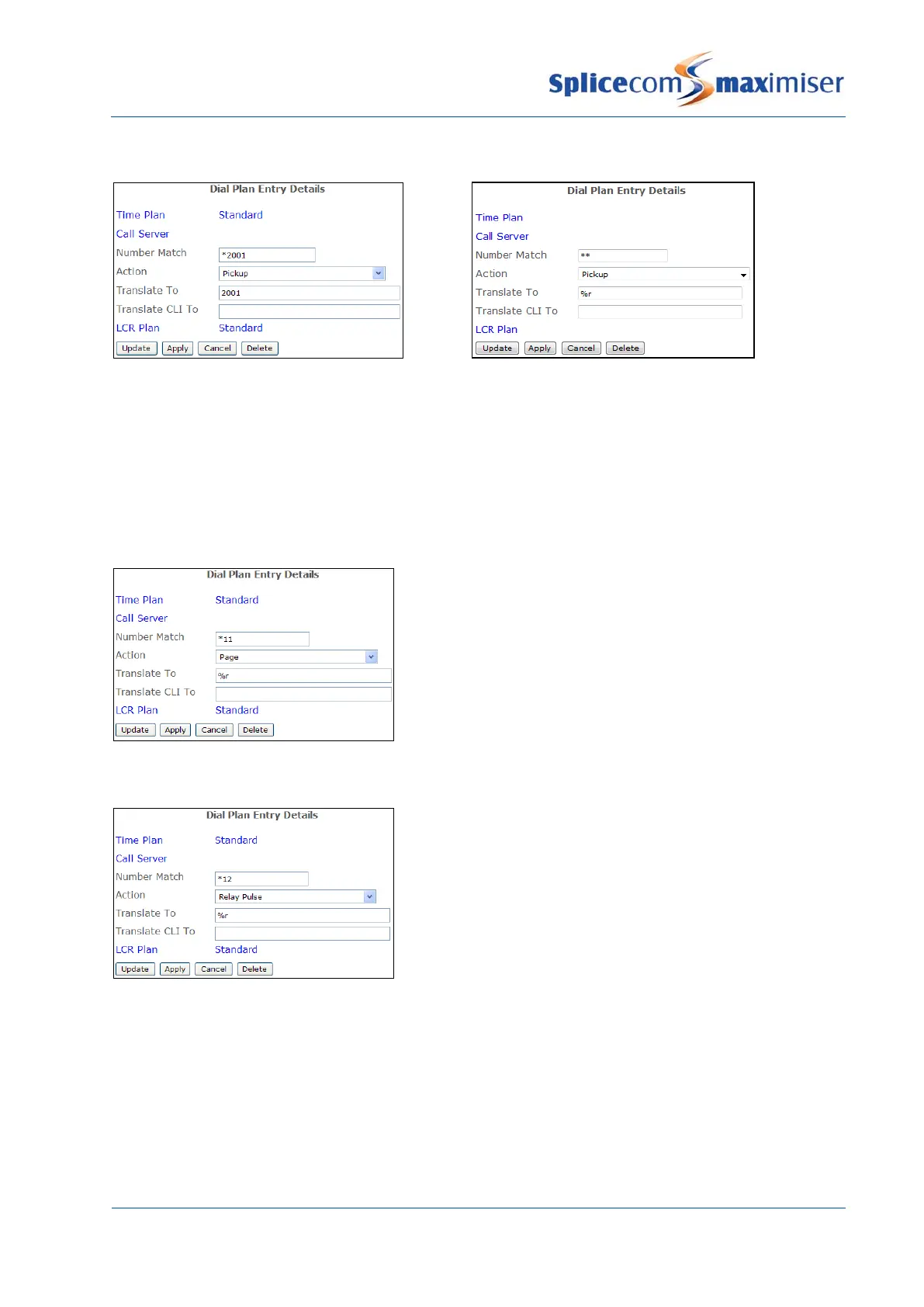
Pick up a call to a User or Department
The Extension number, User Name or
Department Name required is entered in the
In this example if an extension number is not
entered after the asterisks (*) the longest waiting
call on the system will be picked up.
Please note: if the Translate To field contains a number of two digits or less this will translate to a Park Slot
number.
The extension number of the phone to be paged is
entered in the Translate To field. Therefore in this
example the User would enter, for example, *112030#.
(For details on how to set up an extension’s analogue
port to use an external paging source, for example, a
tannoy, please refer to page 78.)
Activate an External Relay port
The Translate To field must contain the External Relay
port to be activated, either 1 or 2.



 To Next Page