Installation and Reference Manual
Configuring PBX functionality
Installation and Reference Manual v3.2/0410/6 133
seconds and the Max Ring before Alternate Distribution 2 field is set to 30 seconds, the call
will ring on the first extension for 10 seconds, on the second for 10 seconds, back to the first
for 10 seconds and then be passed to the Alternate Distribution Group 2.
• If the Alternate Distribution Skip on No Targets field is enabled this field will be ignored when
all members of the Distribution Group are busy.
10 Select Update or Apply when ready
Please note:
• Comfort announcements can be played to the caller while waiting for the call to be answered. Please
refer to page 216 for further information.
• If the Max Number of Active Calls before Busy entry has been exceeded the caller will be given busy.
• Calls will pass to voicemail after the time entered in the Max No Answer Time before voicemail field.
Please refer to page 209 for further details.
The Out of Hours Mode field determines the operational state of a Department. By default this is set to
Not Used, which means the Out of Hours facilities are not used and calls are always presented to the
Distributions Groups as described above.
However this field can be used when it is necessary to route calls to another Group or play a message, for
example, when the office is closed, when staff are not at their desk, or when staff are in a meeting, etc
When Out of Hours is selected calls to the Department can be presented to an Out of Hours Distribution
Group or passed directly to voicemail. When the office is re-opened, staff are at their desks and available
to take calls the In Hours option can then be selected and calls will be presented to the Distribution
Groups again.
Both of these Out of Hours modes can be selected manually in Manager, as follows:
1 In Manager, select Departments.
2 Select the Department required
3 From the Out of Hours Mode list box select either Out of Hours or In Hours
4 Select Update or Apply when ready
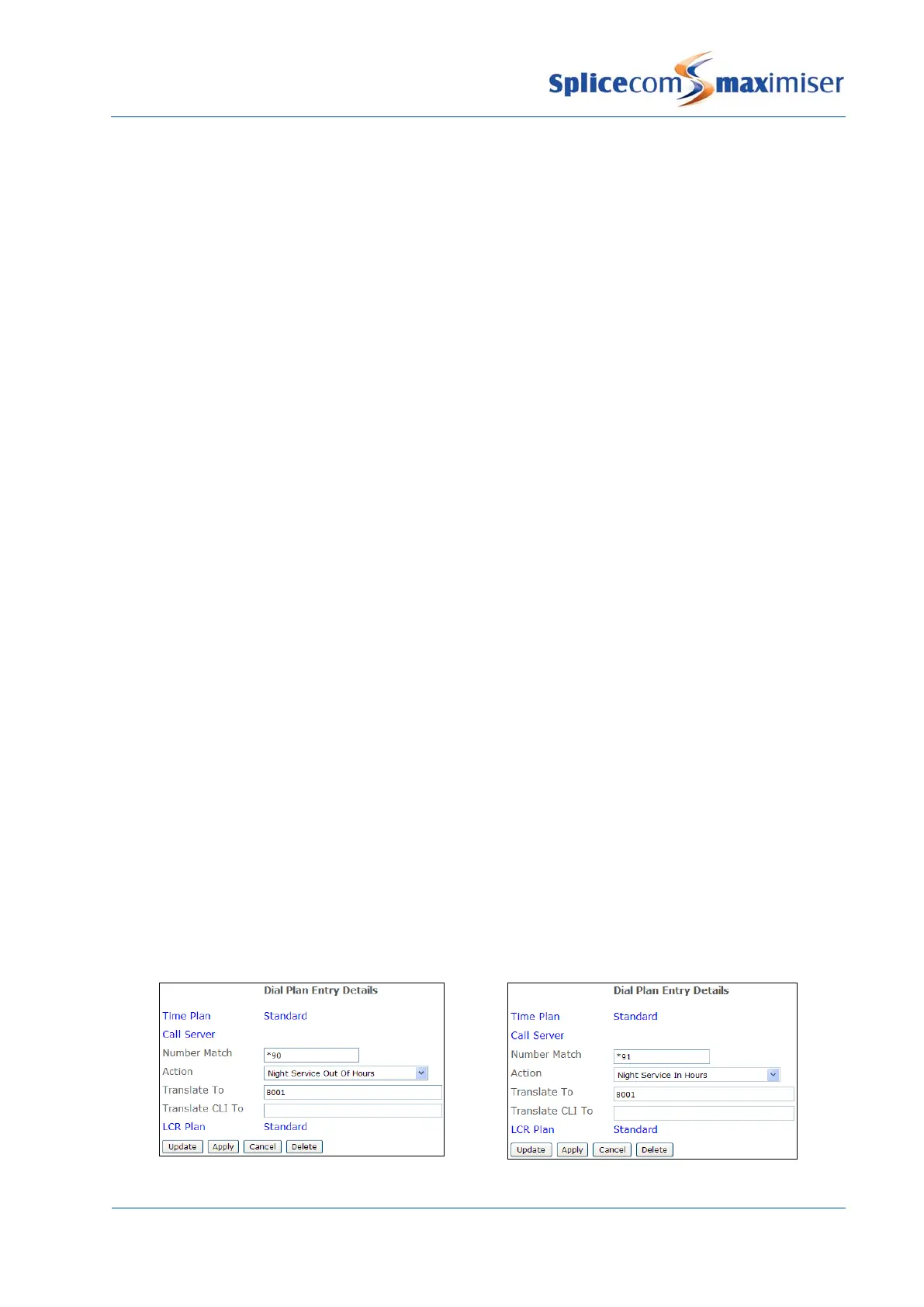
Alternatively, Dial Plan entries can be used to set the Out of Hours Mode field. This allows staff to set the
Out of Hours Mode field themselves, for example, when staff go into a meeting, when the office closes
etc.
1 Create two Dial Plan entries similar to the following examples:



 To Next Page