Installation and Reference Manual
Configuring PBX functionality
Installation and Reference Manual v3.2/0410/6 135
6 Select Update or Apply when ready.
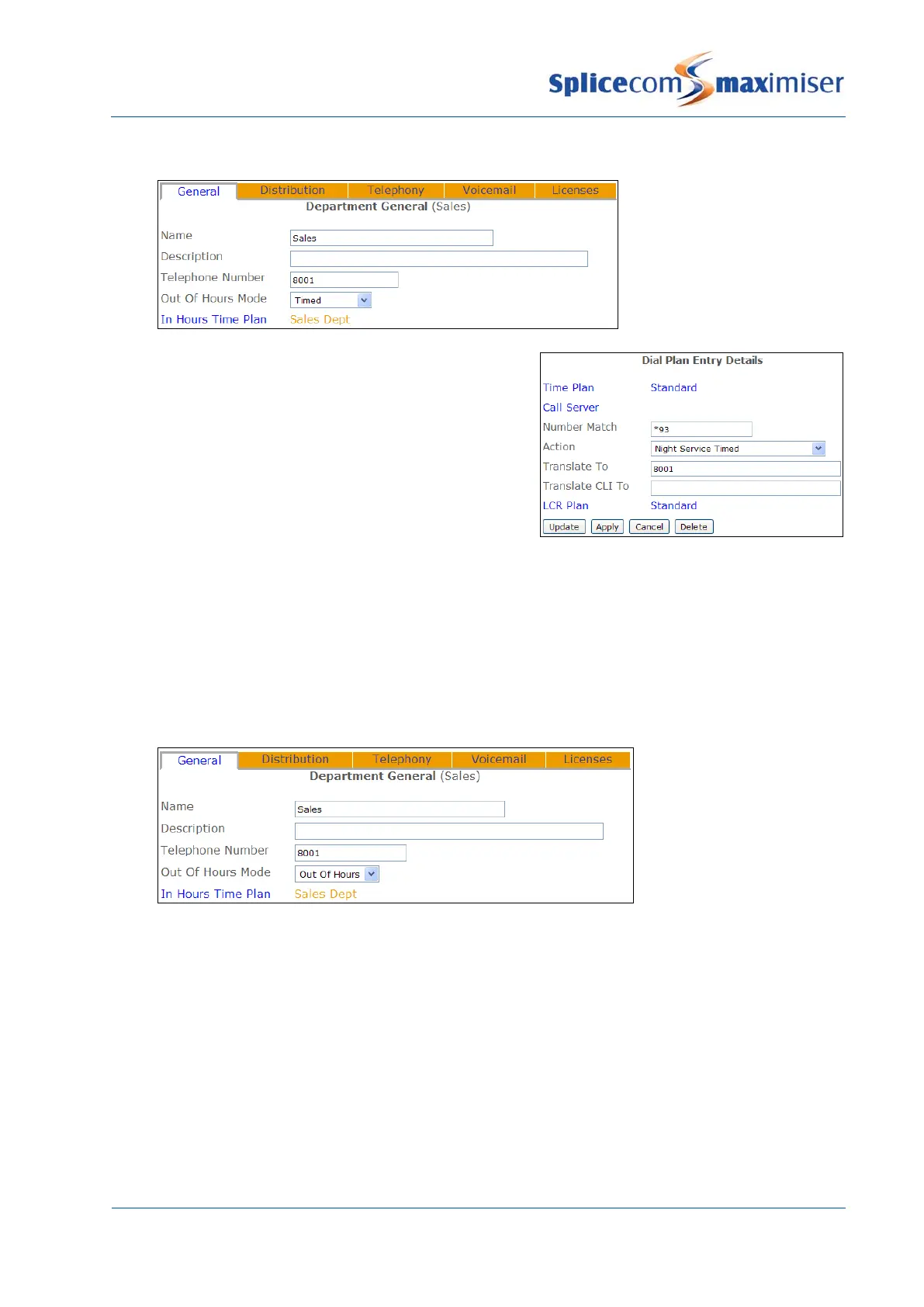
A Dial Plan entry can also be used to place a Department
into Timed mode as per this example
Viewing a Department’s Out of Hours Mode
The Out of Hours Mode field within a Department’s configuration form will display the mode currently
being used by the Department.
1 In Manager select Departments.
2 Select the Department required
3 The Out of Hours Mode field will display Not Used, In Hours, Out of Hours or Timed.
View the status of a Department
The current status of a Department (either In Hours or Out of Hours) can also be viewed by opening:
http://<ip address of call server>/manager/time.php
eg http://192.168.0.1/manager/time.php
Using an Out of Hours Distribution Group
When a Department’s Out of Hours Mode field is set to Out of Hours calls can be passed to an Out of
Hours Distribution Group. When a Department’s Out of Hours Mode field is set to Timed calls can be



 To Next Page