Installation and Reference Manual
Configuring PBX functionality
150
Installation and Reference Manual v3.2/0410/6
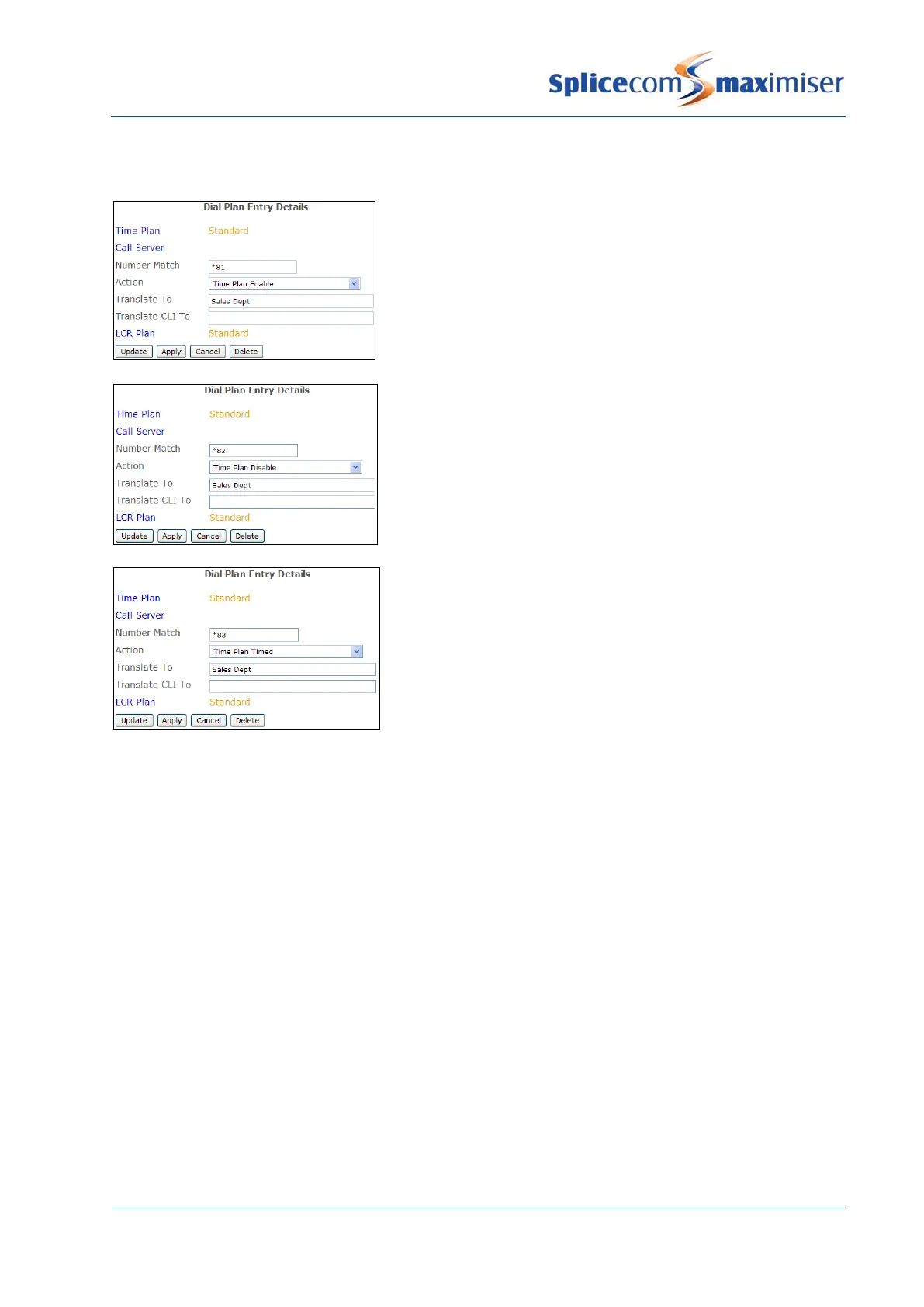
Alternatively, a Dial Plan entry can be used to set the Mode field similar to the following examples:
This Dial Plan entry would set the Mode field to In Hours.
The Translate To field contains the name of the Time Plan
to be configured.
This Dial Plan entry would set the Mode field to Out of
Hours. The Translate To field contains the name of the
Time Plan to be configured.
This Dial Plan entry would set the Mode field to Timed.
The Translate To field contains the name of the Time Plan
to be configured.
Using an Alternate Time Plan
On certain days of the year, eg bank holidays, an alternative Time Plan may be required because, for
example, the phones are only going to be manned for the morning or the company is closed and calls
are to be routed directly to voicemail, etc
1 Firstly, determine the operational hours to be used on, for example, a bank holiday. If there are no
operational hours when, for example, the office is closed on a bank holiday leave the Alternative
Time Plan field blank. If, for example, phones are going to manned in the morning on a bank
holiday, create a new Time Plan configured with the alternative Time Bands similar to the following
example:



 To Next Page