Installation and Reference Manual
Configuring PBX functionality
Installation and Reference Manual v3.2/0410/6 153
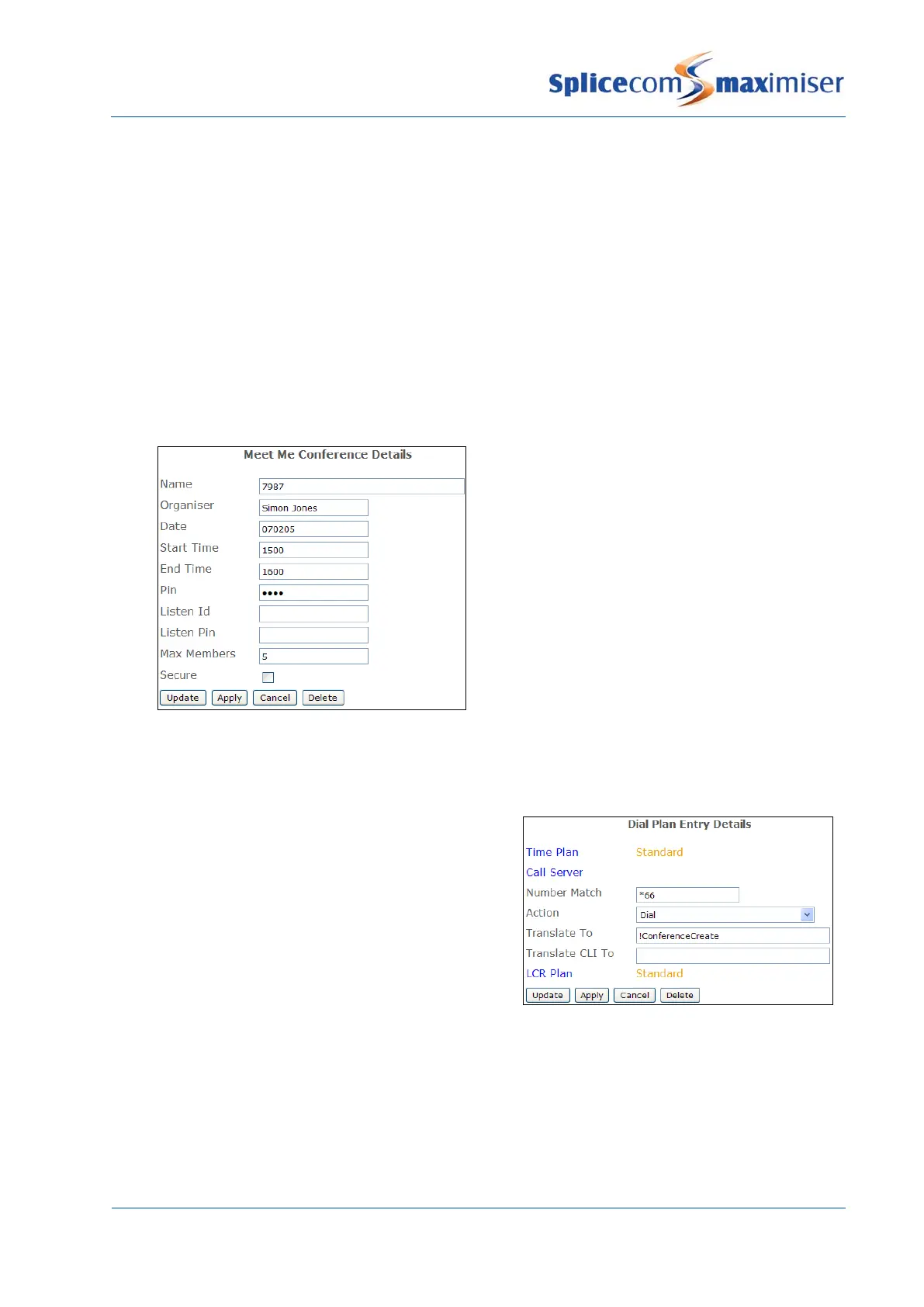
4 If you wish to identify the organiser of this conference enter the text/numbers required in the
Organiser field
5 If users are to be limited to a specific date and time that they can join the conference enter the
following:
a In the Date field enter the date (in yymmdd format) on which the conference will take place.
b In the Start Time field enter the time from which users can join the conference, eg 1100, with
no punctuation.
c In the End Time field enter the time you wish the conference joining to end, eg 1200, with no
punctuation.
6 If the ability to initiate and join the conference is to be protected by a password, in the Pin field
enter a number which users must enter when starting or joining the conference.
7 If the conference is to be limited to a specific number of users, in the Maximum Members field
enter the maximum number of participants for this conference.
8 Select Update or Apply when ready.
The conference is then initiated via a Dial Plan or DDI Call Plan entry as follows.
Initiating a Meet Me Conference
A Meet Me Conference can be started via a Dial Plan
entry similar to this example.
After dialling the Dial Plan entry, eg *66, the user will be
asked to enter the conference number followed by #, eg
7987#. If a number has been entered in the Pin field for
this conference the user will be asked to enter the
conference PIN followed by #, eg 1234#. A beep will
confirm that the conference has been successfully
The following alternatives could be entered in the Translate To field:
1 !ConferenceCreate:conference number , eg !ConferenceCreate:7987.
2 !ConferenceCreate:%r
The User would dial the short code followed by the conference number and #, eg *997987#.



 To Next Page