Installation and Reference Manual
Working with Voicemail
214
Installation and Reference Manual v3.2/0410/6
Using the Assistant Telephone Number
Each Department can be configured with an internal or external number to which callers can be
transferred if they do not wish to leave a message. The caller can activate the Assistant Telephone
number by pressing 0 during or after the Department’s greeting. It is recommended that the
Department’s greeting is amended to inform the callers of this facility.
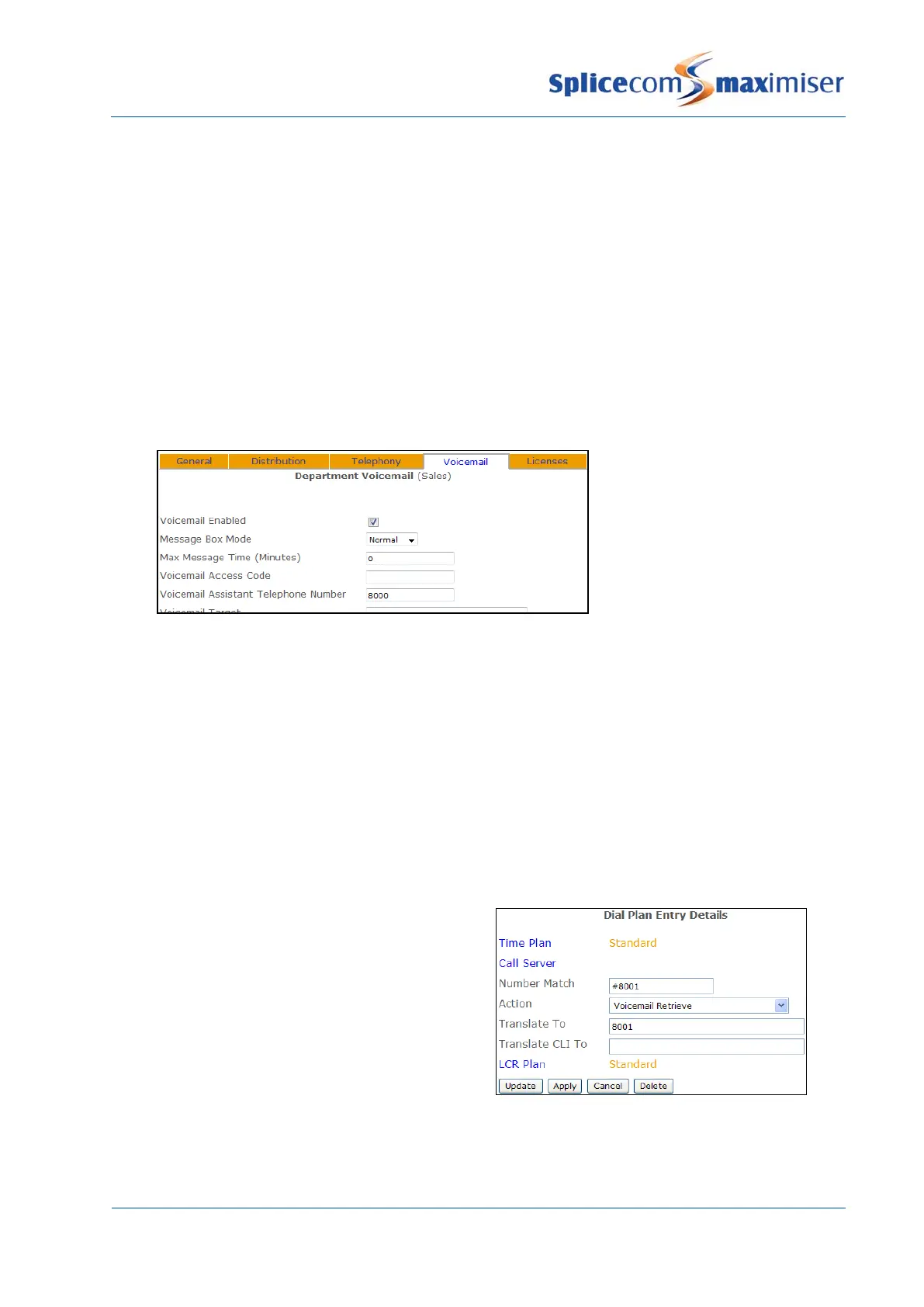
1 In Manager select Departments
2 From the Departments list select the Department required
3 Select the Voicemail page
4 In the Voicemail Assistant Telephone Number field enter the internal or external number to which
callers are to be transferred.
5 Select Update or Apply when ready.
Please note: Ensure that the relevant Voicemail Port has been configured with a Dial Plan otherwise the
voicemail server will not be able to dial the digits entered in the Voicemail Assistant Telephone Number
field.
A User can access a Department’s messages via a Dial Plan entry, via Voicemail Call Back or via their
PCS 580/570/560, 410/400, 100, 60 and 50 (please refer to the Setting Department Voicemail Notification
section below for further details).
Accessing Department voicemail via a Dial Plan entry
If a Dial Plan entry is to be used to access voicemail
for a Department this diagram gives an example
entry that could be created.
The Translate To field must contain the Department’s
extension number
.
Please refer to the Working with Dial Plans section from page 114 for further information on creating Dial
Plan entries.



 To Next Page