Installation and Reference Manual
Working with Voicemail
234
Installation and Reference Manual v3.2/0410/6
If the Deliver and Delete Method is used the recording will be immediately deleted from the voicemail
server. If the Deliver Method is used the recording will be marked as old on the voicemail server and
deleted after 7 days.
Recording Inbound Calls to a specific DDI number
Calls received via a DDI number can be automatically recorded and the resulting recordings will be saved
as messages in the voicemail box called InboundRecordings. These messages can be accessed by
creating a Department called InboundRecordings as follows and retrieved as described in the Voicemail
for a Department section from page 209.
1 Create a Department called InboundRecordings
2 In the configuration form for this Department enter an unique extension number and assign a
Message Box licence.
3 Within the Voicemail page, from the Record Mode list box select one of the following:
a Resource – at present will also record all calls
b Mandatory – to record all calls
c Random – for Future Use
d Trunk – to record all calls but the User’s Record icon will not be activated and therefore the
User will not be able to cancel the recording.
e Disable – calls will not be recorded
(For further information on creating a Department please refer to the Routing calls via a Department from
page 128.)
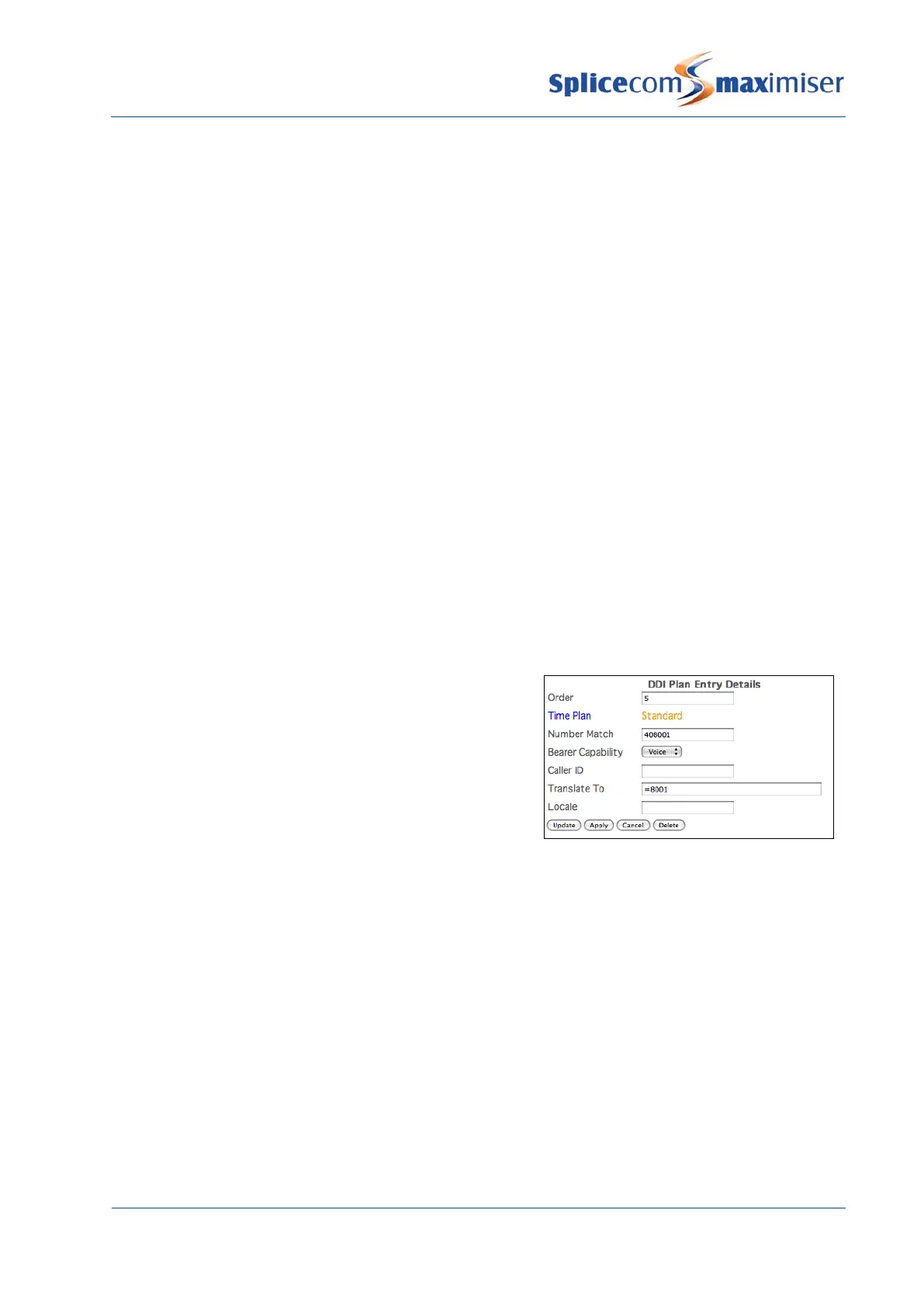
4 To set up automatic call recording on a specific DDI
number, in the relevant DDI Plan entry add an equal
sign (=) before the entry in the Translate To field,
similar to this example.
(For further information on creating a DDI Plan entry please
refer to the Working with DDI Plans section from page 169.)
Please note that inbound recording settings for a User or Department take priority over recording settings
for a DDI number.
Inbound Call Recording for a Company
Where the Companies feature is being used on the system and the inbound call recordings on different
DDI numbers are to be stored in separate voicemail boxes each Company can be configured with a
specific Inbound Record Mailbox.
(For further information on using the Companies feature please refer to page 155.)
In the Company Details configuration form enter the name of the User or Department to be used to store
incoming call recordings in the Inbound Record Mailbox field, similar to the following example. This User
or Department must be configured for call recording as per the InboundRecordings department
described above. If this field is empty the resulting message will be stored in “InboundRecordings” as
explained above.



 To Next Page