ADP menu UM1811
34/52 DocID026814 Rev 1
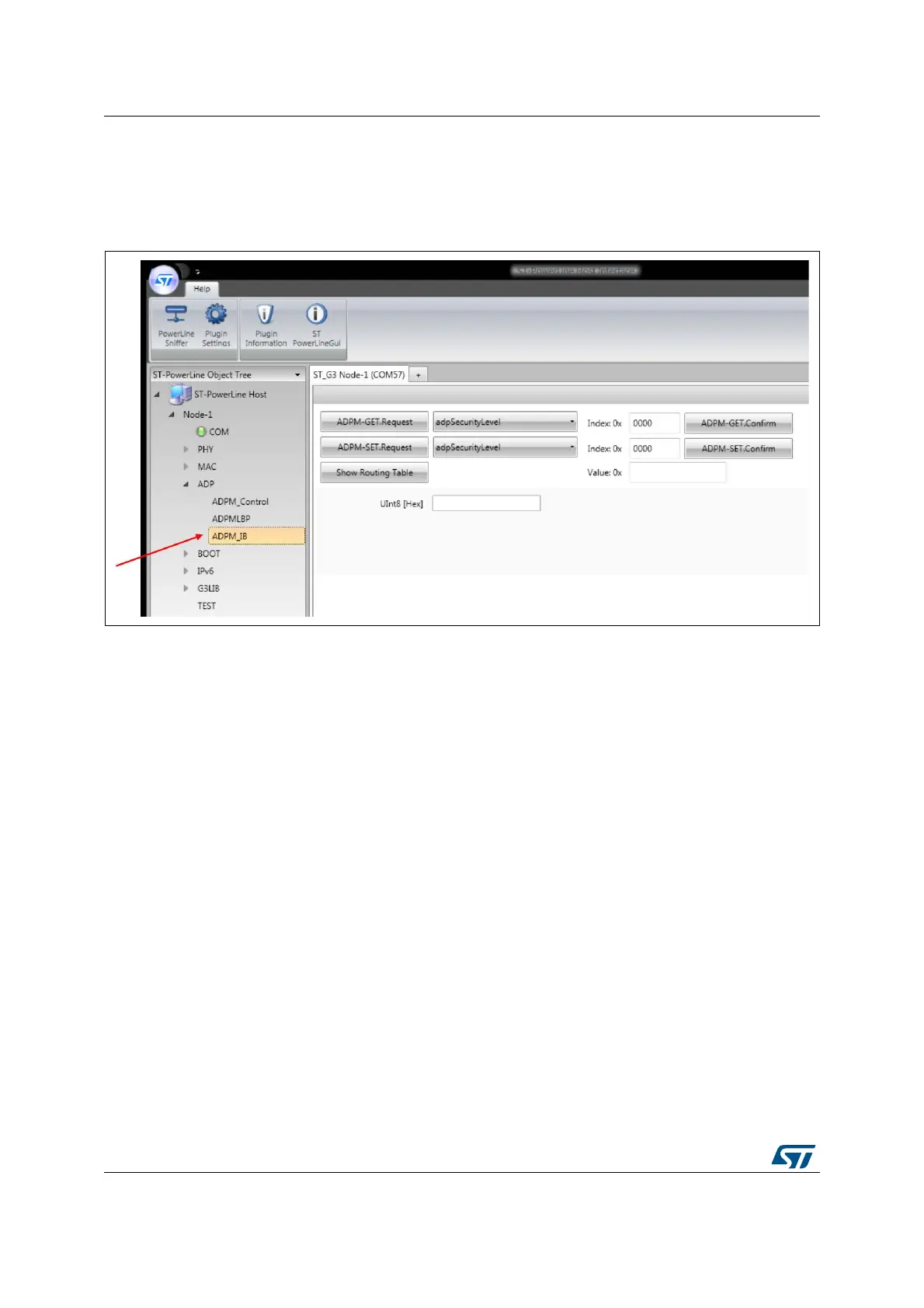
7.4 ADPM IB menu
The ADP layer management entity menu offers the possibility to get and set the information
base parameters of the G3-PLC ADP layer.
Figure 22. ADPM_IB menu
Using this panel, the following commands can be executed:
ADPM-GET.Request: read
s one attribute of the ADP information base. The attribute to
read can be selected from a list.
ADPM-SET.Request: write
s the value of one attribute of the ADP information base. The
attribute to set can be selected from a list and its value entered in a text area.
ADPM-GET.Confirm: force
s generation of a confirmation message (if automatic event
is disabled).
ADPM-SET.Confirm: force
s generation of a confirmation message (if automatic event is
disabled).
Show Routing Table: it activates a pop-up window that shows the adpRoutingTable of
the device (Figure 23).


 To Next Page