DocID026814 Rev 1 39/52
UM1811 BER Test panel
52
Figure 25. Enable BER Test panel
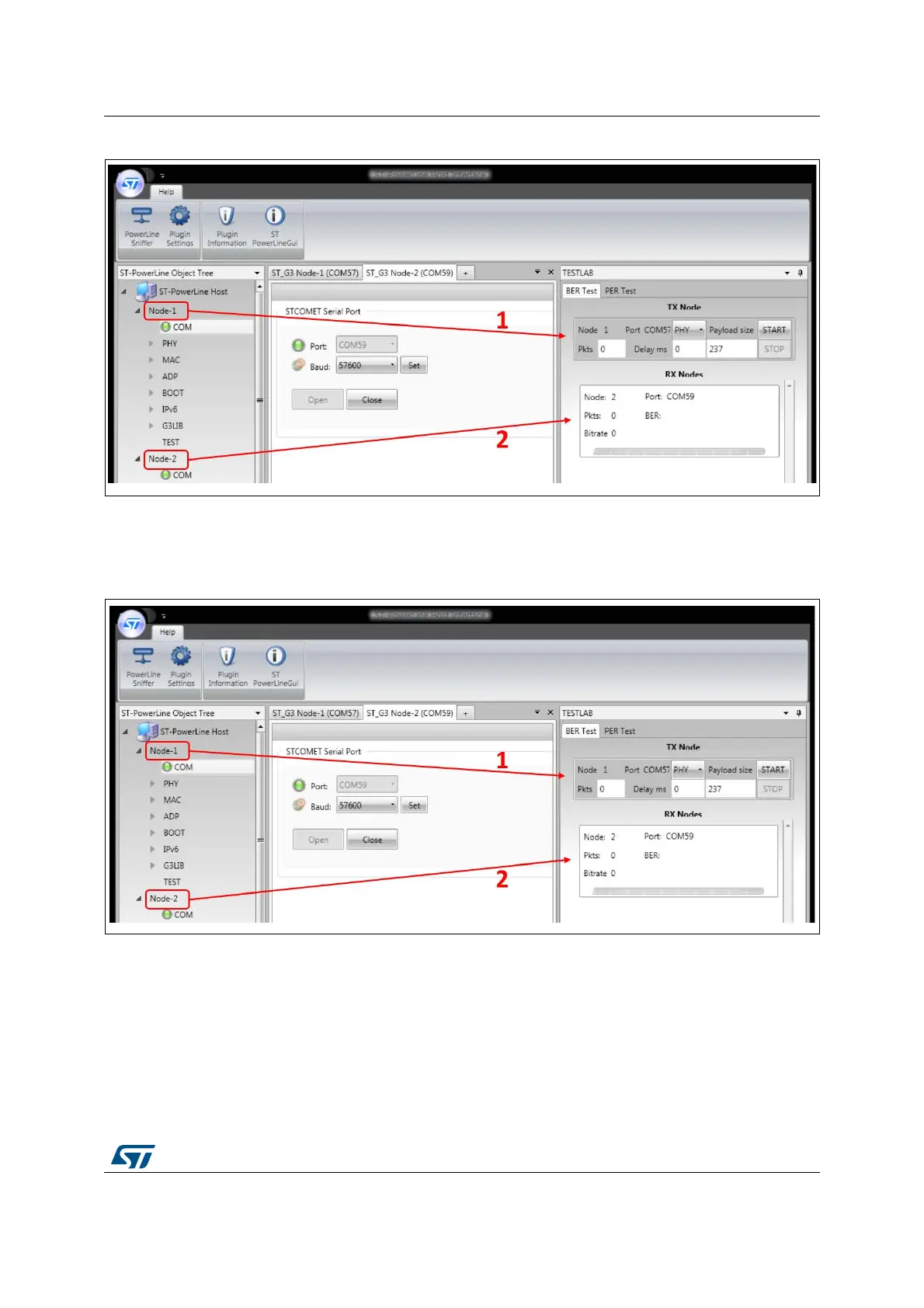
Once the Test panel is enabled, the RX and TX Nodes need to be slided into their area, as
show in Figure 26. To do that, click on the TX Node in the object tree panel and slide it in the
right area (1). Do the same for the RX Node (2).
Figure 26. Configure BER Test panel
One last step is needed in the configuration process for the BER: the deactivation of the
Reed-Solomon filter for the RX Node, as shown in Figure 27.
To deactivate it, select the G3LIB menu of the RX Node. Select the phyRSFilterDisabled in
the list of attributes (1). Set 01 in the “Value” text field (2) and hit the G3LIB-SET.Request
button (3). The Reed-Solomon block is now deactivated.


 To Next Page