Basic G3 operations UM1811
46/52 DocID026814 Rev 1
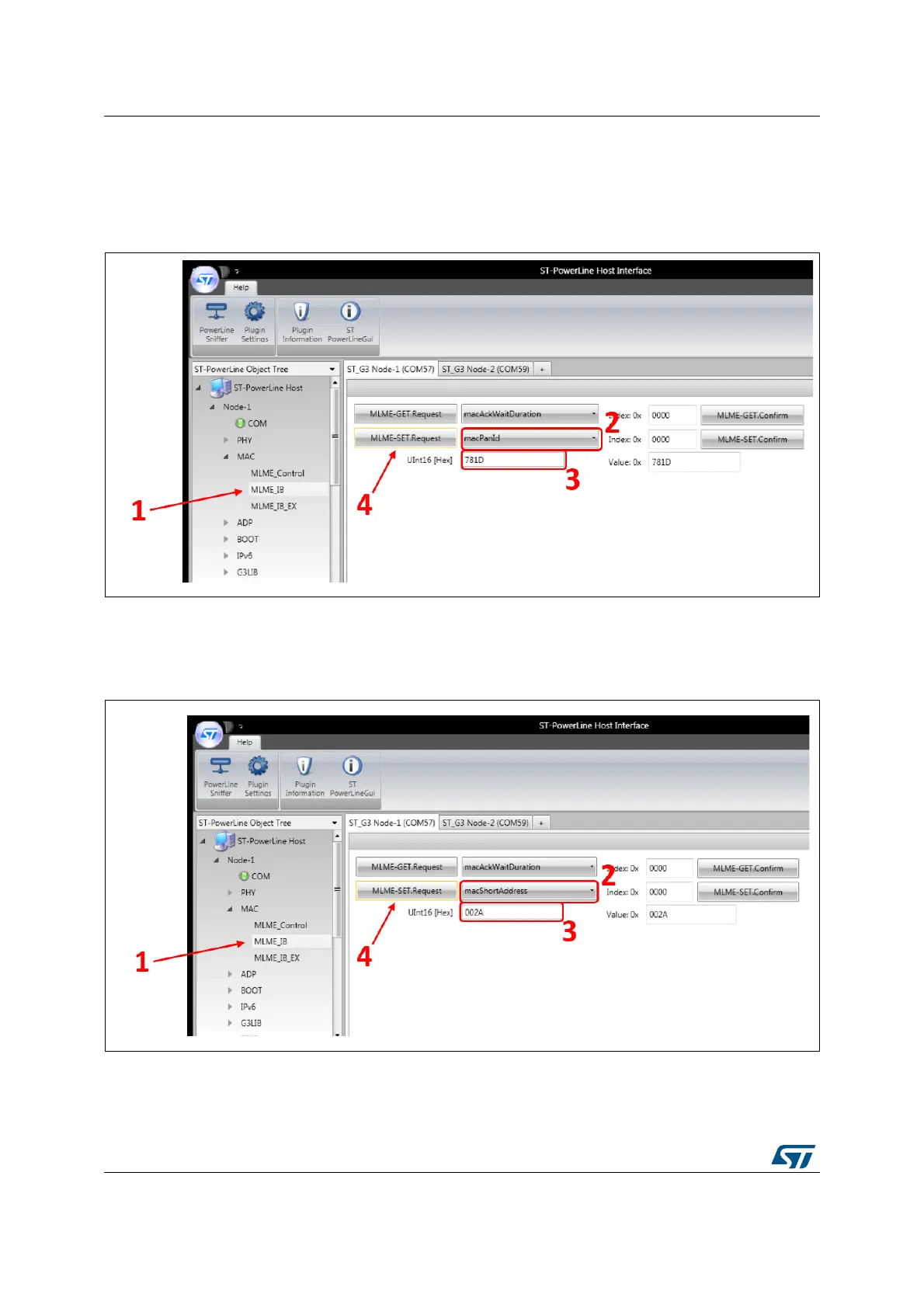
To configure the PANId, as shown in Figure 34, go into the MAC / MLME_IB (1) menu of the
Node 1, select first the macPANId in the list on the right side of the MLME-SET.Request
command (2). One text box area will appear just below. Enter the PANId of the node (3) and
click on the MLME-SET.Request button (4).
Figure 35. Configure Node 1 PANId
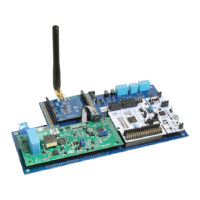
As shown in Figure 35, the same can be done for the macShortAddress parameter. Select
first the attribute macShortAddress in the list of attributes (2) and enter its value in the text
box area (3).
Figure 36. Configure Node 1 short address
The same commands needs to be executed for the Node 2. The PANId may have the same
value as for the Node 1, as represented in Figure 36 (the same PANId means that the two
nodes belong to the same network).


 To Next Page