DocID026814 Rev 1 47/52
UM1811 Basic G3 operations
52
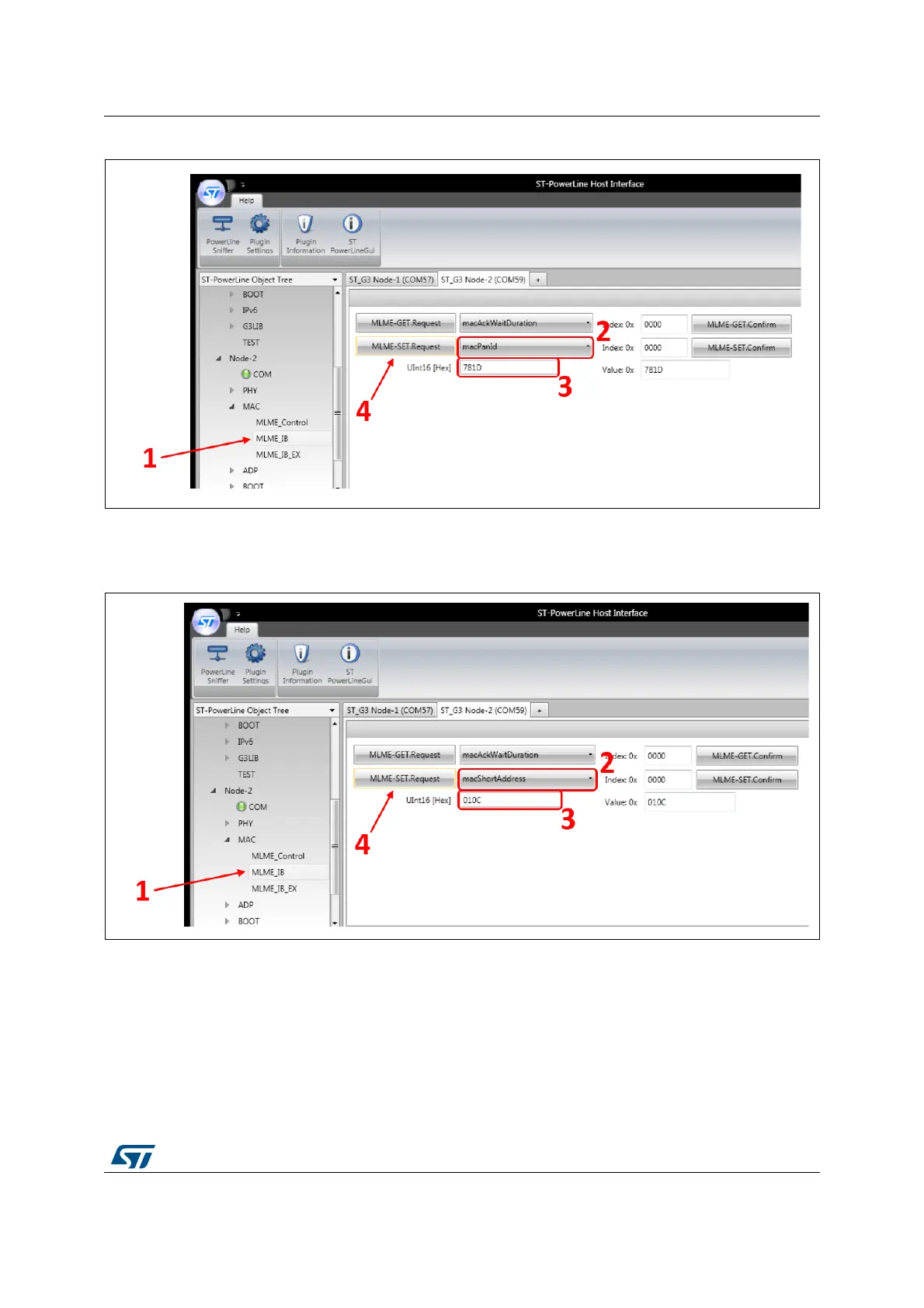
Figure 37. Configure Node 2 PANId
Then, the short address needs to be configured: it must be different from the one of the
Node 1, as represented in Figure 37.
Figure 38. Configure Node 2 short address
Now that the Node 1 and Node 2 are properly configured, data can be exchanged from one
node to the other one.
To do this, go in the MAC root menu, as show in Figure 38. First, enter the DstPANId of the
destination node (781D), then the dstAddr of the destination node (010C) (1). Then, select
the payload type to be ASCII (2) and enter your payload in the big text area (3).


 To Next Page