Getting started UM1811
8/52 DocID026814 Rev 1
3 Getting started
3.1 Node connection
More than one G3-PLC platforms can be connected to the same instance of the G3-PLC
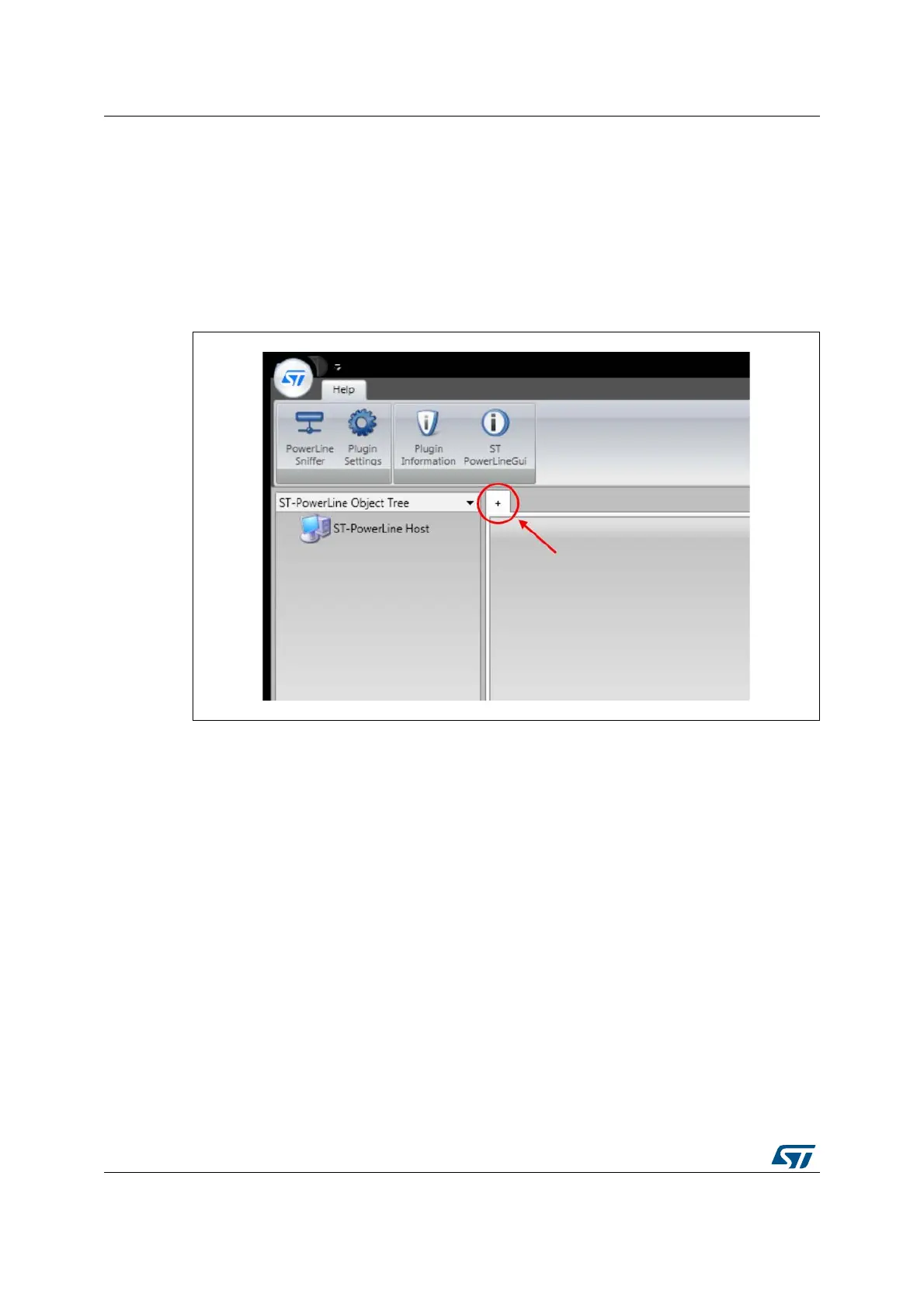
GUI. Click on the small cross on the command panel to connect one G3-PLC platform
(Figure 3). Alternatively, right-click on the ST PowerLine Host icon and click on “Add Node”.
Figure 3. Add a node
Once the “Add Node” cross has been selected, one new tab appears in the command panel.
In the node tree panel, selecting the “COM” section gives access to the serial link
configuration. Then the enhanced COM port that corresponds to the G3-PLC platform to be
driven needs to be selected. Click the Open port button (Figure 4) to enable the
communication between the G3-PLC GUI and the board.


 To Next Page