DocID026814 Rev 1 7/52
UM1811 GUI installation
52
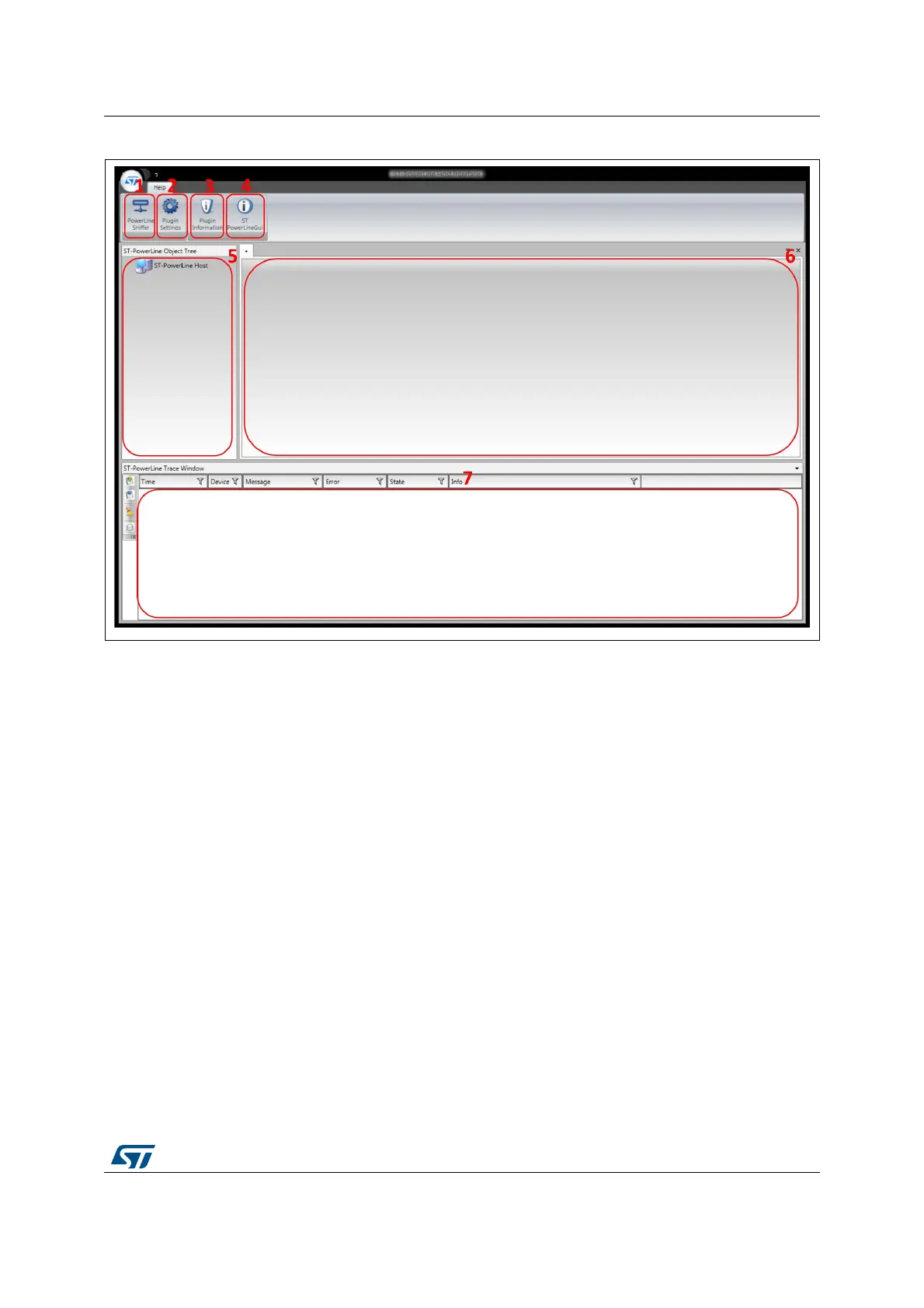
Figure 2. Main G3-PLC GUI window
The elements of the main window are:
1. Power Line Sniffer button: it opens the Sniffer tool panel
2. Plugin Settings button: it opens the configuration panel
3. Plugin Information button: it shows the plugin information panel
4. ST Power Line GUI information button: it shows the G3-PLC GUI information panel
5. Node tree navigation panel: it is used to select a specific node and to choose the
command type
6. Command panel: it is used to execute a specific command
7. Trace window: it traces the traffic from/to the G3-PLC GUI application and one node.


 To Next Page