DocID026814 Rev 1 41/52
UM1811 Sniffer panel
52
9 Sniffer panel
9.1 Introduction
The Sniffer utility allows sniffing the physical link; using this tool all the PHY messages that
can be detected by the G3-PLC platform are displayed in the Sniffer tab. While the Sniffer
tool is running the G3-PLC platform cannot perform any other operation.
If a captured PHY message is encapsulating a MAC frame, the Sniffer tool can also show
the content of such MAC frame. In case the MAC frame is ciphered the Sniffer tool also
offers the capability to decipher on-the-fly the content of the MAC frame.
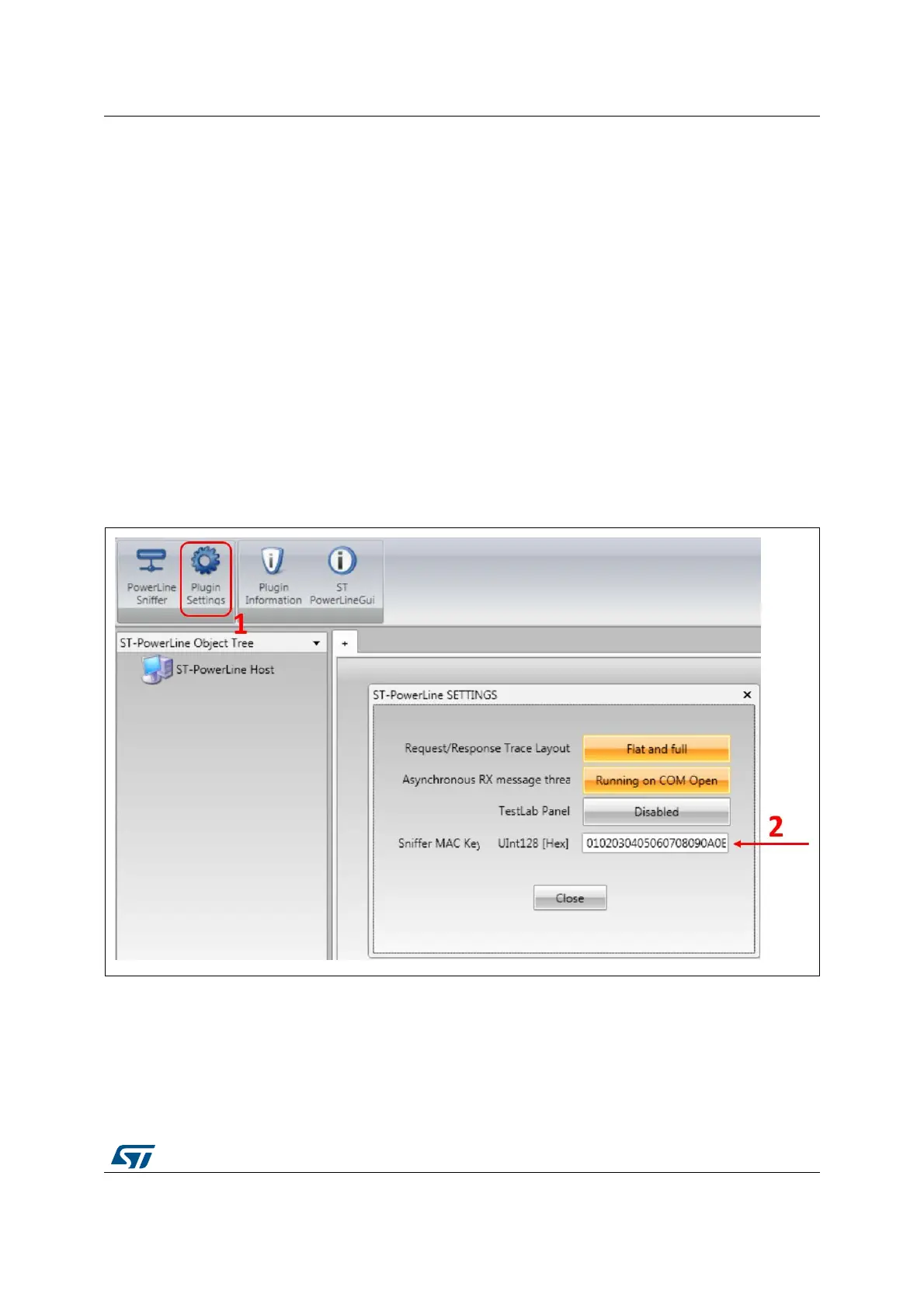
In order to perform the deciphering the G3-PLC GUI interface needs to be configured with
the GMK used to cipher the MAC frames, as shown in Figure 28. First the Plugin Settings
button has to be pressed (1), then the GMK can be inserted within the pop-up window (2).
The GMK is typically a secret in a G3-PLC network, so it is not always possible to use the
on-the-fly deciphering feature in a real scenario. Moreover ST cannot be responsible for key
stealing when the user decides to reveal this secret in order to use this tool.
Figure 28. Set GMK for the Sniffer tool
In order to activate the Sniffer tool the PowerLine Sniffer button (1) has to be pressed, as
represented in Figure 29; then the enhanced COM port has to be selected (2) and by
clicking the Open button (3) the Sniffer tool is activated.


 To Next Page