Sniffer panel UM1811
42/52 DocID026814 Rev 1
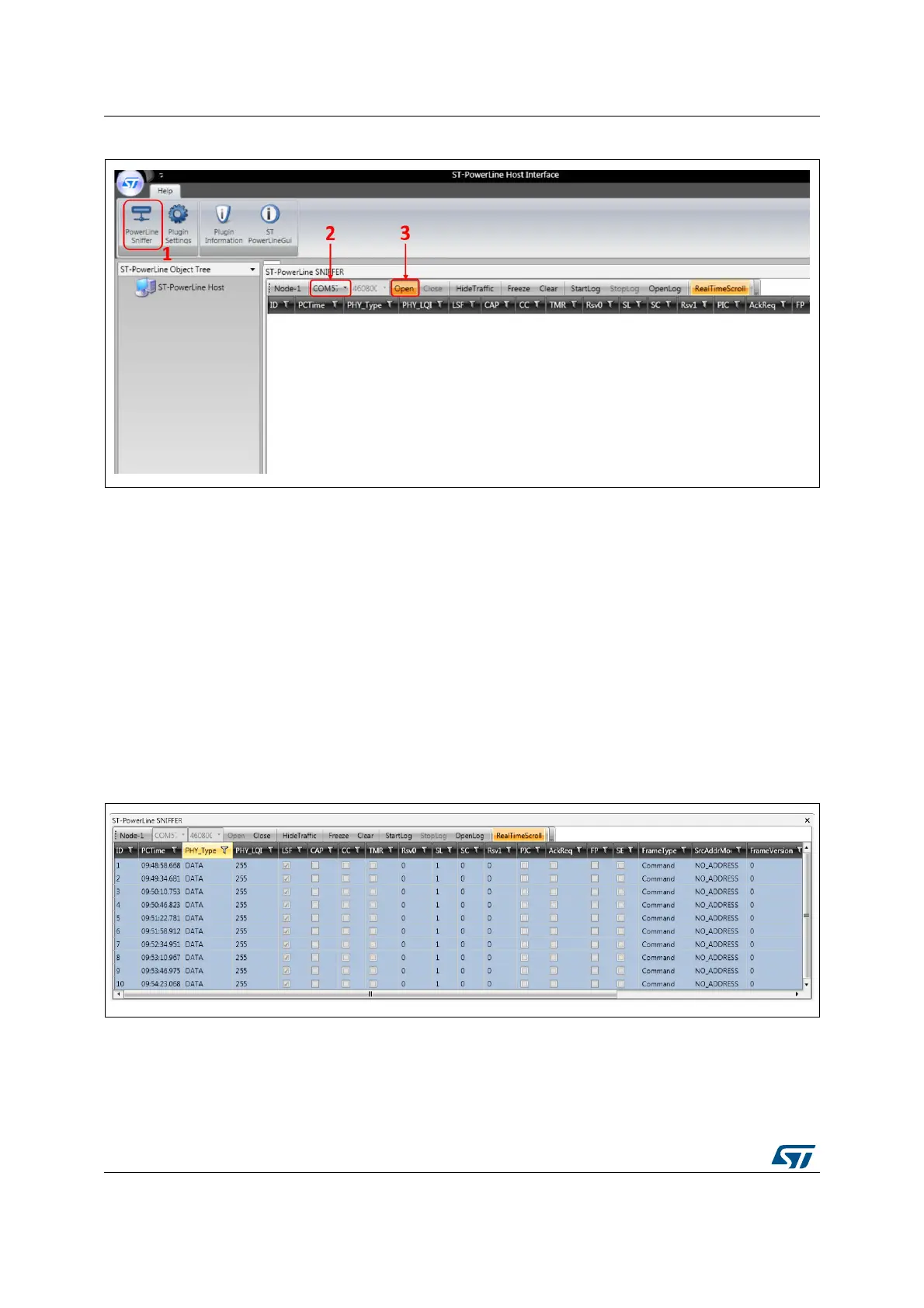
Figure 29. Sniffer tool activation
9.2 Data logs
Each captured PHY packet is displayed in a single row, whereas the columns show the
various header fields (LSF, CAP, CC, etc.).
The PHY packets (data, acknowledgments) are displayed in white color.
If the PHY payload is encapsulating a MAC frame the row is displayed in light blue color.
The MAC header fields are then displayed on the same row (MAC source address, MAC
destination address, etc.).
Figure 29 shows an example of the Sniffer tool usage, used to capture some MAC
command frames (beacon request).
In order to save the captured traffic also on a text file, the button StartLog may be pressed.
Figure 30. Sniffer window


 To Next Page