145/317
6 - STMicroelectronics Programming Tools
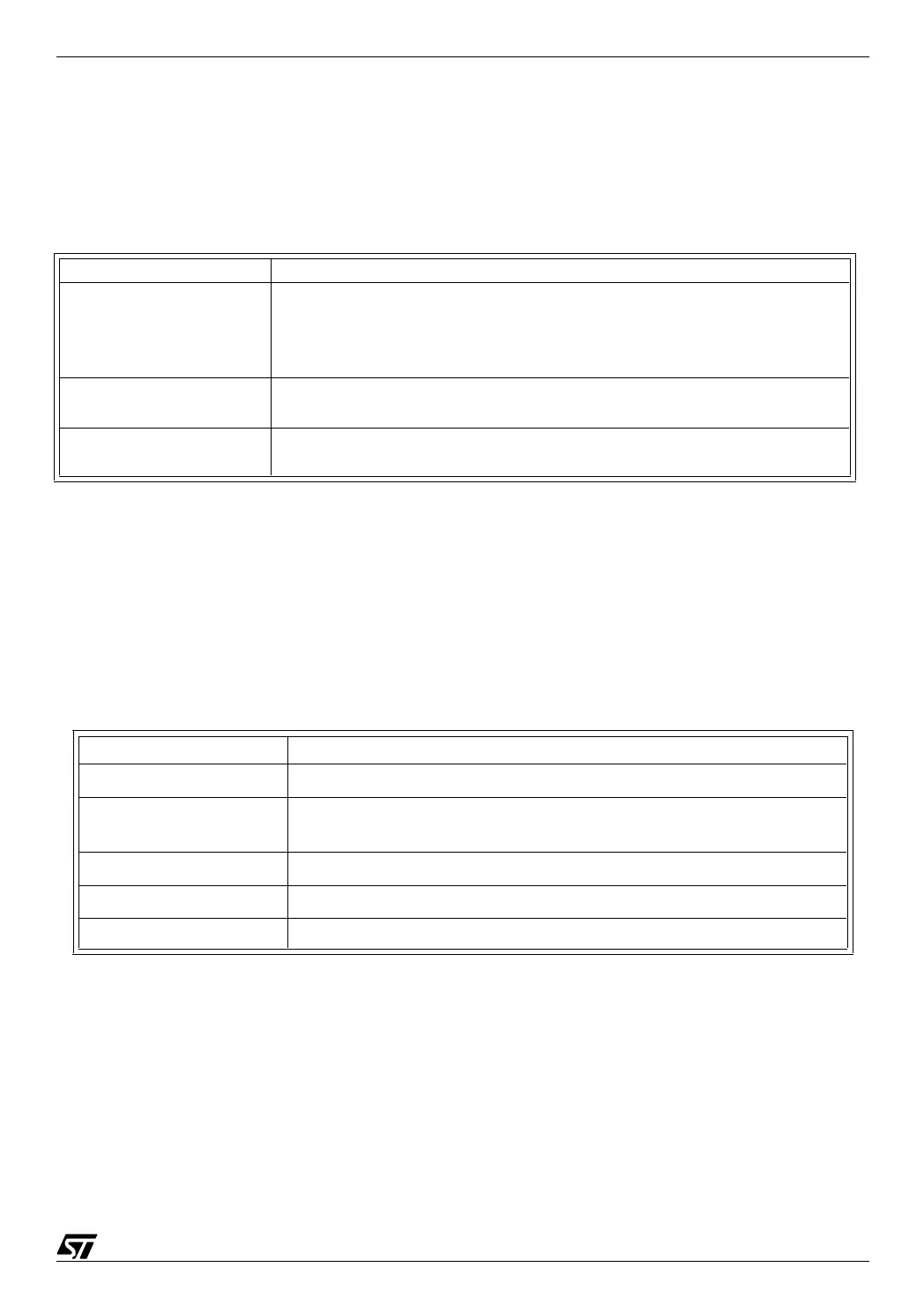
Combine option
This option has the following effects:
The effect of these options is detailed in the next paragraph.
Class name
A class is a group of segments. The notion of class does not have any other properties, and
any number of classes may be created. However, the concept of class has been created to
help you organize your addressable space according to the characteristics of the various
areas. Typically, there should be a set of classes as shown in the table below:
6.1.5.3 Using the Segment directive in the source file
When a block of instructions or of data is defined, it may be declared as belonging to a seg-
ment by inserting the pseudo-op
SEGMENT before it. From that time on, and until the end of the
file, or until the next
SEGMENT pseudo-op, whichever comes first, the block is considered to be-
long to that segment. Example:
segment 'rom'
reset:
Key word Properties
(none)
If none of the options below is chosen, the list of defined segments
defined is appended to the list of segments of the same class (that
class must have been already defined by using the
AT keyword
below.
AT (start address) -
(end address)
The segment must start at the address specified. The end address
is optional; if omitted, the hyphen must be omitted as well.
Common
The segment defined with this option uses the same memory area
as all segments with the same name in the same class.
Class name (examples) Class type and use
'ROM' in read-only memory, for program instructions
'RAM0' in read-write memory, in page zero (addresses lower than
100h)
'RAM' in read-write memory, using extended addressing
'STACK' in read-write memory, accessible to the stack pointer
'IO' for input-output registers (always in page zero)



 To Next Page