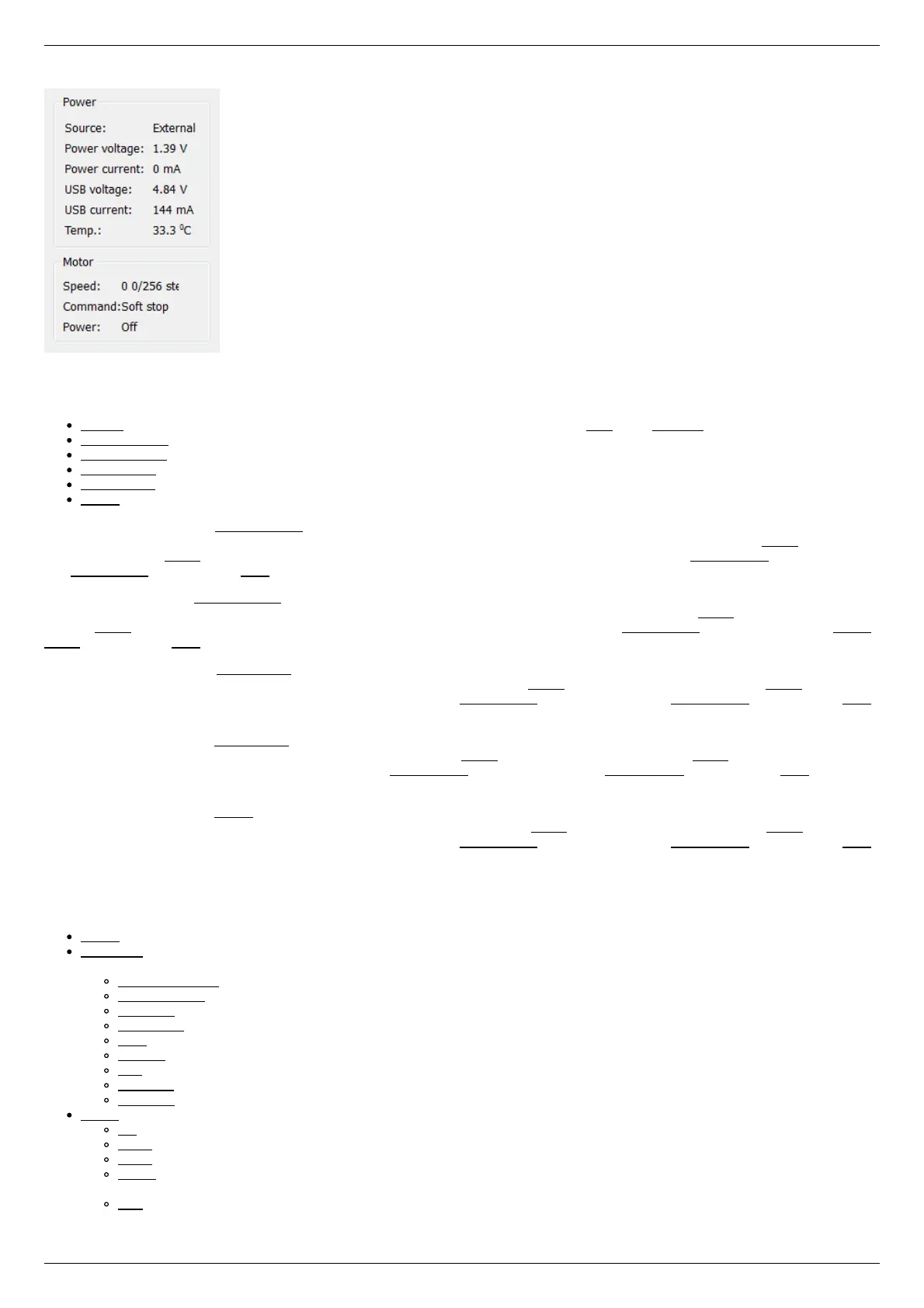
Controller Power Supply
Power group of parameters contains the following indicators:
Source - source of power supply for controller. The controller may be powered by USB or by External power source.
Power voltage - voltage supplied to the power module.
Power current - current consumption of the power module.
USB voltage - voltage on USB connector.
USB current - current consumed by the controller via USB
Temp. - Temperature of the controller processor.
If the color of the indicator Power voltage changes to blue or red, it shows that voltage power supply exceeds the allowed value range
over the acceptable value, which is defined in the Critical board ratings. In this case, the controller switches to Alarm state. It is
possible to quit the Alarm state after terminating of the events that caused Alarm, provided that the flag Sticky Alarm is not set. If the
flag Sticky Alarm is on, use the Stop button to quit the Alarm state.
If color of the indicator Power current turns red, it shows that the current consumed by the controller from the power supply is over
the acceptable value, which is defined in the Critical board ratings. In this case, the controller switches to Alarm state. It is possible to
quit the Alarm state after terminating of the events that caused Alarm, provided that the flag Sticky Alarm is not set. If the flag Sticky
Alarm is on, use the Stop button to quit the Alarm state.
If the color of the indicator USB voltage turns blue or red, it shows that the USB voltage goes out of the allowed value range towards
lower and higher voltage respectively. In this case, the controller switches to Alarm state. It is possible to quit the Alarm state after
terminating of the events that caused Alarm, provided that the flag Sticky Alarm is not set. If the flag Sticky Alarm is on, use the Stop
button to quit the Alarm state.
If the color of the indicator USB current turns red, it shows that the USB current supply exceeds the acceptable value, which is defined
in the Critical board ratings. In this case, the controller switches to Alarm state. It is possible to quit the Alarm state after terminating
of the events that caused Alarm, provided that the flag Sticky Alarm is not set. If the flag Sticky Alarm is on, use the Stop button to
quit the Alarm state.
If the color of the indicator Temp. turns red, it shows that the temperature of the controller board exceeds the acceptable value, which
is defined in the Critical board ratings. In this case, the controller switches to Alarm state. It is possible to quit the Alarm state after
terminating of the events that caused Alarm, provided that the flag Sticky Alarm is not set. If the flag Sticky Alarm is on, use the Stop
button to quit the Alarm state.
Motor status
Motor group of parameters contains the following indicators:
Speed - rotation speed of the motor.
Command - the last performing (bold font) or executed (plain font) controller command. Controller command appears in black if
the flag of the motion error MVCMD_ERROR is not set, in red otherwise. Can be one of the following options:
Move to position - move to the set position
Shift on offset - offset for a predetermined distance
Move left - move left
Move right - move right
Stop - stop
Homing - find the home position
Loft - backlash compensation
Soft stop - smooth stop
Unknown - unknown command (it may appear immediately after the controller starts)
Power - state of stepper motor power supply. Can be one of the following options:
Off - motor winding is disconnected and not controlled by the driver,
Short - winding is short-circuited through the driver,
Norm - winding is powered with nominal current,
Reduc - winding is deliberately powered with reduced current relatively to operational one to reduce the power
consumption,
Max - winding is powered with maximum available current, which a scheme with a given voltage supply can output.



 To Next Page