5.2.6. Scripts
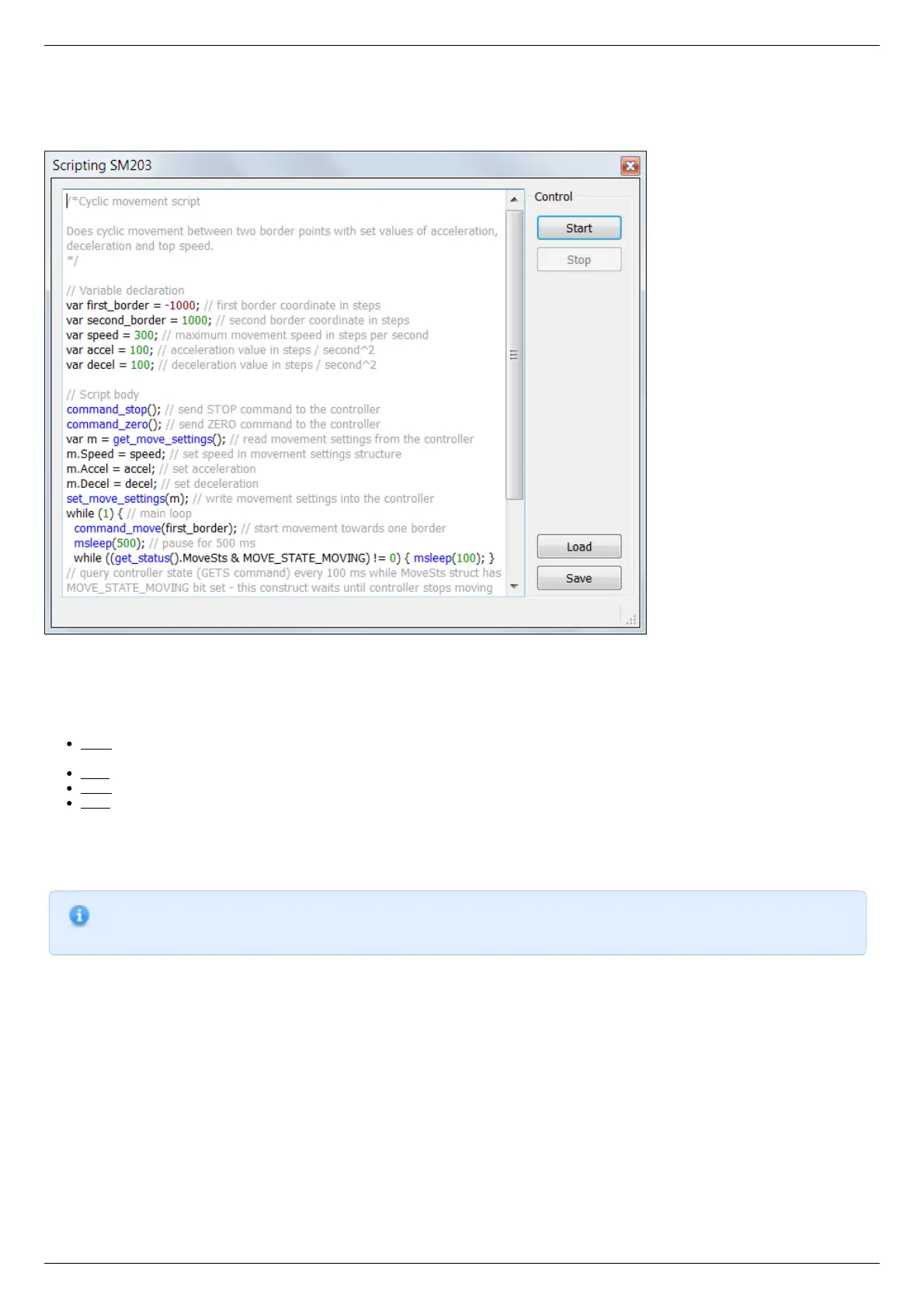
The "Scripts" button on the main window opens a window for working with scripts.
XILab scripting window
On the left side of the window a text edit field is located, on the right side of the window a Control block is located, which contains
control buttons.
Button functions
Start - launches the script. The button is inactive if the script is already running. Right after the button is pressed and before the
script is interpreted the body of the script is autosaved to a temporary file (see below).
Stop - stops the script. Inactive if the script is not running.
Save - opens a file save dialog, prompting the user pick a file to save current script text to. Inactive if the script is running.
Load - opens a file load dialog, prompting the user to pick a file to load into the script window. Inactive if the script is running.
Warning! If you load a file all unsaved changes will be lost.
XILab loads last saved script text into the Scripting window on startup. Autosave runs on every script start and on XILab exit. Autosave
file is named "scratch.txt" and is located in user settings directory.
Note.
"Stop" button in XILab main window also stops script execution, acting as an emergency stop button.
Scripting language description is located in the Programming section of the manual.



 To Next Page