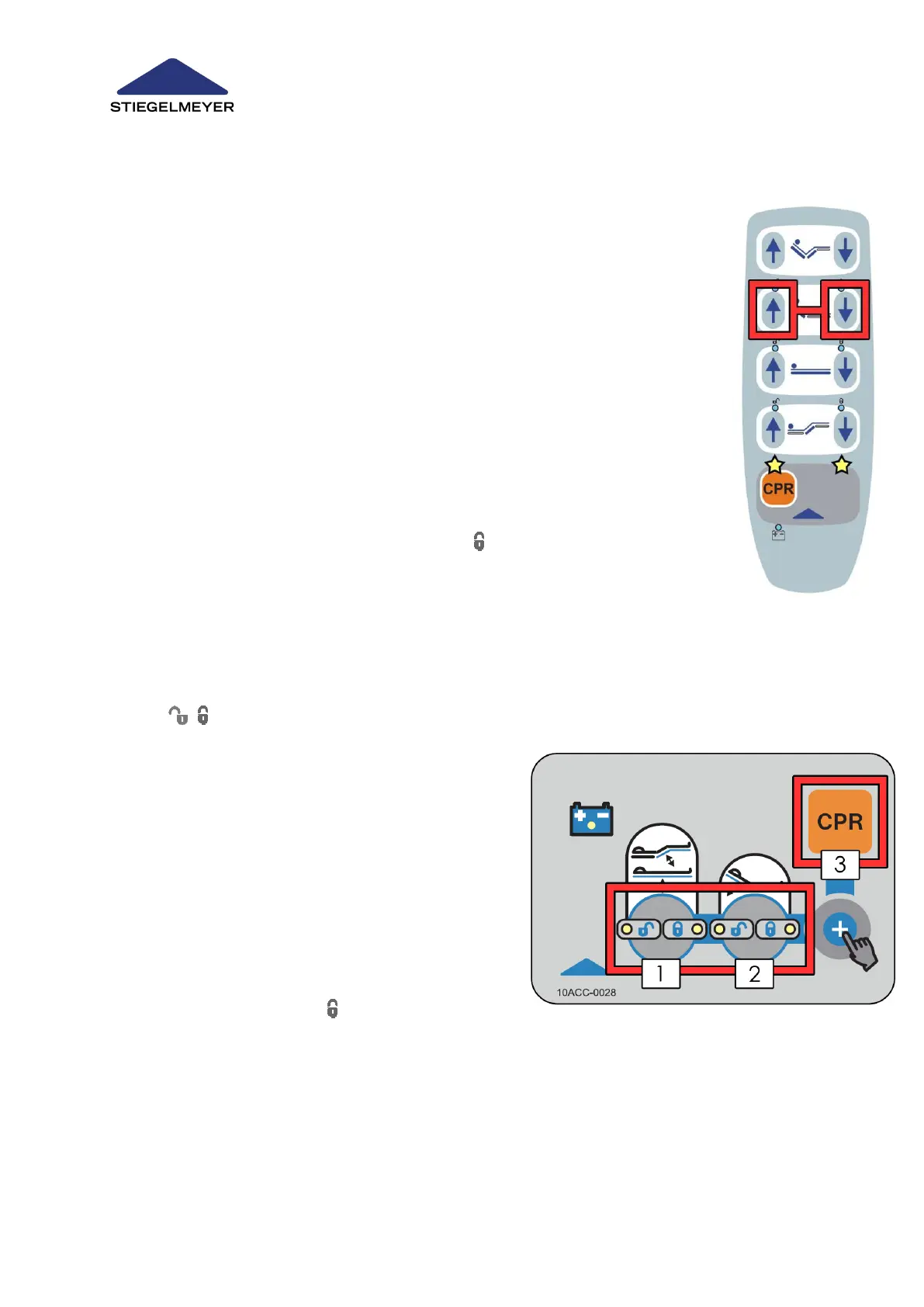
15.1.3.1 Handset with Magnetic Locking Function
If the system is equipped with a handset with a magnetic lock, the reset is car-
ried out on the handset. The reset is only possible at staff control level and not
at conventional patient level.
1. Hold the grey surface at the top end of the handset against the magnet on
the bed. This is located at the foot end on both sides of the bed (position of
magnet: see page » 58)
2. The two LEDs above the grey surface on the handset now flash at the same
time and indicate that the staff control level has been activated.
3. You must now carry out the reset within 5 seconds as otherwise the staff
control level will be ended automatically if no input is entered.
4. To perform the reset, press and hold the two buttons marked for 5 seconds
until the continuous alarm tone stops.
5. After the unlocking process has been successfully completed, all the func-
tions will initially be locked again. All the symbols on the handset light up
orange. You must unlock / release adjustment functions in the normal way at
the staff control level.
15.1.3.2 Optional Equipment: Handset and Locking Box
This lock is displayed by alternating green-orange flashing of the locking buttons
on the locking box.
1. The 3 buttons marked (see picture) must be
pressed and held one after the other in the order
1+2+3.
2. When all 3 buttons are pressed, an acoustic signal
sounds.
3. Unlocking is successfully completed once the
acoustic signal has stopped after 5 seconds. You
can now let go of the buttons.
4. After the unlocking process has been successfully
completed, all the functions will initially be locked
again. All the symbols on the locking box will
light up orange. The desired adjustment functions must therefore first of all be unlocked again.



 To Next Page