To verify that the entry is correctly created, the CLI command ip qos show may be used:
# ip qos show
QOS Policy Table
Grp Cls CrM Pri QLength Drop Timeout Description
0 0 0 0 400000 0 120 Best Effort
1 1 1 1 15000 1 120 VoIP Audio
2 1 1 2 4000 1 120 VoIP Signaling
QoS Classification table
SubIdx Idx Grp Classification Parms HitCount
#
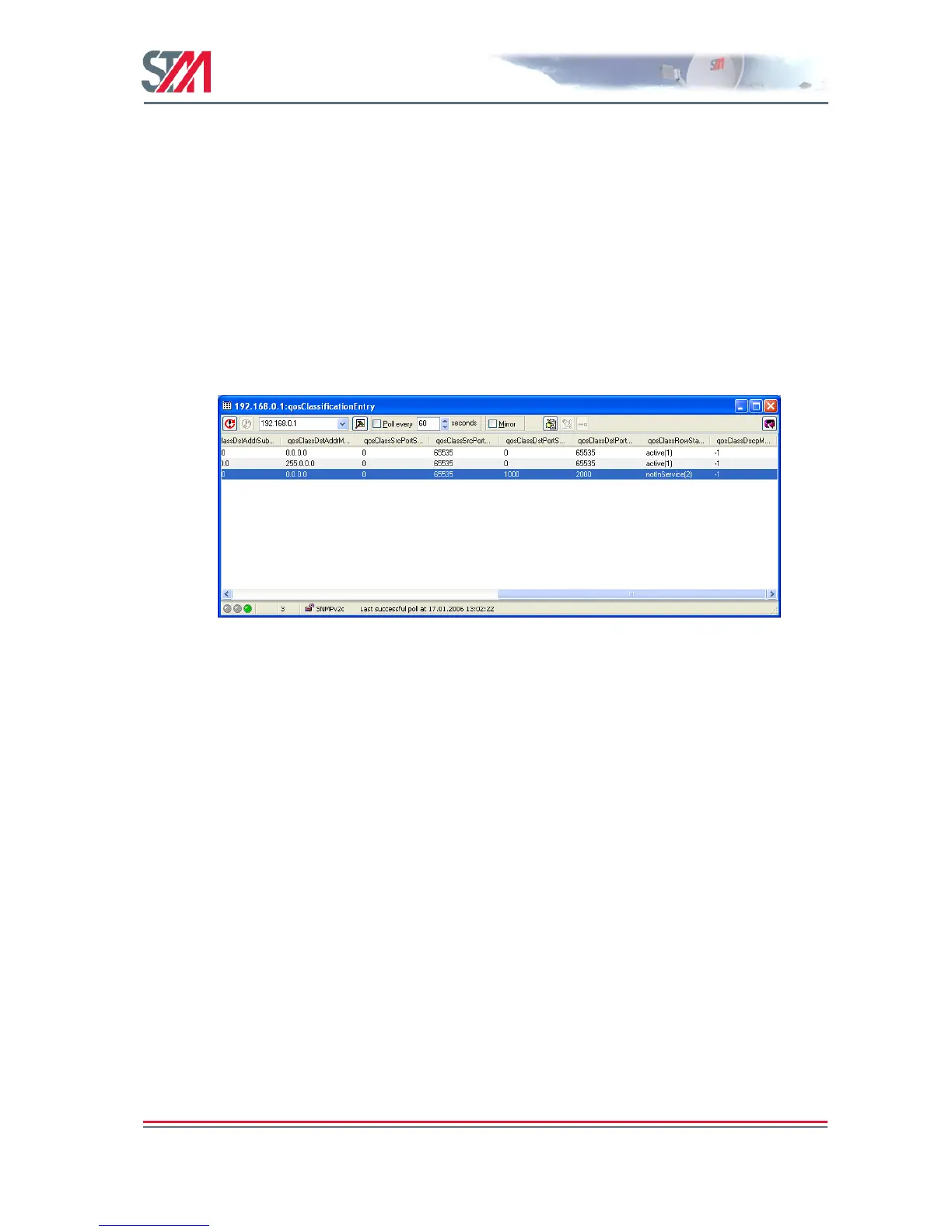
2. Then use, for example, ―Table View‖ on the qosClassificationEntry object and edit the table. Commit
the table to the VSAT.
Figure 50: Editing the Entry Using "Table View"
The figure above shows an example for filtering on destination ports from 1000-2000. The entry can be
verified using the CLI command ip qos show:
# ip qos show
QOS Policy Table
Grp Cls CrM Pri QLength Drop Timeout Description
0 0 0 0 400000 0 120 Best Effort
1 1 1 1 15000 1 120 VoIP Audio
2 1 1 2 4000 1 120 VoIP Signaling
QoS Classification table
SubIdx Idx Grp Classification Parms HitCount



 To Next Page