7 Teleservice Application Framework
User Manual 119/374
7.2.9.1 Setup ymaild for the first time
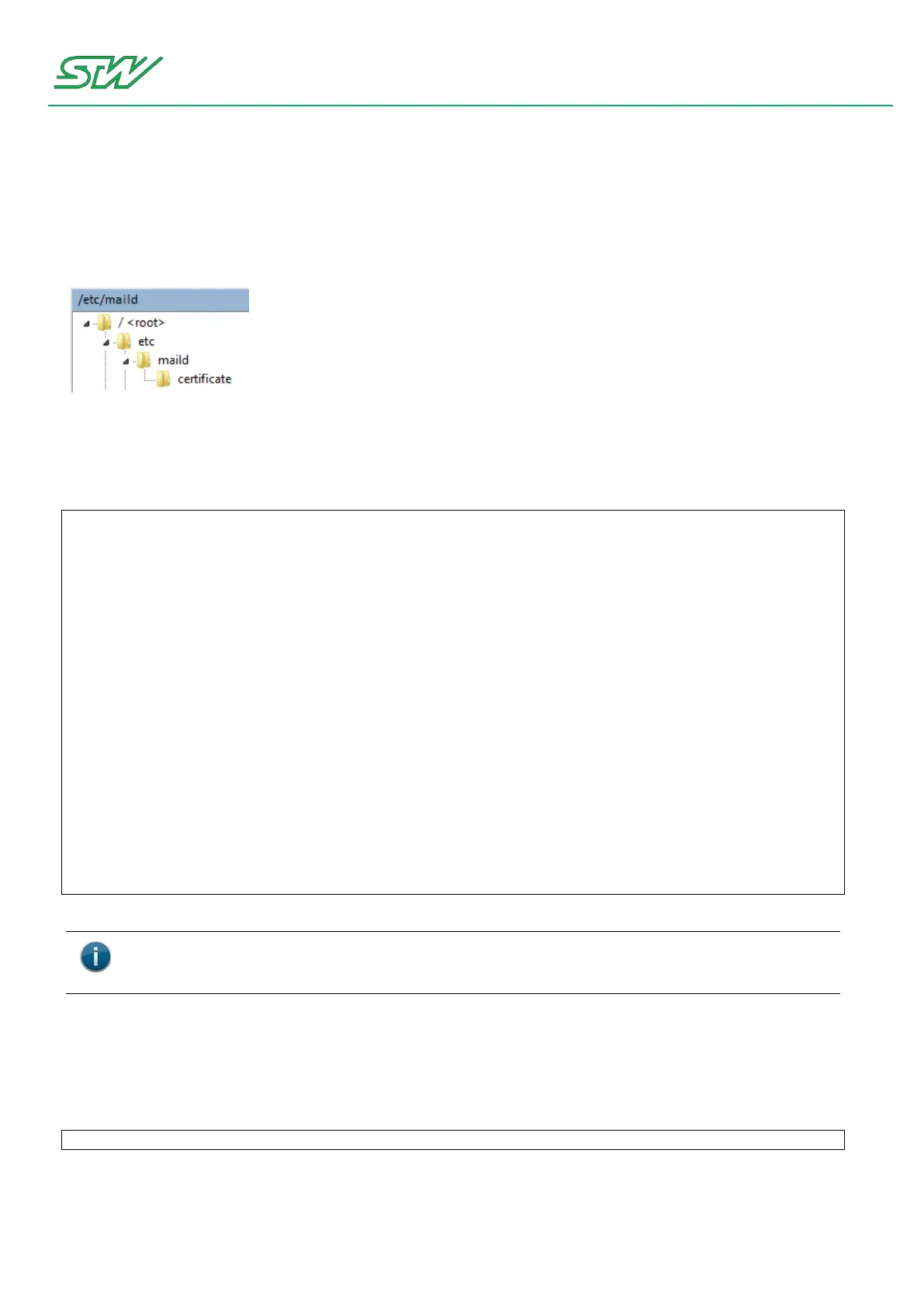
Home Directory - maild
Before using the ymaild, it has to be configured. All but one configuration files can be found in the home
directory /etc/maild.
mail.account - file
The configuration of the e-mail account is handled in the file mail.account.
The following setting are for the google mail account: example@gmail.com with the password: 123456.
account master_account {
set folder=imaps://example@imap.gmail.com/INBOX
set password-example@imap.gmail.com="123456"
set imap-use-starttls
set from="TC3G <example@gmail.com>"
set replyto="example@gmail.com"
set sender="example@gmail.com"
set smtp-use-starttls
set ssl-verify=ignore
set smtp="smtp://smtp.gmail.com:587"
set smtp-auth="login"
set smtp-auth-user=example@gmail.com
set smtp-auth-password="123456"
# using a signature is not mandatory
set signature=/etc/maild/signature
# encryption
set smime-force-encryption
set smime-sign-cert=/etc/maild/certificate/TC3Gpubl.priv.pem
# include mailing list
set NAIL_EXTRA_RC=/etc/maild/mail.list
}
mail.list - file
The allowed e-mail addresses are handled in the file mail.list. See description below.
The first user needs to be added by hand.Therefore, the blue highlighted part needs to be replaced.
set smime-encrypt-example.address@sensor-technik.de=/etc/maild/certificate/PCpubl.pem
After that, the handling could be performed via e-mail and the tags <add_user> and <delete_user>.
Renaming the .pem file needs to be handled with care and should be avoided.


 To Next Page