72 Introduction
Before Use
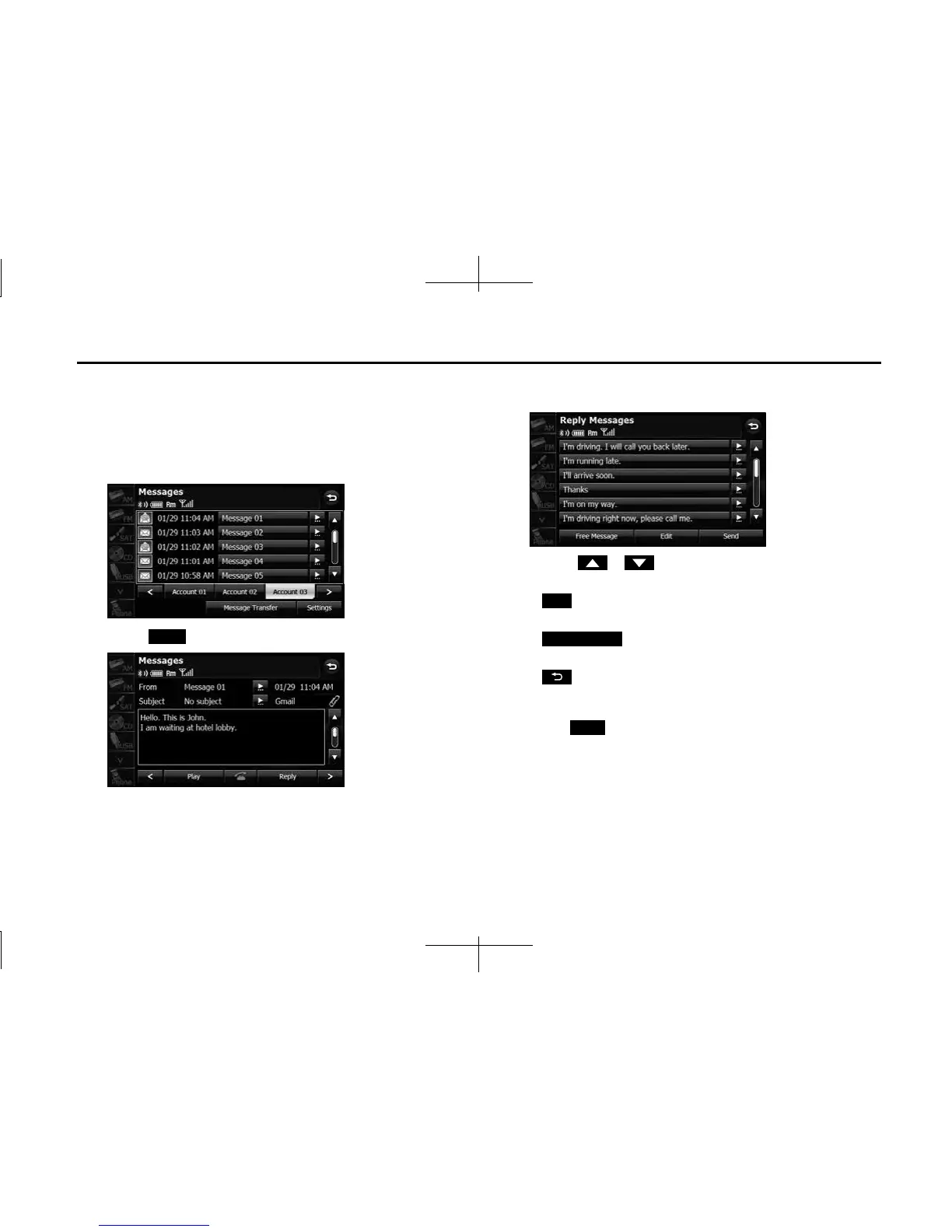
■ Replying to a message
You can select a reply destination from the Messages list and send a
message that you created on the unit.
1 On the Messages screen, touch the message to which
you want to reply.
2 Touch (Reply).
3 Touch the message that you want to use from the Reply
Messages list.
• Touch or to scroll the pages of the Reply Messages
list.
• (Edit):
Edit a registered reply message. (See Page 73.)
• (Free Message):
Create any message and use it as the reply. (See Page 73.)
•:
Return to the message details screen.
4 Touch (Send).
• The message is sent.
NOTE
18 messages are registered in Reply Messages in the initial setting.
Reply
Edit
Free Message
Send














 To Next Page