2-13
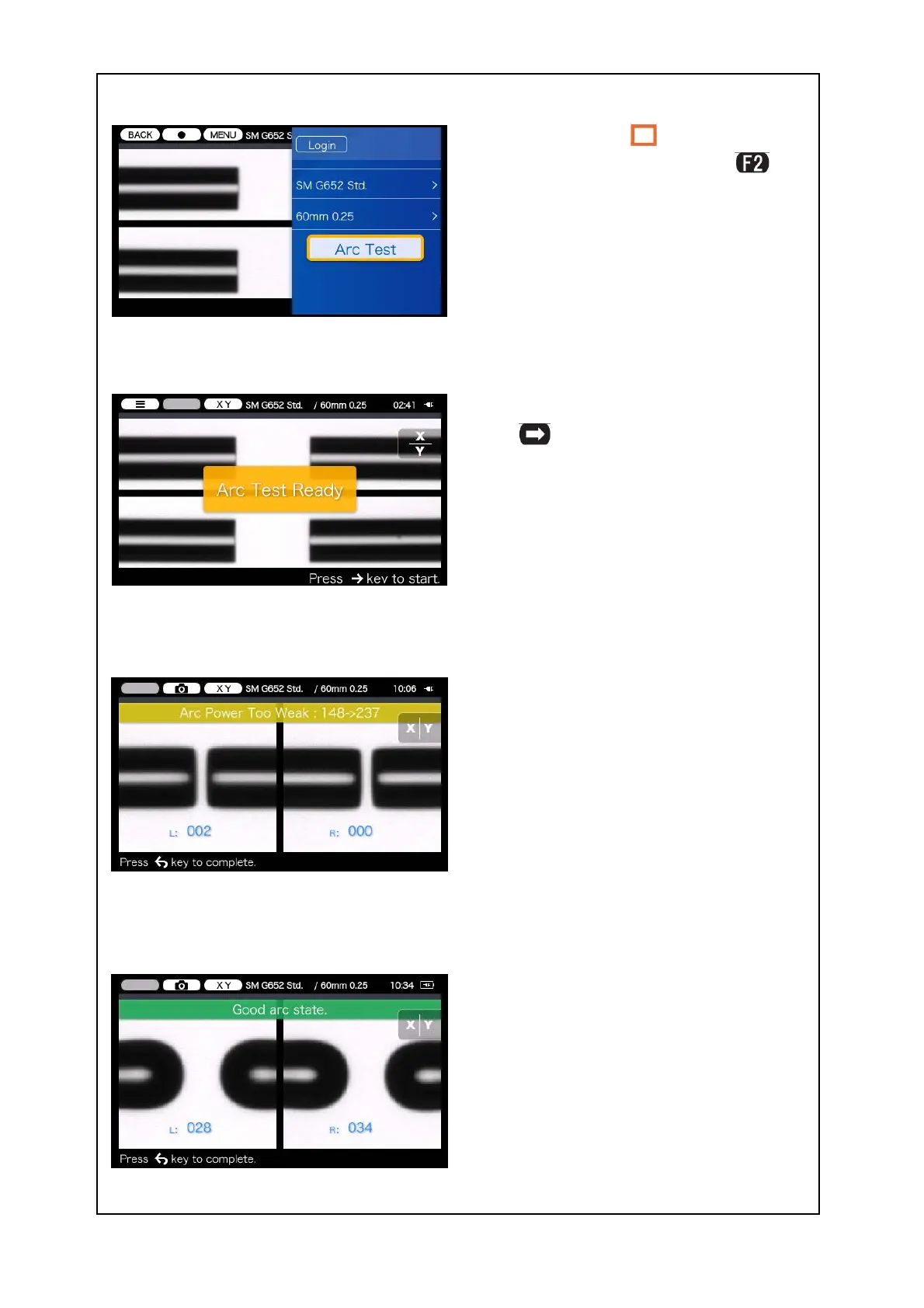
4: Move the cursor “ ” to “Arc Test”
using▲and ▼keys and press
key.
“Arc Test Ready” will appear.
5: After “Arc Test Ready” appears, press
SET
key.
6: An arc test is started. Fibers are not
spliced because they are not moved
and fed in the arc test.
7: If “Arc Power Too Weak”, “Arc Power
Too Strong” or “Arc Center” is dis-
played, prepare the fiber again and
repeat the test until “Good arc state.”
is displayed.
The melt back distance of the left and
right fibers and the arc center position
which are measured via image pro-
cessing are displayed on the monitor
screen. (The arc center position value is
displayed only if the position is shifted.)
8: If “Good arc state.” is displayed, begin
the fiber preparation procedure to
perform a splice.
The splicer automatically initializes
when the hood is opened.


 To Next Page