6-3
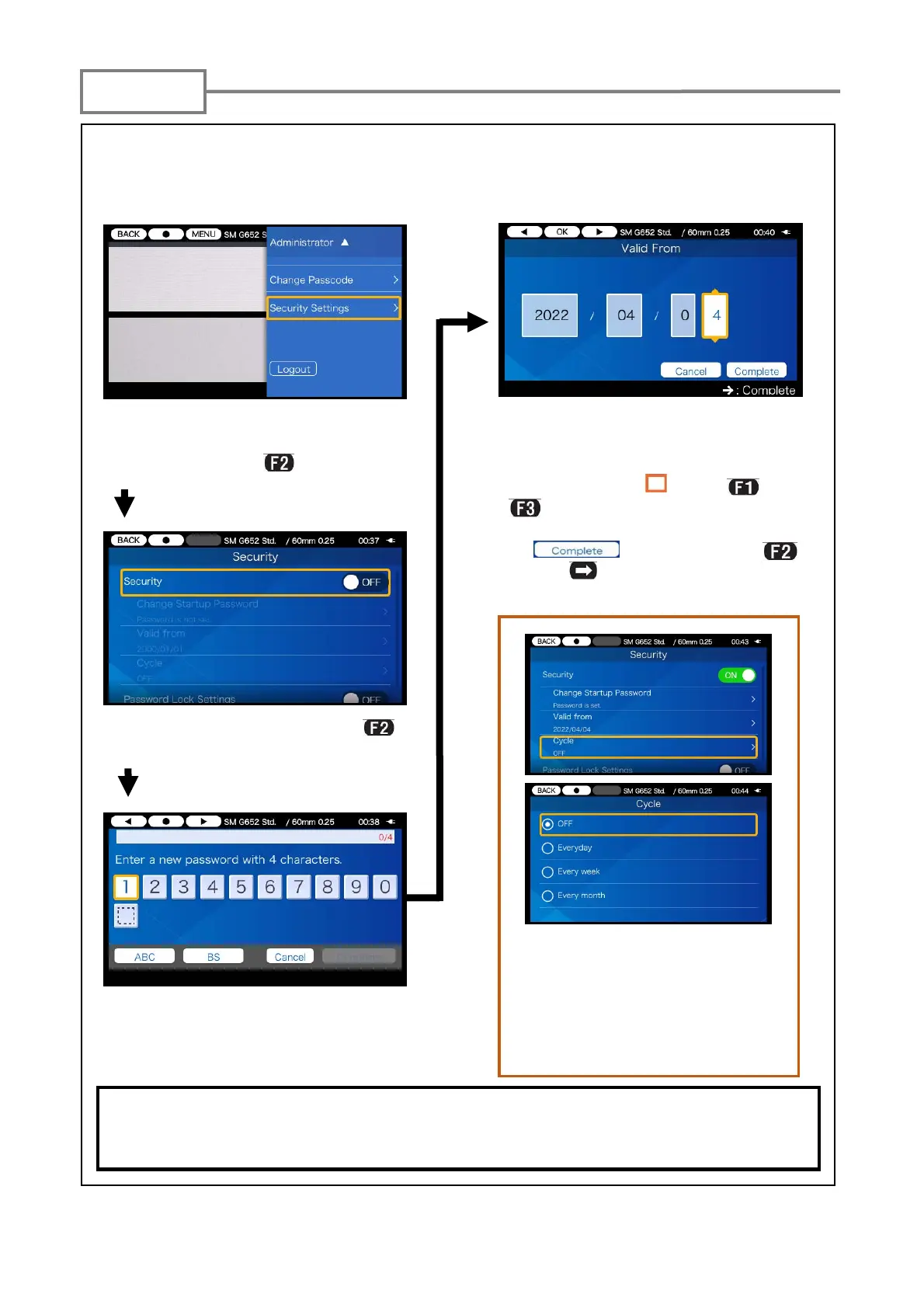
Using a startup password, “Security” function prevents unwanted users from accessing
the splicer.
1 ) Open the Administrator setup
pane. Move the cursor to “Security
Setting” and press
key.
2)Select “Security” and press
key.
3)Startup password setup screen is
displayed. Set a 4 digit password.
You cannot start the splicer if you’ve forgot the startup password. It should be taken
notes of.
Please contact our maintenance service center if you’ve forgot it.
4)Enter a date on which the splicer
will request a password entry.
Change dates using ▼▲ keys.
Move the cursor “ ” using and
keys.
After a date entry, move the cursor
to icon and press
or SET key. Past dates cannot
be set.
If you enable “Cycle” option, a
startup password is requested
every certain period of time (eve-
ryday/every week/every month)
after the date when the startup
password is activated passed.
<Startup password protection>
Security



 To Next Page