6-4
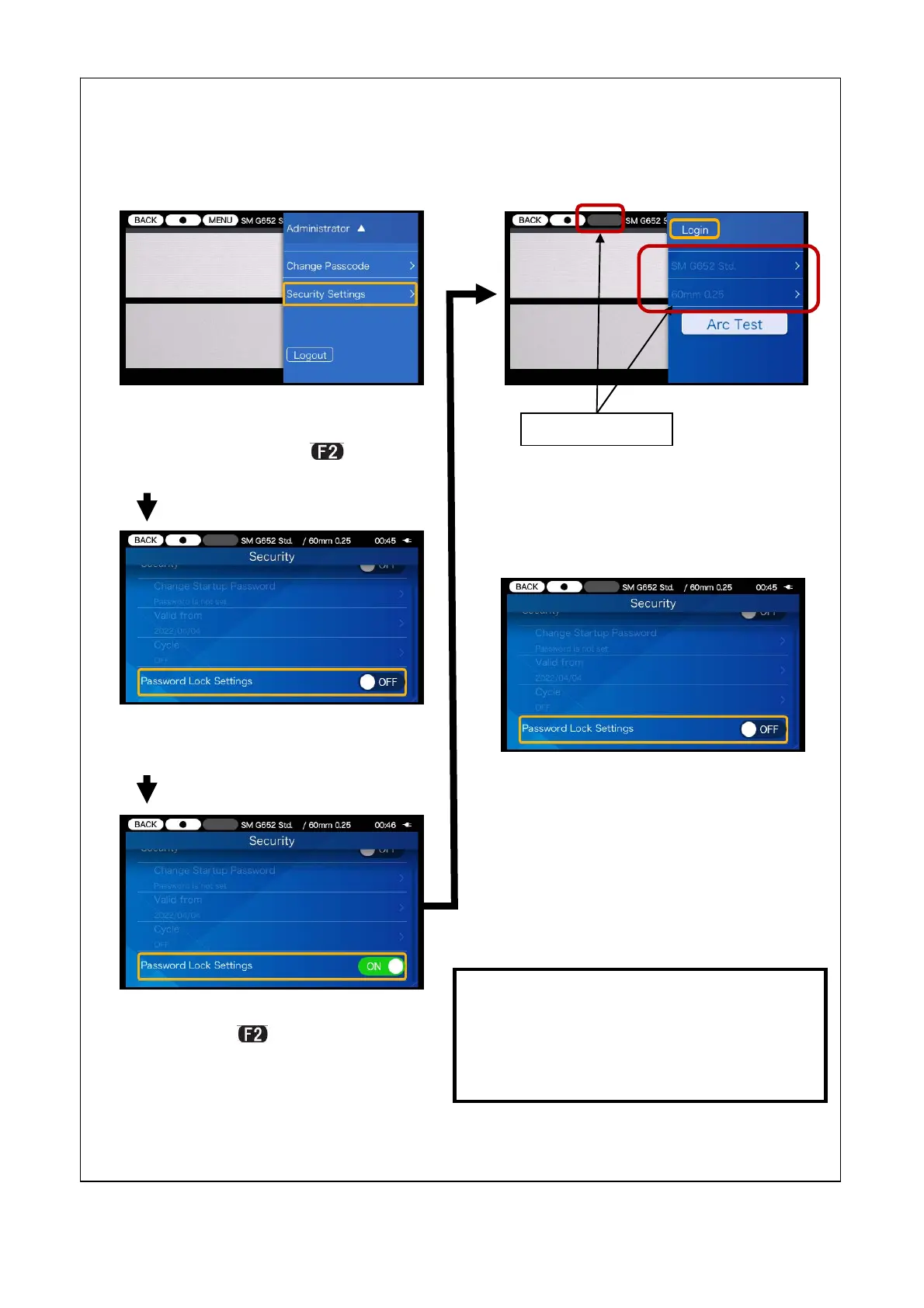
2)Select “Password Lock Settings”
and press key to set the
function to ON.
3)After you log out from Administra-
tor mode, splice/heater programs
and function settings cannot be ed-
ited.
You cannot change the lock settings if
you’ve forgot the Administrator passcode.
It should be taken notes of.
Please contact our maintenance service
center if you’ve forgot it.
An administrator can lock splice and heater programs so that an operator cannot
change them.
4)To make the splice/heater pro-
grams changeable again, access
Administrator mode by entering
the Administrator passcode, and
set “Password Lock setting” to
OFF.
<Lock function 1>
1)Open the Administrator setup
pane. Move the cursor to “Secu-
rity Setting” and press key.
Unchangeable



 To Next Page