4-1
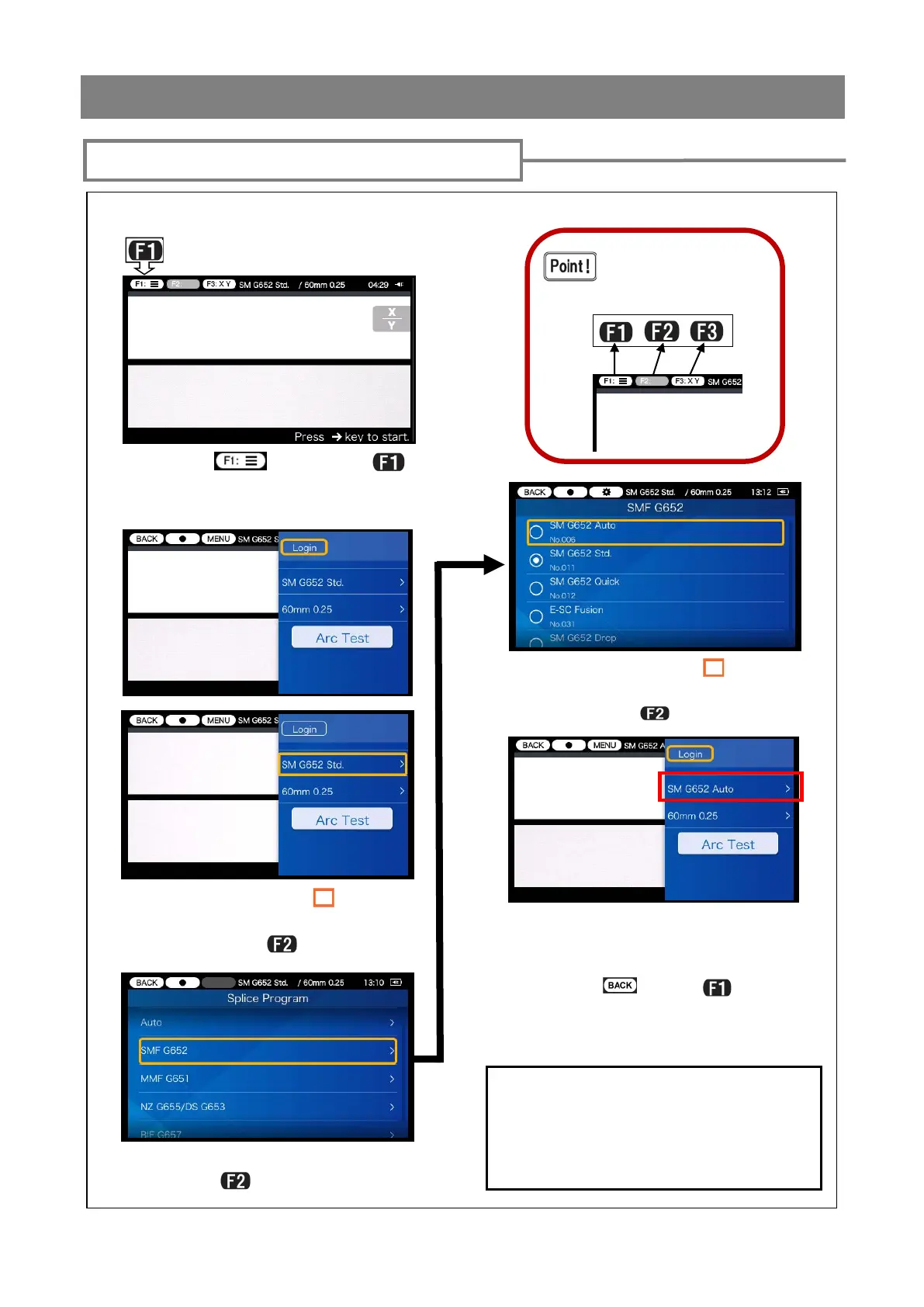
<Splice program setting>
” using
▼▲ keys, select splice pro-
gram and press
key.
Splice and heater programs setting
4) Move the cursor “ ” to the
splice program you would like to
For the details of splice programs, refer to
page 4-3.
If you would like to change splice program
parameters, refer to page 4-5.
5) The selected splice program
has been set.
6) Select (press
key)
screen.
key) to open the setup pane.
3) Select fiber profile category
and press
key.
The Function keys cor-
respond to the icons
located on the left upper
corner of the screen.



 To Next Page