4-2
<Heater program setting>
For the details of heater programs, refer to
page 4-4.
If you would like to change heater program
parameters, refer to page 4-6.
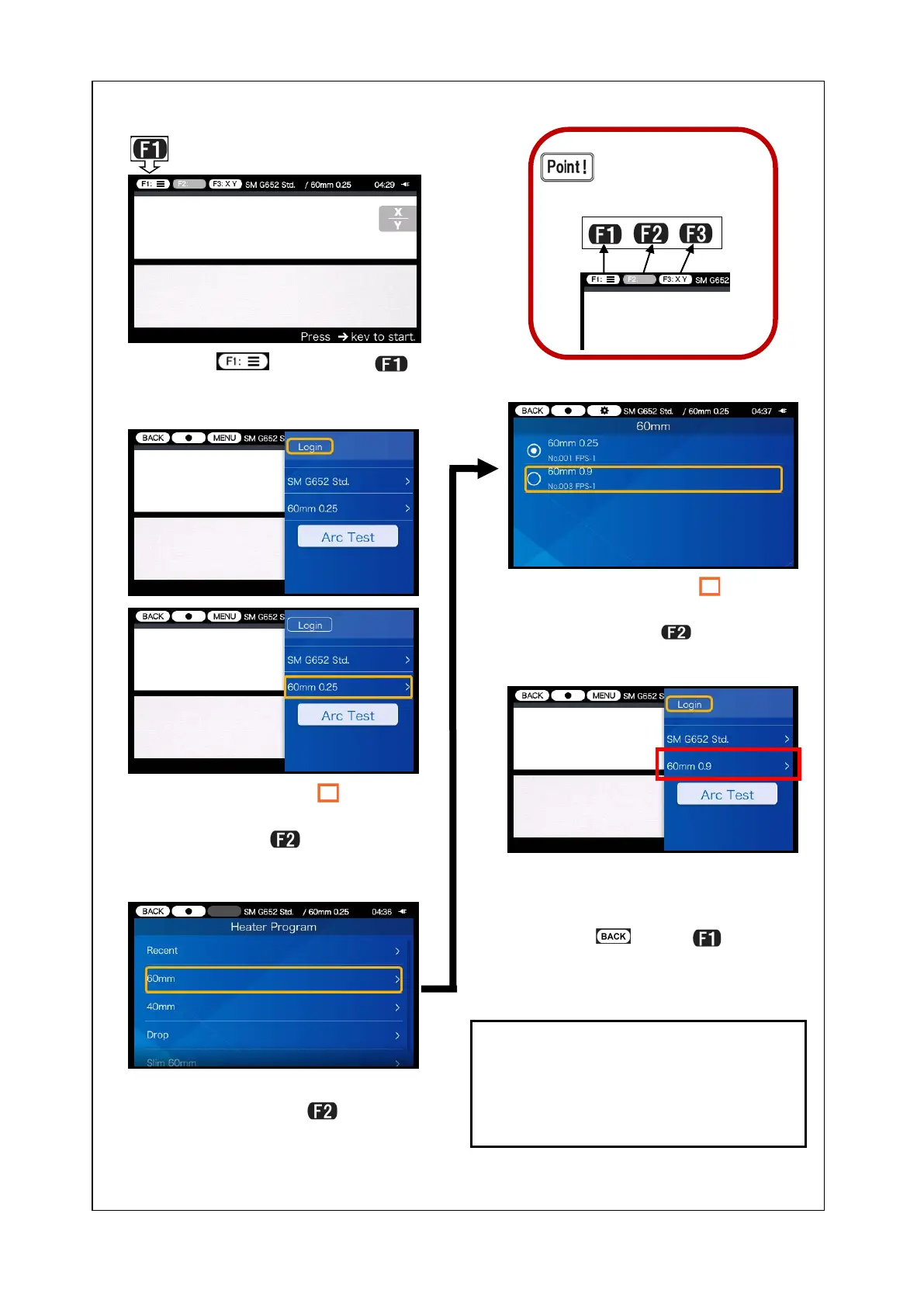
3) Select protection sleeve type
category and press
key.
4) Move the cursor “ ” to the
heater program you would like
to use and press
key.
” using
▼▲ keys, select heater pro-
gram and press
key.
5) The selected heater program
has been set.
6) Select (press
key) to
go back to the Ready screen.
key) to open the setup pane.
The Function keys cor-
respond to the icons
located on the left upper
corner of the screen.


 To Next Page
 Loading...