2-14
The adjusted arc power level is stored even if the splicer is turned off.
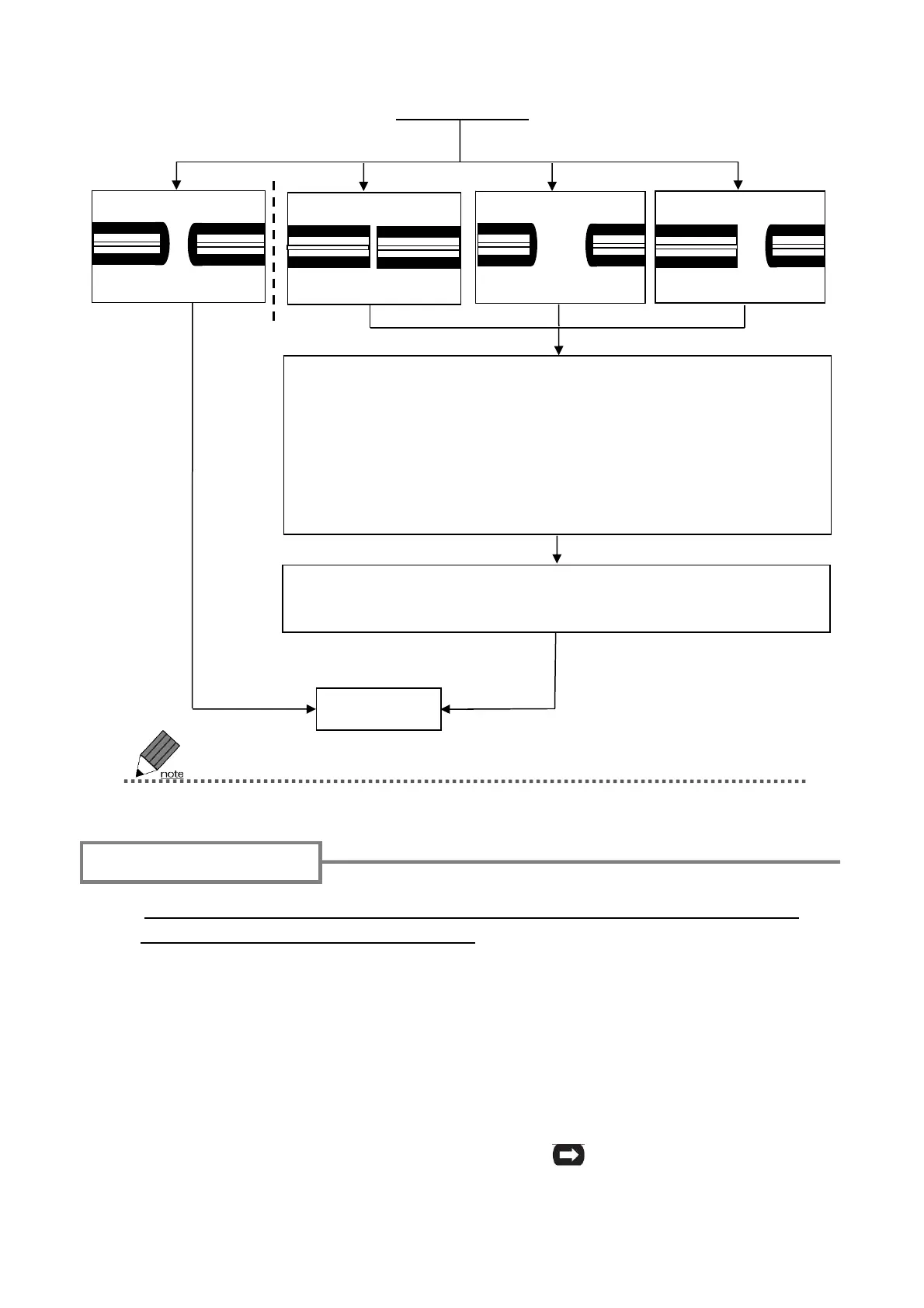
If “Good arc state.” is not displayed, re-do the arc test.
Prepare the fiber again.
Good arc state.
Arc Power Too Weak
Arc Too Power Strong
Arc Center
Start splicing
Arc power and Arc Center are automatically adjusted.
★When the splicer gives “Arc Power Too Weak” or “Arc Power
Too Strong”, it shows arc power values obtained before and
after the arc test.
★When the splicer gives “Arc Center”, it shows arc center val-
ues obtained before and after the arc test.
1: Be sure to slip the fiber protection sleeve over one of the fibers to be spliced
before stripping and cleaving the fibers. The fiber protection sleeve cannot be
installed after splicing.
2: Strip the fiber coating and clean the bare fiber.
Refer to page 2-8.
3: Cleave the bare fiber to a proper cleave length.
Refer to page 2-9.
4: Load prepared fiber in the T-400S. Press
SET key to start the splicing
process.(Please refer to the next pages.)
Fiber preparation
Arc test result


 To Next Page