2-24
Inserting the fiber into the splicer
1. Open the hood.
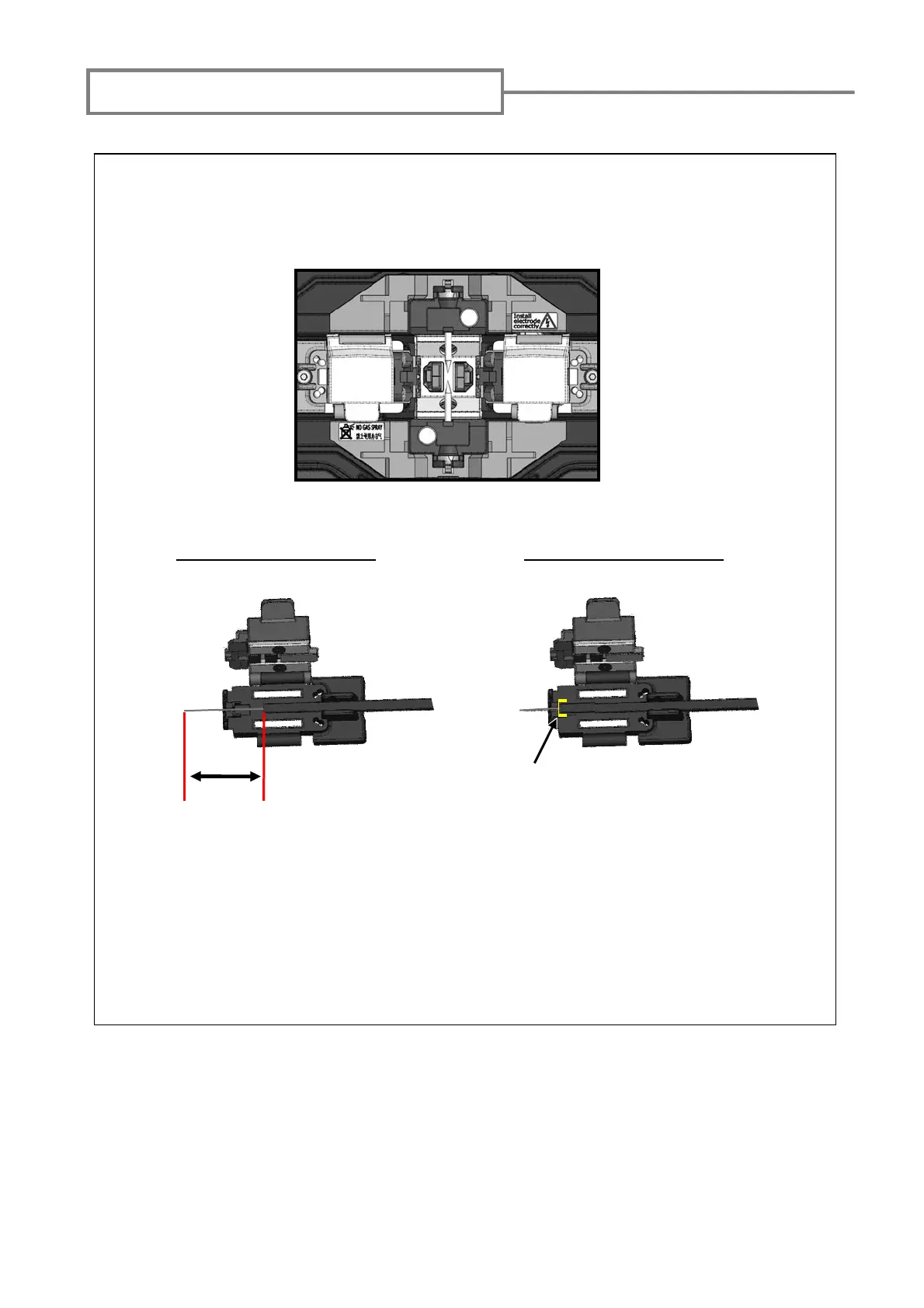
2. Load prepared drop cable in the splicer as shown in the picture below.
4. Close the hood.
5. Start the splicing process.
(Note: Perform an arc test before splicing.)
3. Make sure that the fiber sits in the V-groove correctly.
For use of 40mm sleeve For use of 60mm sleeve
20mm
Groove



 To Next Page