5-4
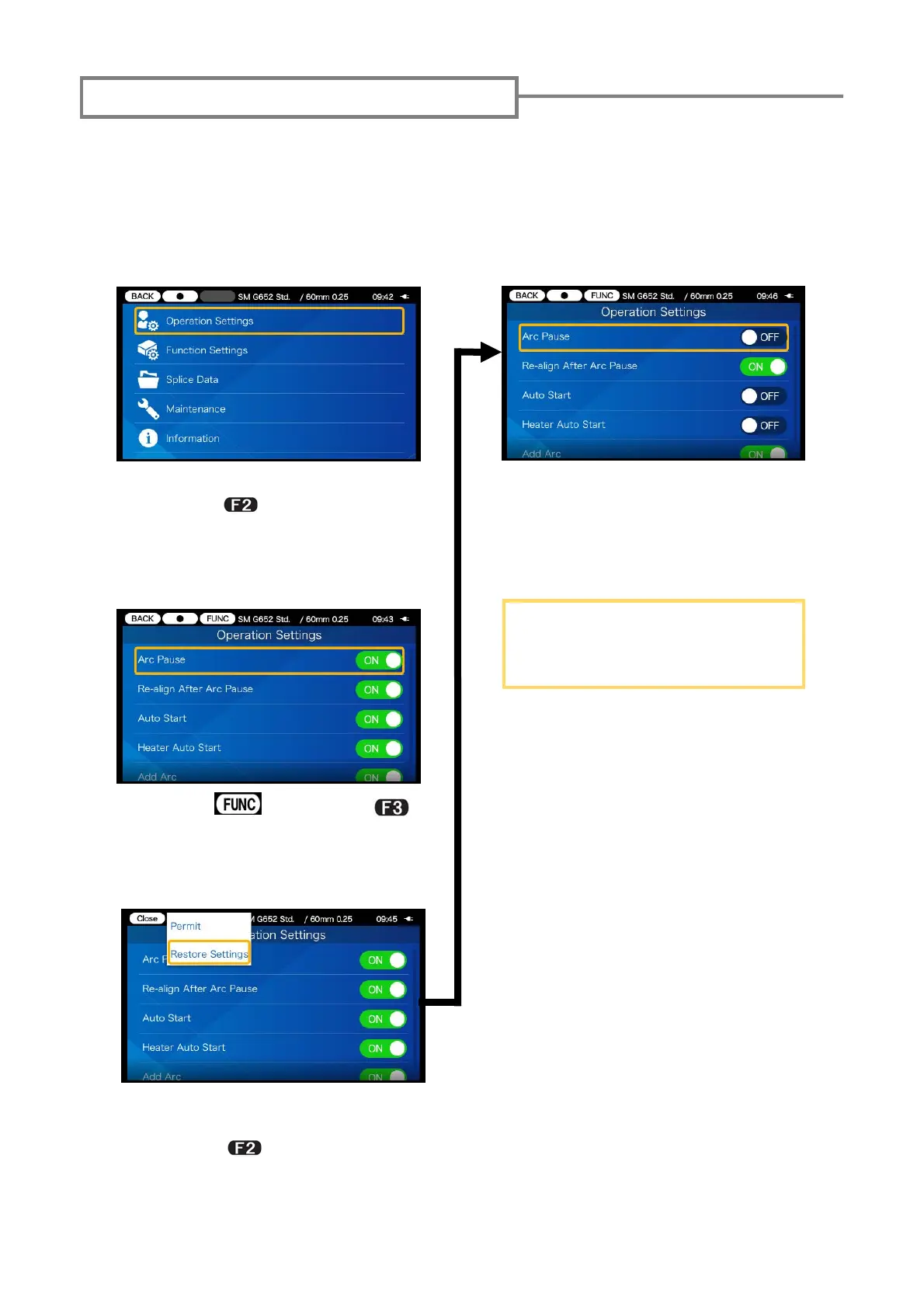
Restoring factory default settings
In Administrator mode, all Operation Settings/Function Settings can be
reset to the factory default settings in one go. This page explains as an
example how to restore the Operation factory default Settings.
(Please refer to Chapter 6 “Administrator mode” for how to log in to Ad-
ministrator mode.)
1) Select the Operation Settings
and press
key to go to set-
up screen.
2) Select
icon. (Press
key.)
3) Move the cursor to “Restore
Settings” in the pulldown menu
and press
key to
reset all
the customized settings.
4) The factory default settings
are restored.
The Function factory default
Settings can also be restored
in the same way.


 To Next Page